Installation and Operation 61
TIFFEN M1 / M2 Post Gimbal Inserts (K0.0040291)
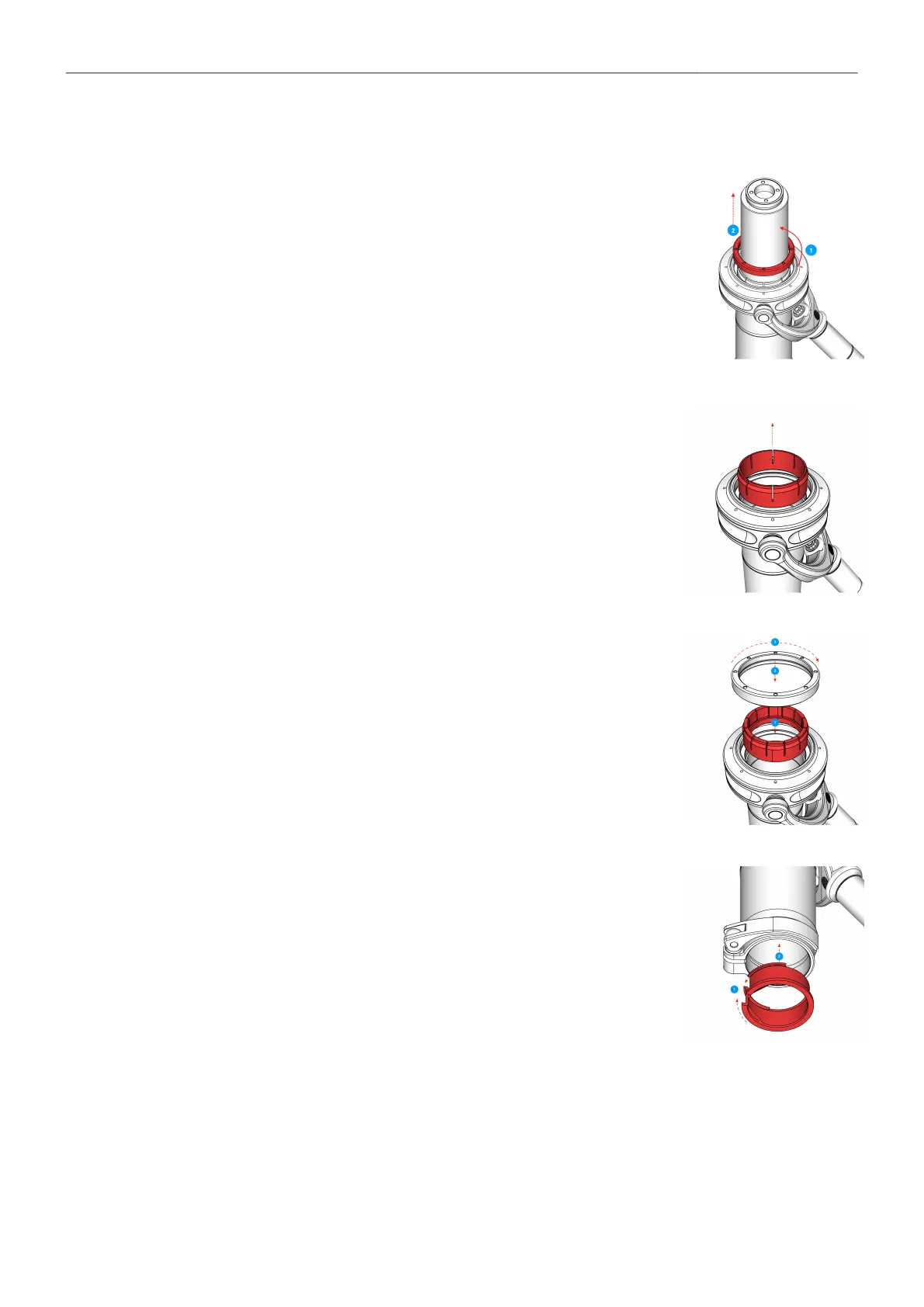
Removing Centering Ring
1. Remove the Top Stage first.
2. Use the Post Tool (K2.0040046) to open the Centering Ring by turning it
to the left.
3. Remove the Centering Ring from the Gimbal.
Removing the Delrin Sleeve
4. Remove the Delrin Sleeve from the Gimbal.
Insert the Upper Delrin Sleeve
5. Place the upper Delrin Sleeve.
6. Remove any grease at the inside ot the insert.
7. Place the centering ring and carefully tighten it.
Insert the lower clamp insert
8. Squeeze the insert with your fingertips and slide it down into the gimbal



 To Next Page