Installation and Operation 60
Knurled Grip Gimbal Extension, Ø1.8in (K2.0014280)
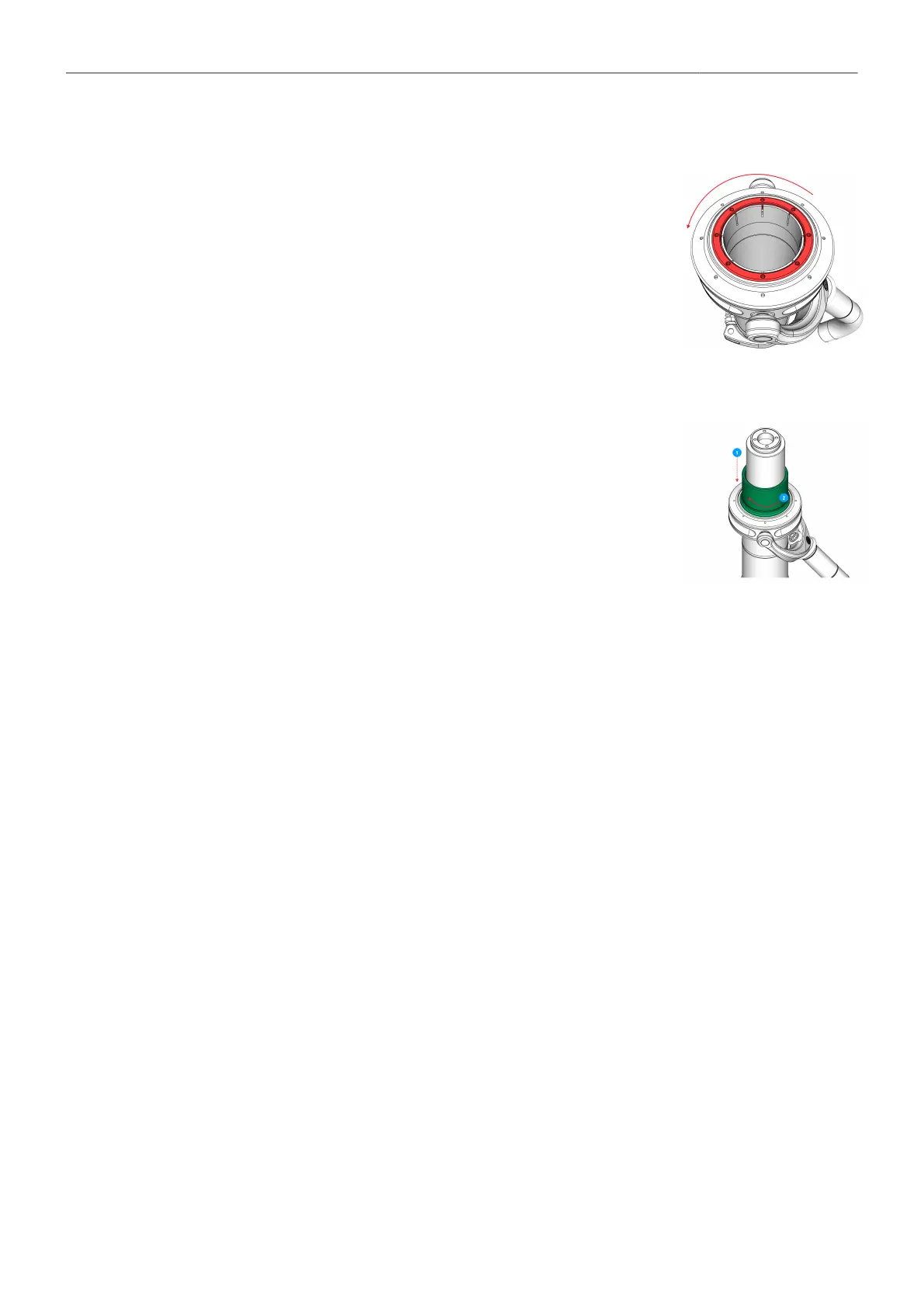
Removing Centering Ring
1. Remove the Top Stage first.
2. Use the Post Tool (K2.0040046) to open the Centering Ring by
turning it to the left.
3. Remove the Centering Ring from the Gimbal.
Knurled Grip assembly
4. Slide the knurled grip gimbal extension over the post and place it care-
fully on top of the gimbal.
5. Carefully tighten the knurled grip gimbal extension.



 To Next Page