116
Save the change in Note pad.
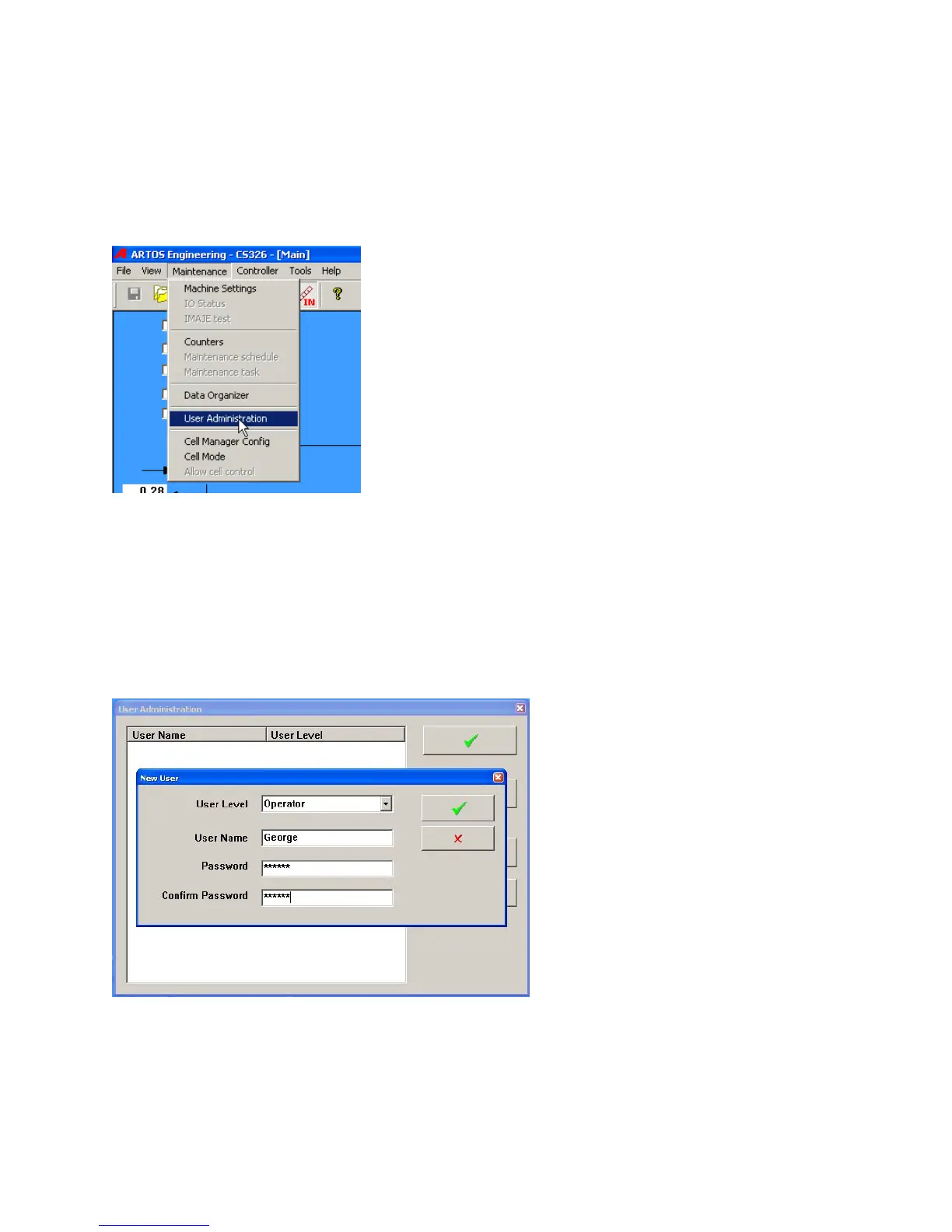
Follow the process below to set up an administrator User and Password. You will need this next time
you start the CS 327 B software
AddingUsersAndPasswords
The user administration will let you assign passwords and user levels. There are four levels,
Administrator that allows complete access, Supervisor, Power user, and Operator. The lower
three all can have their access levels determined by an Administrator. The levels are progressive. A
Supervisor can access all Power users and Operators accesses. Power user can also access
Operator. Operator can only access Operator.
Click New User and fill in the window as shown below. To Change a password remove the user and
make it new again.
SettingPasswordAccessLevels
To assign access levels to select Access Rules on the User Administration window.



 To Next Page