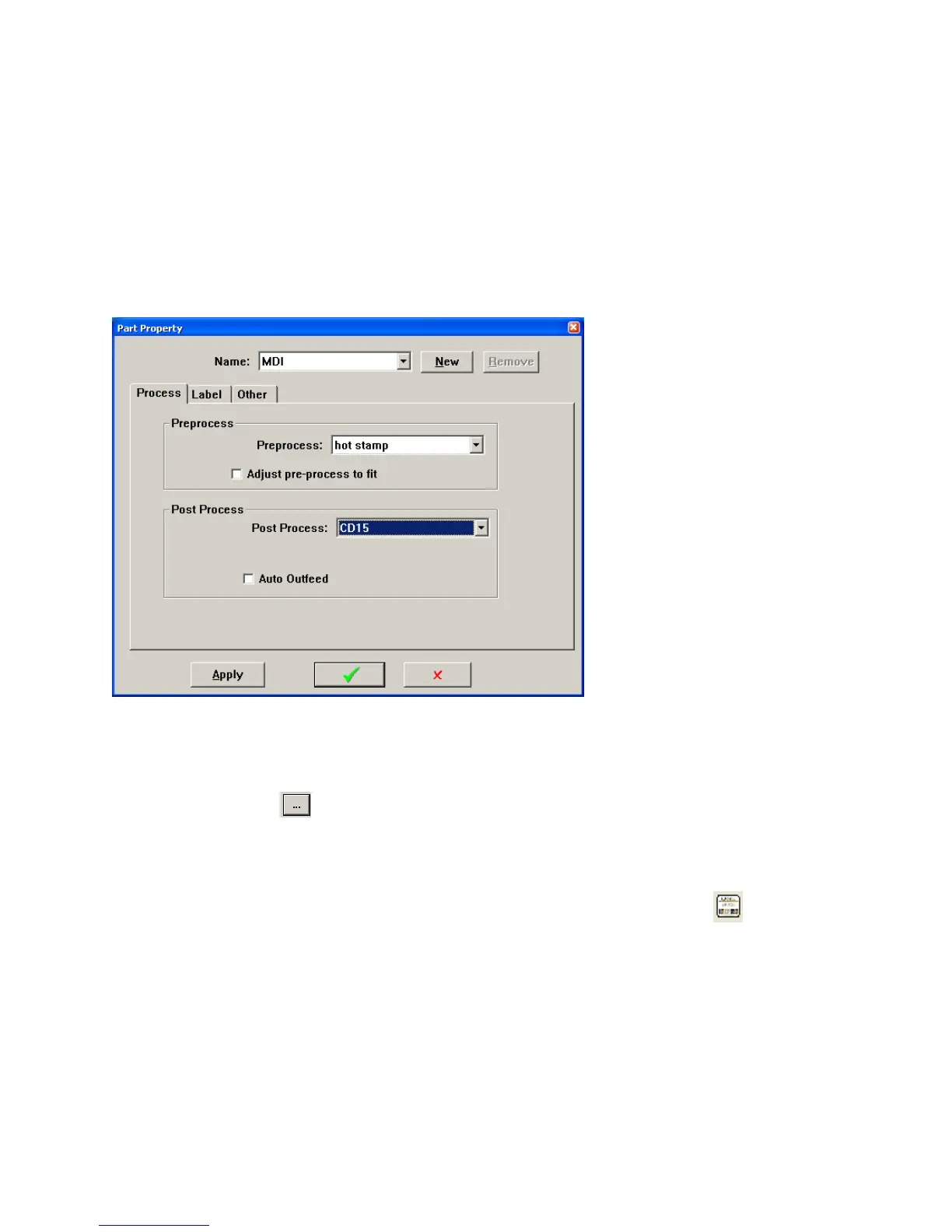
20
programmed a length of wire to be 10 inches. The software will automatically change the mark to be 4 inches
from each end of the wire so it will fit.
Post Process drop down Select the name of the post process device connected to the machine (see
section Post Process Config page 49)
Auto Outfeed – If this box is checked the machine will feed each part completely clear of the machine before
it start processing the next part. This is sometimes necessary depending on the type of post process that is
selected or in the way in is necessary for the operator to handle the parts. Having this box checked will reduce
the parts per hour.
LabelTab
The label feature can only be used if the Nicelabel software and printer are installed on the machine. See
section Label printing option (page 76) for more details.
Click the browse button
. Select the name of that label and click the green check. For information on
creating and editing labels see section CREATING A LABEL on page80.
Select the Print Timing you want to use,
User Select (The label will print whenever you click on the label icon
)
At each part completion (print a label after each part)
At batch completion (print a label after each batch)
At program completion (print a label after special stripping)
For more information see section PRINT TIMING on page 87.



 To Next Page