19
All the machine cycling functions are controlled by the CYCLE START button. To select which
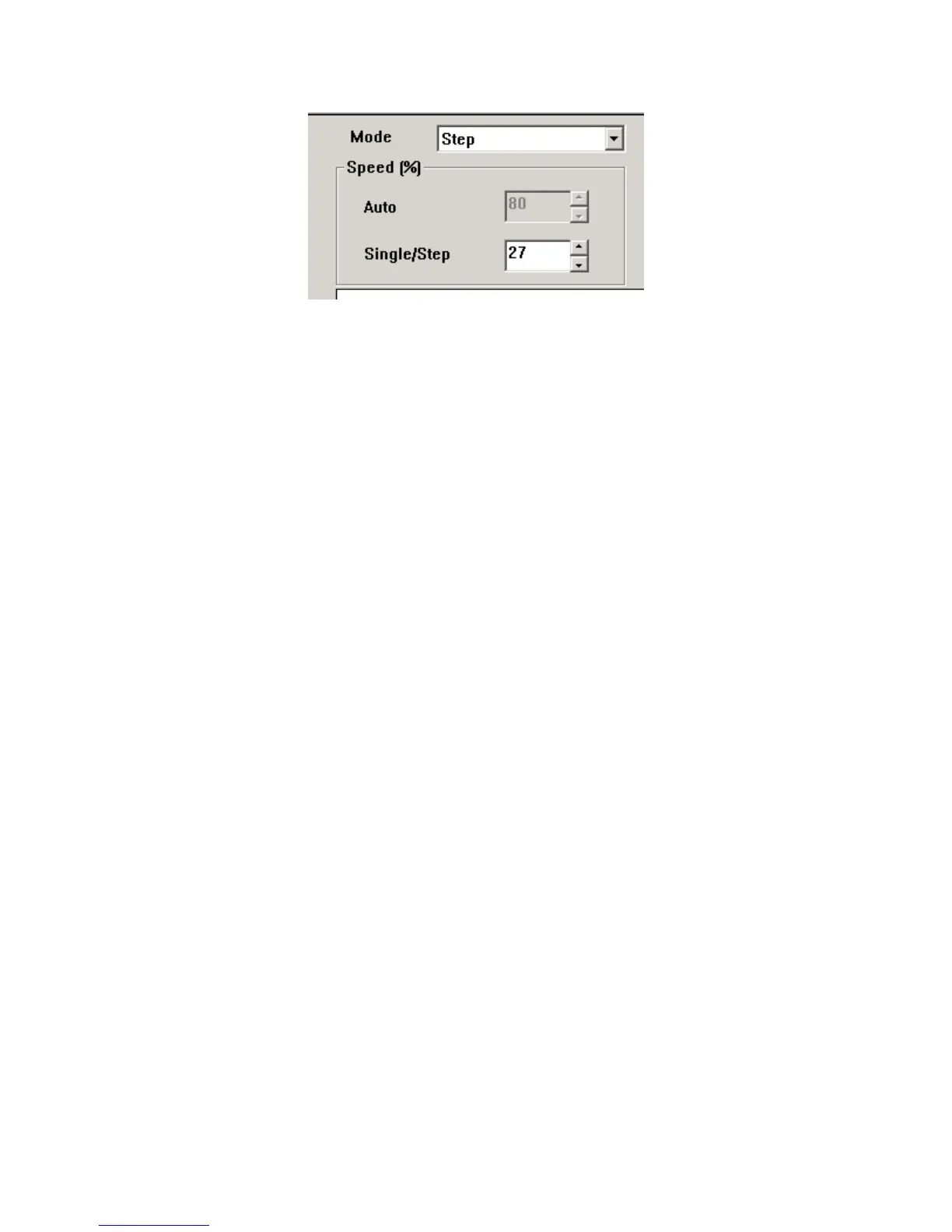
mode is used (AUTO, SINGLE, or STEP) click on the drop down button (#7) and select.
AutoMode
When the AUTO mode is selected the CS 327 will start producing the desired wires in the quantities
programmed in the Total Parts field, divided into the amounts programmed in the Batch Parts field
using the selected Batch Control mode.
SingleMode
When the SINGLE mode is selected the CS 327 will produce one complete wire. This is usually
used to check the quality of the piece. This piece is not counted by the CS 327.
StepMode
When the STEP mode is selected the CS 327 will produce one wire at a time progressing through the
process step by step. With each press of the CYCLE START button the process will advance one
step. This will allow the operator to view each step of the process. This piece is not counted by the CS
327.
Speed%
The value in these windows is the percentage of the total speeds the machine will run in the selected
mode.
SETTINGS
PART PROPERTIES
Processtab
Preprocess dropdown Select the name of the pre-process you would like to perform on the wire (see section
PRE PROCESS PROGRAMMING page 64). Leave blank if no pre-process.
Adjust pre-process to fit –
If this box is checked the software will automatically change the programmed
lengths of the pre-process so it will fit on the programmed length of wire. For example you may have
programmed a Hot Stamp pre-process that has a mark 6 inches from each end of the wire. Then you



 To Next Page