FastPak EXP Operating Manual 21
Powering Up the Devices
If an appropriate electrical outlet is not available,
contact a licensed electrical contractor for assistance.
Powering Up the Devices
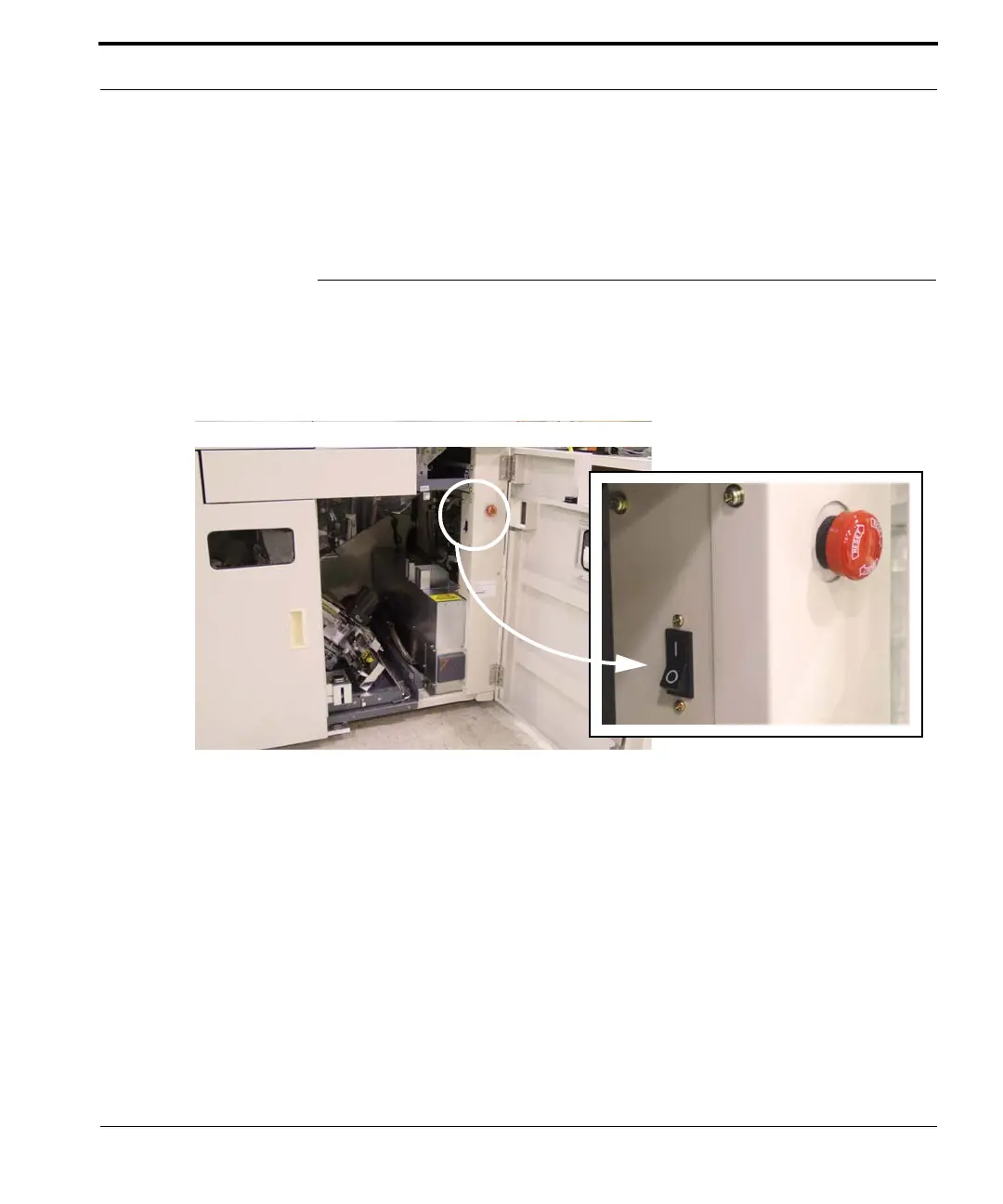
To power up the FastPak EXP after all connections
have been made, locate the power switch inside the
right front door of the lower cabinet, as shown in
Figure
2-4.
Figure 2-4 The power switch in the on position
Power up the client and touchscreen, using the power
switch and the switch on the bottom of the screen,
respectively. Refer to
Starting the FastPak EXP
System on page 22 for step-by-step instructions on
starting the FastPak EXP system.



 To Next Page