Filling Canisters
114 FastPak EXP Operating Manual
Filling Canisters
When you need to refill a canister, do the following:
1. From the Main window shown in Figure 7-1,
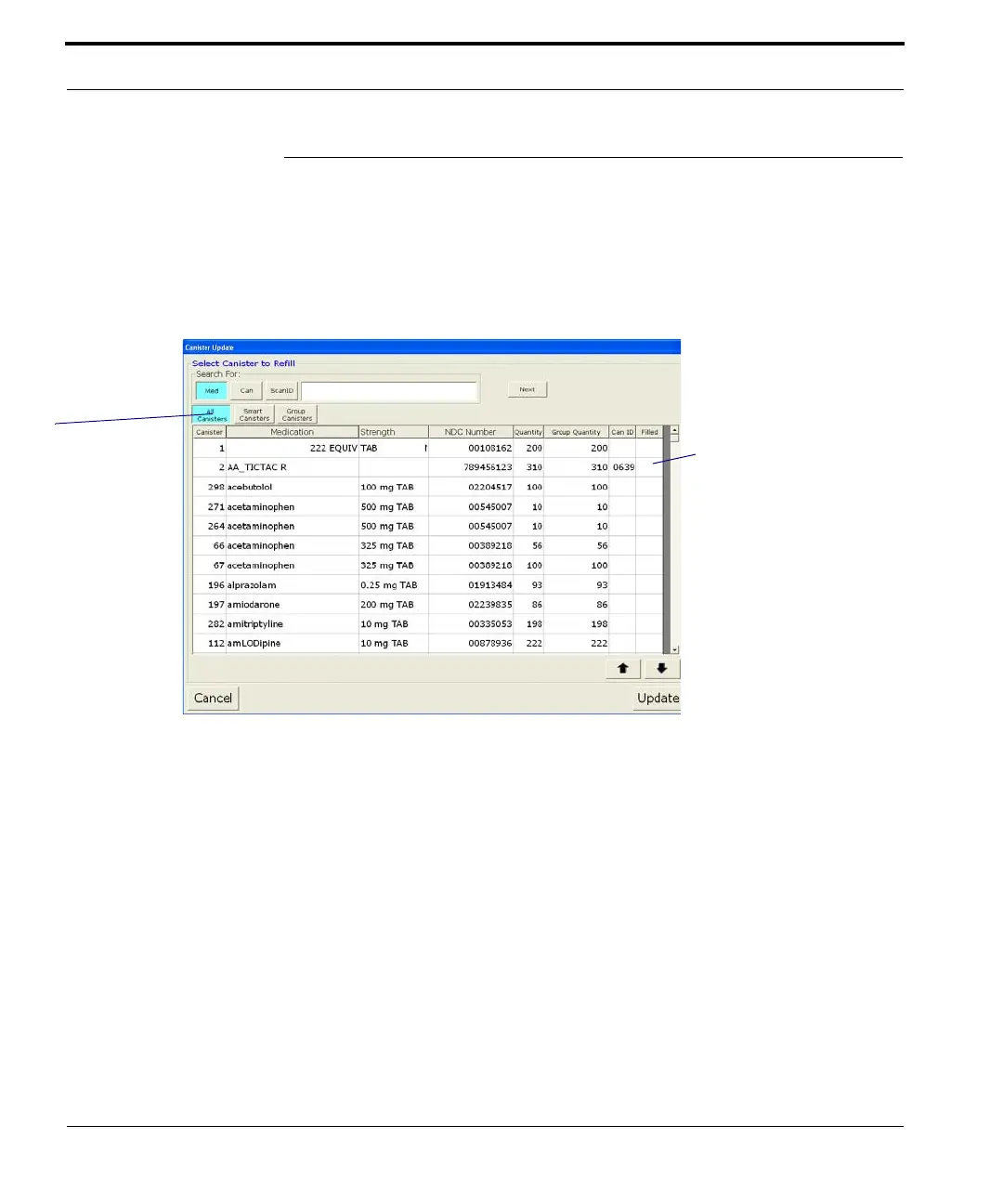
select Fill Canister. The Canister Update
window shown below displays.
Figure 7-29 Canister Update window
2. If the medication you are looking for does not
appear on this screen, type the first few letters of
the medication name in the Search field. If the
first match is not correct, select Next until the
correct medication is displayed. You can also
search for a canister (by number) by clicking first
on Can. Similarly, you can search for a matching
scan ID by clicking ScanID, and then scanning a
bulk medication.
Only Smart Canisters
are assigned a canister
ID.
Smart Canisters which
have been assigned a
canister ID, but which
are not physically in the
FastPak EXP show “0”
in this column.
The medication
list changes, to
reflect your choice
here.
For example, click
Smart Canisters
to see the
medications
assigned to Smart
Canisters in your
setup.



 To Next Page