FastPak EXP Operating Manual 67
FastPak EXP Status Icons
dispensing batches containing only canister
medications. These differences are addressed in
Dispensing Batches on page 69.
FastPak EXP Status Icons
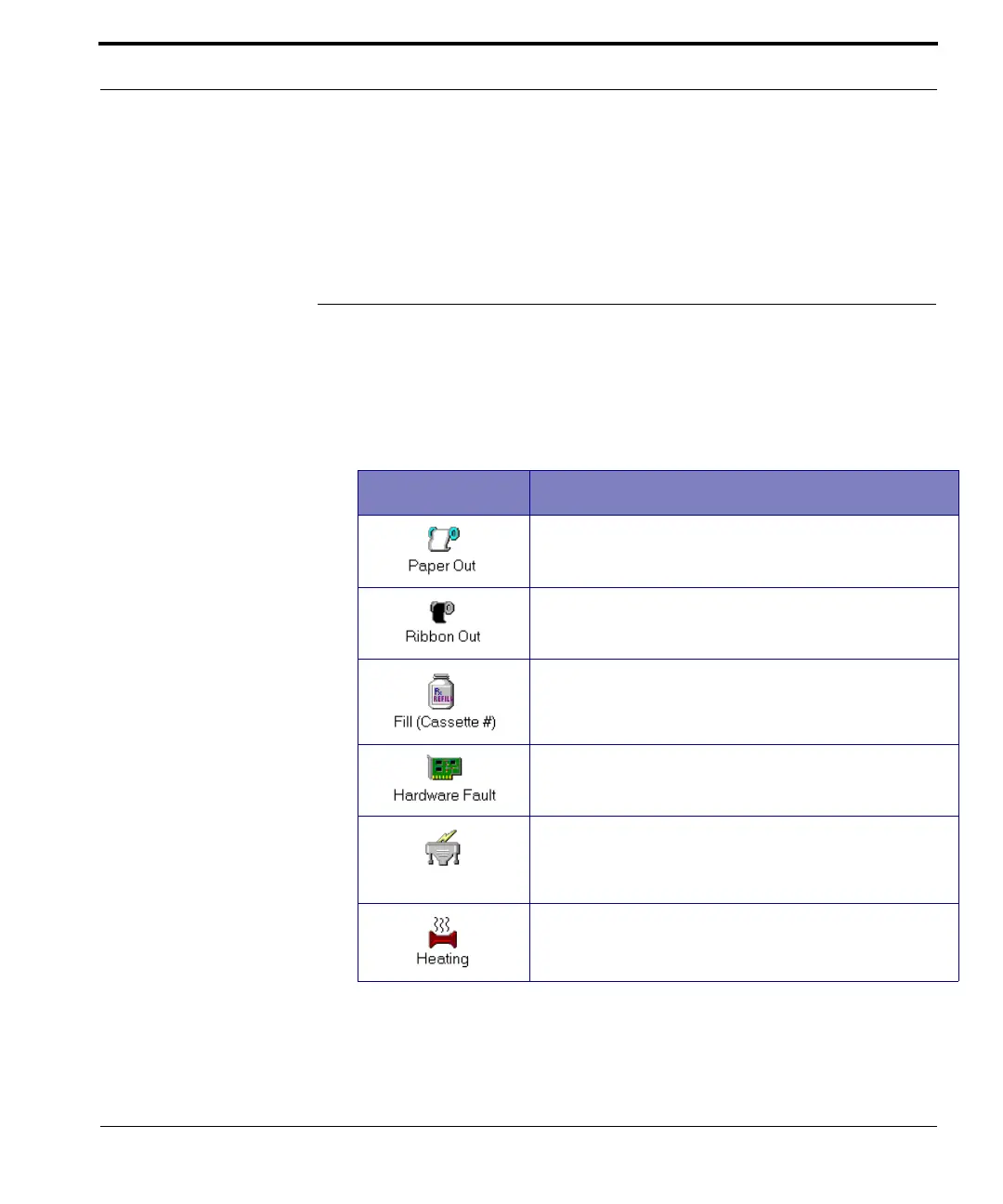
From time to time you may notice error icons
appearing on the ARxIUM computer screen when
you are dispensing. The table below presents these
icons and their meanings.
Table 7-1 Error Icons
Icon Meaning
The paper supply has been depleted.
The ribbon supply has been depleted.
The canister is empty or jammed.
The FastPak EXP has a hardware fault.
Communication between the ARxIUM computer
and the FastPak EXP has failed.
The bag sealing element is heating.



 To Next Page