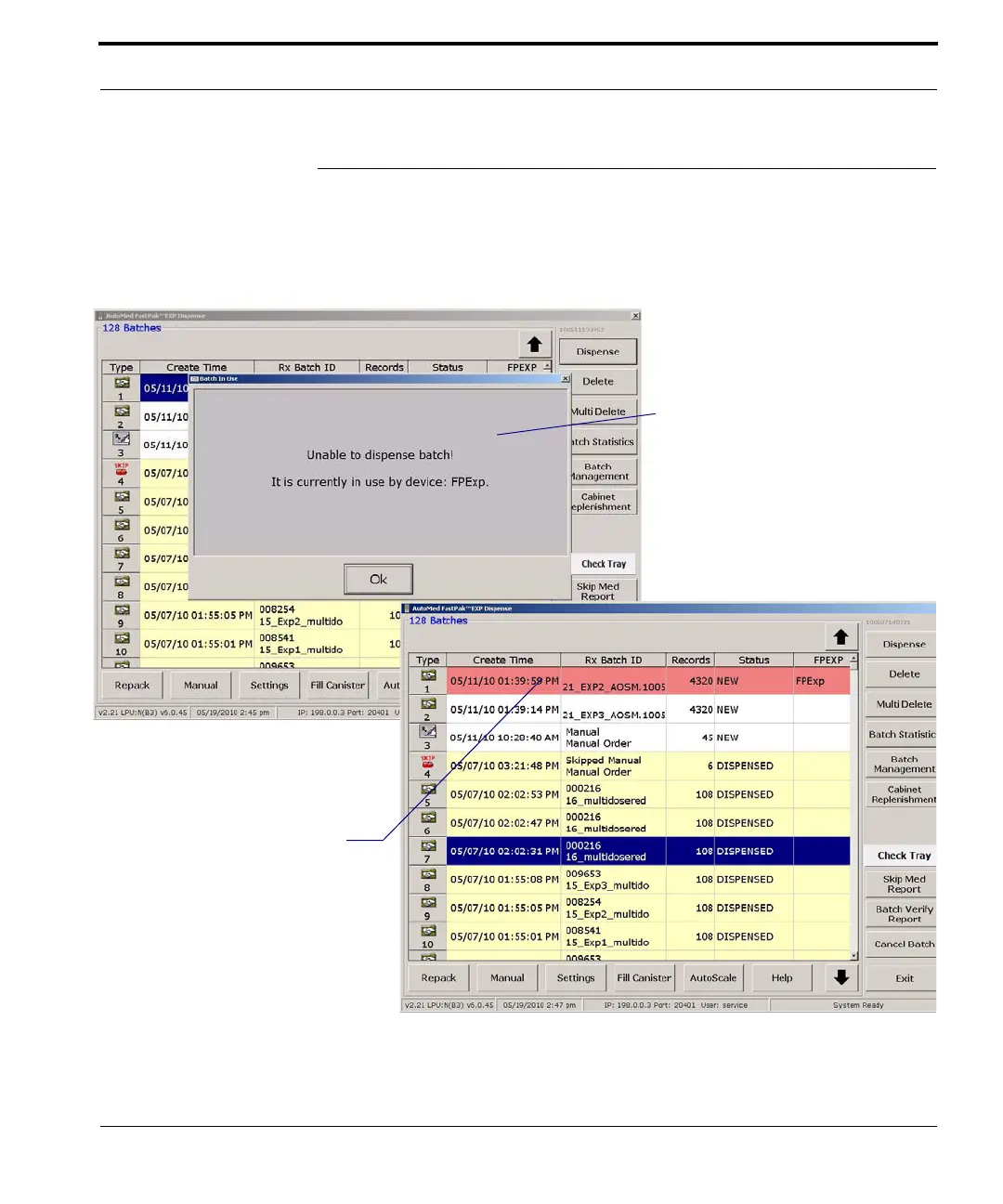
In order to avoid trying to dispense
a batch that is already being
dispensed, a message like that
shown here appears when you
choose a batch while working in an
environment with more than one
FastPak EXP.
When a batch dispenses on one of
the FastPak EXPs in a multiple
EXP setup, that batch appears with
a salmon-colored background on
the Dispense windows of all the
other FastPak EXPs within the
setup. At the same time, the name
of the specific FastPak EXP
dispensing the batch is identified by
name/number in the right-most
column



 To Next Page