Starting the FastPak EXP System
22 FastPak EXP Operating Manual
Starting the FastPak EXP System
Follow the steps below to start the FastPak EXP.
1. Power on the server.
2. Power on the client computer.
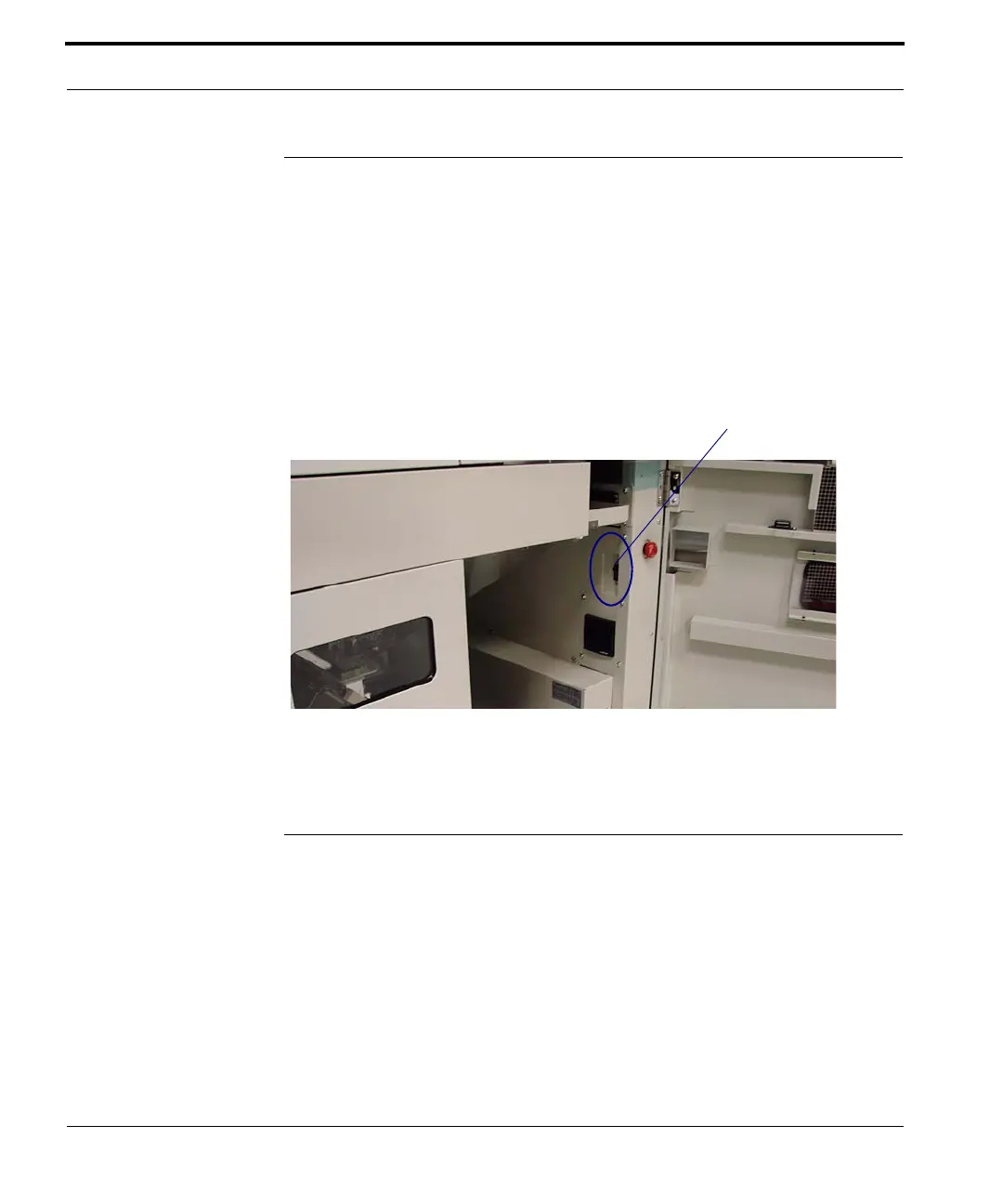
3. Turn on the FastPak EXP.
The on/off switch is located inside the right front
access door.
4. Open the Dispense application by double-
clicking the FastPak EXP Dispense desktop icon.
Shutting Down the FastPak EXP
Once a week you should urn your FastPak EXP
system completely off. Follow the steps below to
shut down the system.
1. Exit the Dispense application.
2. Turn off the FastPak EXP, using the on/off
switch inside the right front access door.



 To Next Page