Home
ARxIUM
Medical Equipment
FastPak EXP
Page 142 (Utc)
ARxIUM FastPak EXP - Utc
184 pages
Manual
Save Page as PDF
To Next Page
To Next Page
To Previous Page
To Previous Page
Loading...
UTC
130
FastPak EXP Operating Manual
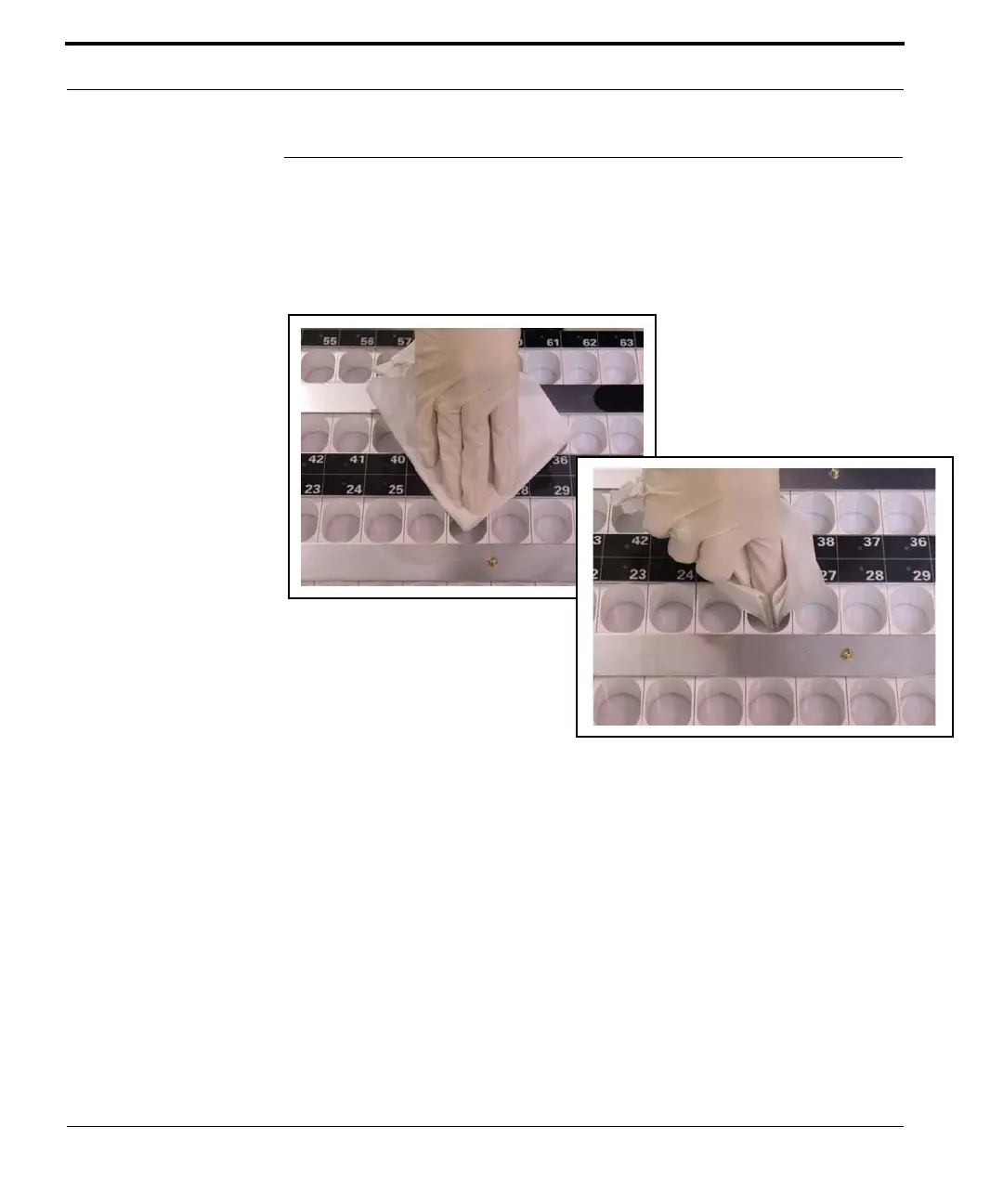
UTC
V
acuum the UTC to remo
ve any accumulated pill
dust. Then wipe the holdin
g cells and tray top each
day with a clean, dry
, lint-free cloth to remove any
dust or pill residue.
Figur
e 8-3 Cleaning the UTC
141
143
Table of Contents
Main Page
Table of Contents
9
Features and Function
13
Introducing the Fastpak EXP
14
Operating Guidelines
15
How the Fastpak EXP Works
15
The Cabinet
17
Interior Components
18
Removing and Installing the Lower Assemblies
20
Drawer Lock
23
Keypad and LCD Panel
24
Emergency Stop Button
26
Setup
27
Connecting the Fastpak EXP to the Arxium Computer
28
Installing the Touchscreen
28
Connecting PC Components
31
Connecting to a Power Source
32
Powering up the Devices
33
Starting the Fastpak EXP System
34
Shutting down the Fastpak EXP
34
Emergency Shutdown Procedure
35
Canisters
37
Anatomy of a Fastpak EXP Canister
37
Smart Canisters
40
Filling Canisters
41
Installing Canisters
44
Installing Smart Canisters
44
Utc
45
Opening the UTC Drawer
45
Filling the UTC Tray
48
Using the Prefill UTC Tray
52
Med-Paper
53
Locating the Med-Paper
53
Replacing the Med-Paper
55
Replacing the Cutter Blade
59
Ordering Consumables
61
Printer Ribbon
63
Locating the Printer Ribbon
63
Replacing the Printer Ribbon
67
Ordering Consumables
73
Dispense
75
Dispense Application Overview
76
Getting Started
76
Overview of the Dispensing Process
78
Fastpak EXP Status Icons
79
Viewing Batch Status
80
Dispensing Batches
81
Deleting Batches
105
Viewing Batch Statistics
106
Batch Management
108
Cabinet Replenishment
109
Unlocking the Device
110
Skip Med Report
111
Batch Verify Report
112
Canceling a Batch
113
Creating New Batches
113
Processing Newly-Created Batches
119
Changing Dispense Settings
120
Filling Canisters
126
Getting Help
132
Exiting Dispense
133
Cleaning and Maintenance
135
Tool Kit
136
Cleaning Order
137
Exterior Surfaces
137
Touchscreen
137
Barcode Scanner
137
Fingerprint Reader
138
Canisters
138
Medication Drawers
139
Utc
142
UTC Tray Sensor
143
Interior Surfaces
144
Heat Sealer
145
Sub-Hoppers
147
Sub-Hopper Sensors
149
Upper Shutter
150
Hopper and Hopper Sensor
152
Lower Shutter
156
Perforation Blade Assembly
157
Cutter Blade
162
Cleaning Schedule
165
Before Calling for Service
166
Error Messages
169
Messages and Resolutions
170
Troubleshooting
172
Contacting Arxium
172
Specifications
173



 To Next Page