FastPak EXP Operating Manual 43
Replacing the Med-Paper
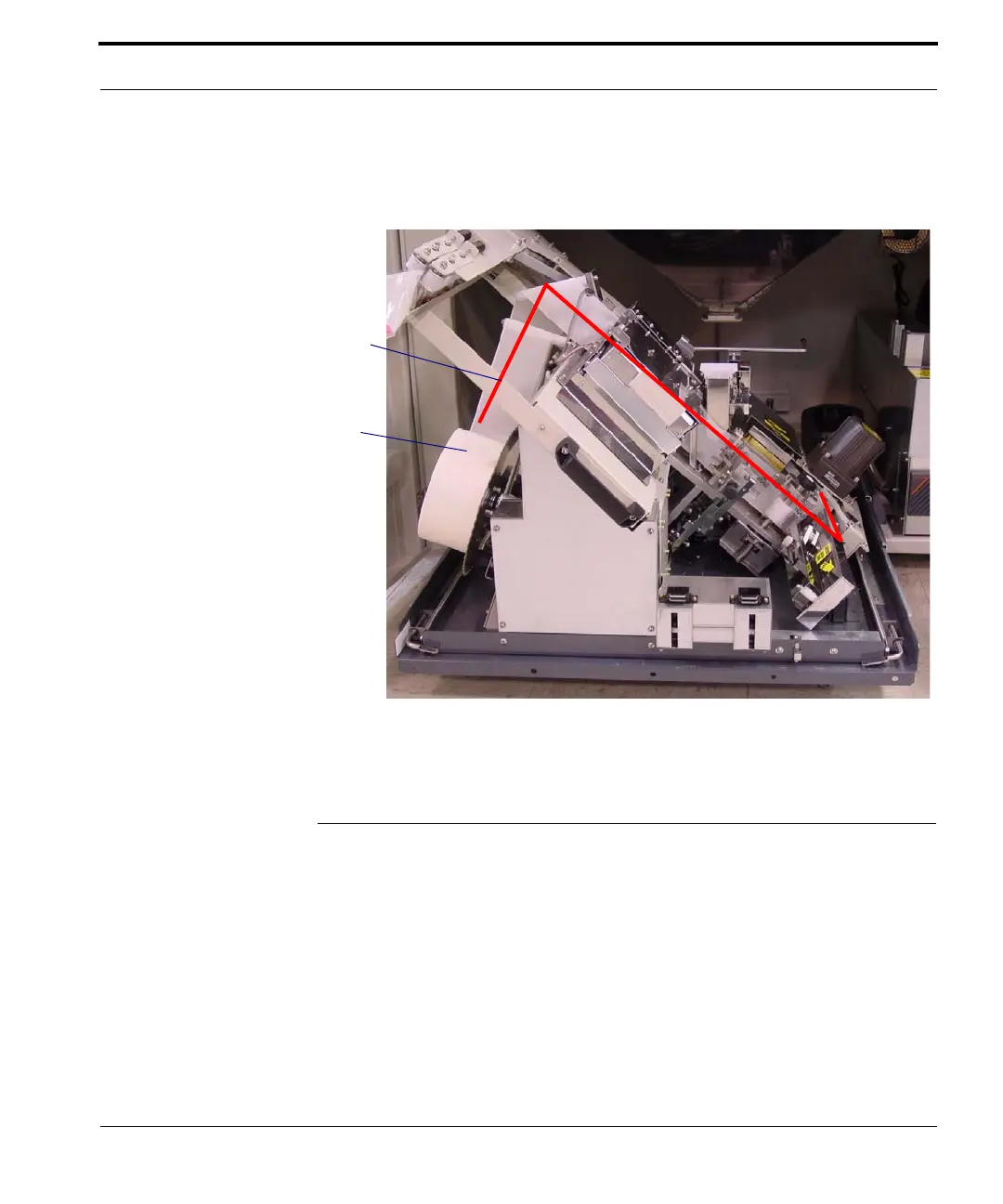
The med-paper and its approximate path are shown
below.
Figure 5-2 Med-paper location
Replacing the Med-Paper
Follow the steps below to replace the med-paper.
1. When the alarm sounds and an error message
announces that the paper supply is depleted, open
the front access doors and pull out the lower
assembly, as shown above.
2. Remove the nearly empty paper supply roll,
pulling the core off the spool.
Med-paper
supply roll
Paper path



 To Next Page