SECTION 3 OPERATING THE A-2000
______________________________________________________________________
3-5
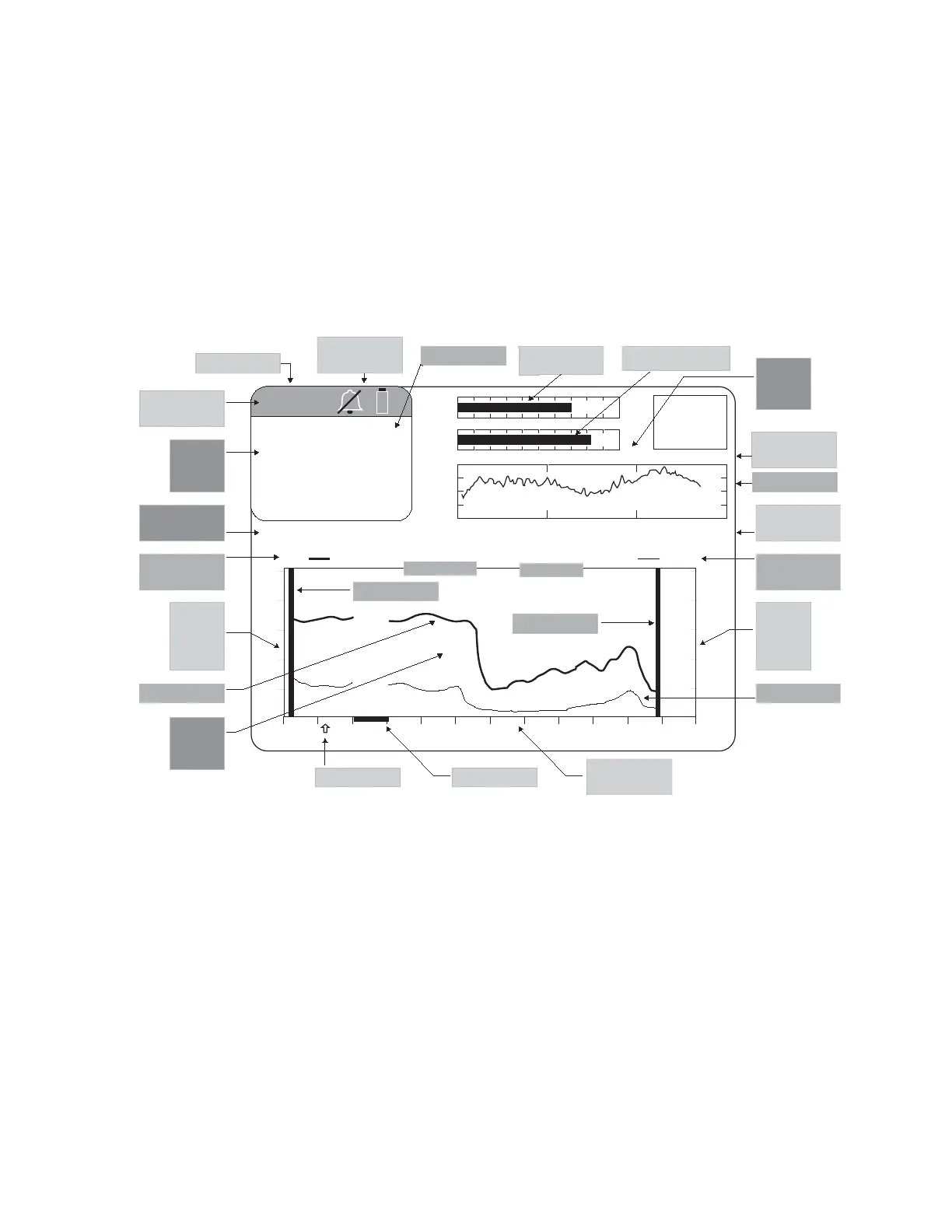
3.3 THE BIS TREND SCREEN DISPLAY
Once the sensor check has successfully completed, monitoring begins and the
appropriate information appears on the screen. The BIS trend screen consists of four
separate regions (see Figure 11):
• The BIS Numeric Region
• The Message Region
• The Signal Quality Region
• The Graphic Display Region
100
80
60
40
20
0
80
70
60
50
40
30
12:10 12:20 12:30 12:40 12:50 13:0012:00
BIS EMG
29 Mar 2001 12:54:57 CASE: Ab9r
SQI
EMG
EEG
SR
50
25 mm/sec
25
µv/div
-
+
42
BIS
25 0013. 10000000
MESSAGE REGION
Sweep Speed/
Y Scale
Waveform Box
Diagnostic
Codes
Secondary Trend
Legend
Secondary Trend
Signal
Quality
Region
Secondary
Trend
Vertical
Scale
Message
Region
Primary Trend
Legend
Primary Trend
BIS
Numeric
Region
Primary
Trend
Vertical
Scale
Graphic
Display
Region
BIS Name
Bar
Event Marker Artifact Bar
Horizontal
(time) Scale
Battery & Alarm
Icons
BIS Name
BIS Value
End Case Bar
Start Case Bar
Date / Time
Case ID
Signal Quality
Index Bar
Electromyograph Bar
Figure 11 - Screen Regions and Features
3.3.1 The BIS (Bispectral Index) Numeric Region
The BIS Numeric Region is in the upper left corner of the screen and displays the
current numeric value of the BIS in a large, easily readable font. The number displayed
changes to outlined characters during periods of poor signal quality when SQI is below
50, and disappears altogether when signal quality is very low. If limit alarms have been
set, this number will alternately display as a solid or outlined numeric character
whenever a limit is reached. This region also displays the alarm silence icon (a slashed
bell) when the alarm silence button is activated, the battery icon (which blinks when
battery power is low) when the monitor is operating on battery power, and the message,
“EXTEND MODE ON” when a BIS Extend sensor is in use. The BIS number is
displayed and continuously updated during all display modes.



 To Next Page