SECTION 3 OPERATING THE A-2000
______________________________________________________________________
3-27
3.6 REVIEWING STORED TREND DATA
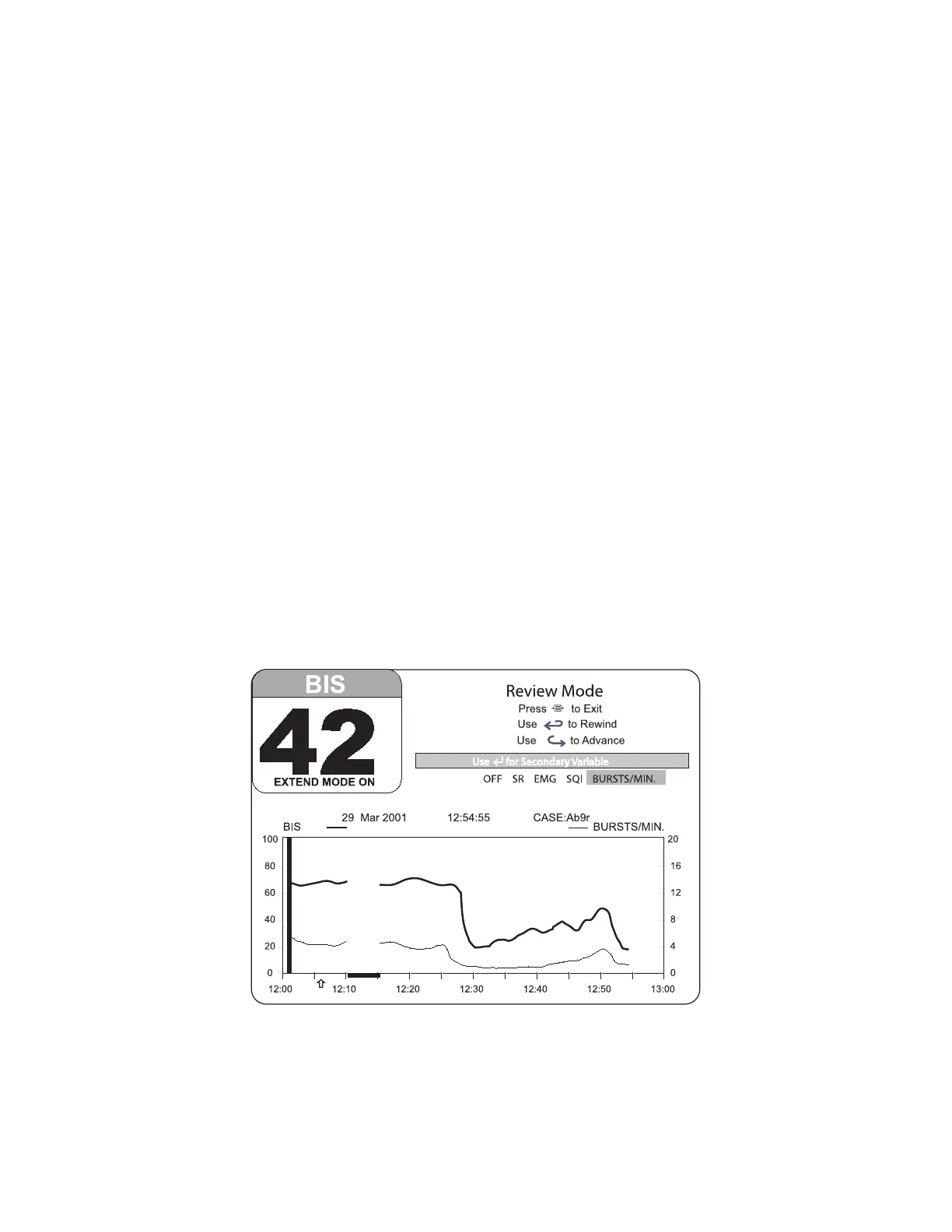
Up to 11 hours of trend information may be viewed in Review Mode. (See Figure 24).
To review information, press the left [←] or right [→] arrow key. The Signal Quality
Region of the screen will indicate that you have entered Review Mode. Use the left [←]
arrow to advance the display backward in time, or the right [→] arrow key to advance
forward in time.
The Review Mode screen allows the user to select a secondary trend for display. Use
the [SELECT] key to highlight the secondary trend you want to display.
When the printer is available, you may print screen data. First find the case you want to
print using the REVIEW mode features then press the [PRINT] key on the printer. The
currently displayed case will be printed. DSA and EEG display data are not stored and
cannot be displayed.
Note:
When the system is using battery power, the printer is disabled to
conserve power. Stored data are retained even after the battery is
discharged.
The BIS numerical display for the current procedure will continue to be updated and
parameter alarms will continue to be announced during Review Mode.
To return to the main display, press [MENU/EXIT].
Figure 24 Main Screen with Trend Review



 To Next Page