SECTION 3 OPERATING THE A-2000
______________________________________________________________________
3-25
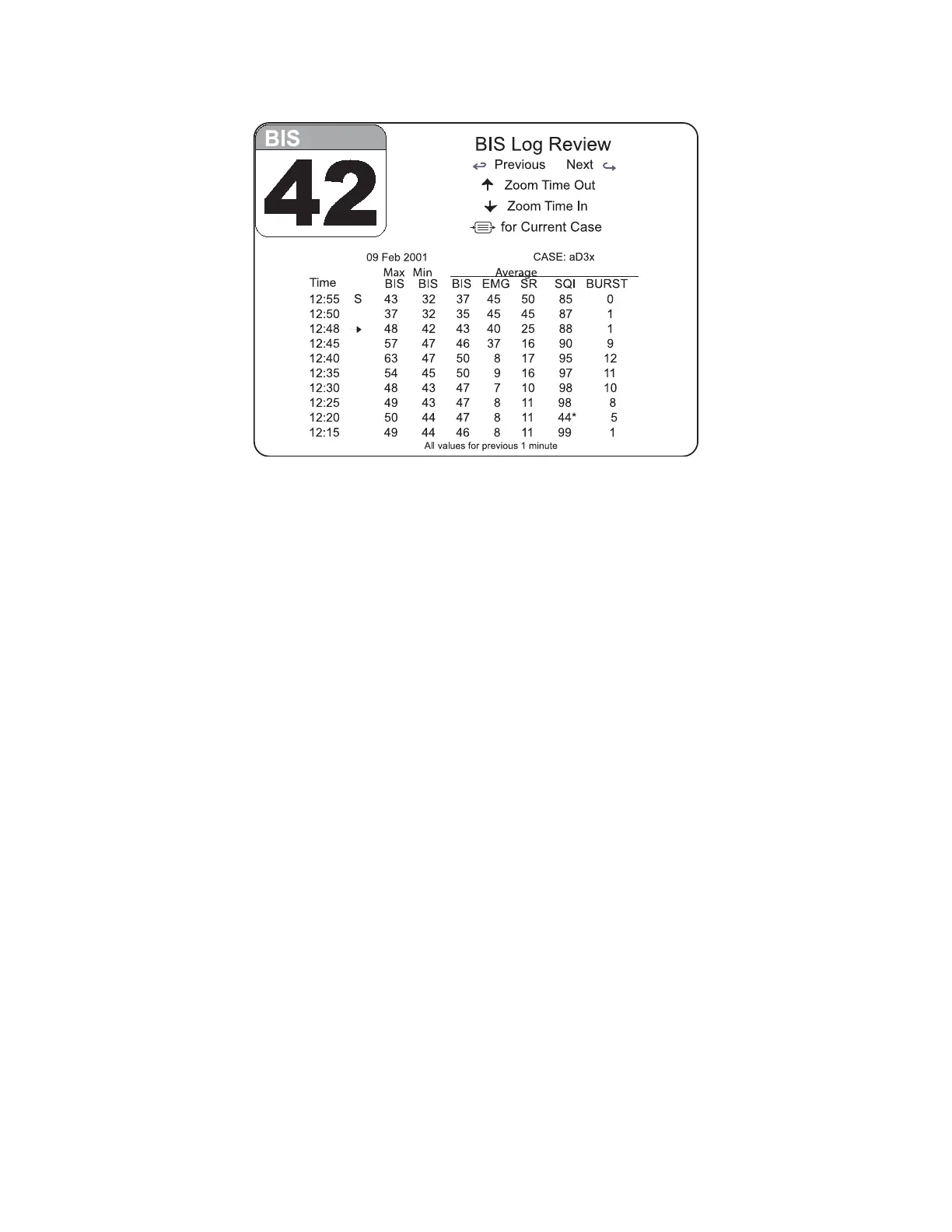
Figure 23 The BIS Log Display – Review Mode
Previous / Next: Use the left [←] arrow on the keypad to display the previous screen of
data (earlier times). Use the right [→] arrow key to view the next screen of data (later
times).
Zoom Time Out / In: Use the up [↑] arrow on the keypad to increase the time interval at
which data are reported. Use the down [↓] arrow key to decrease the time interval.
Note:
Larger time intervals (5, 15, or 60 minutes) still report data from a one-
minute sample. For example, in the figure above, 63 is the maximum BIS
recorded from 12:39:01 through 12:40:00. A one-minute interval is
recommended for continuous reporting of any changes in BIS values.
The one-minute sample containing a marked event is always displayed.
[MENU/EXIT]: In Current Case Mode, press the Menu/Exit key to display the Setup
Menu. In Review Mode, press the Menu/Exit key to display the current case. When the
Setup Menu is displayed, pressing the Menu/Exit key replaces the menu with the current
case BIS Log screen instructions.
The date, current time, and Case ID are reported at the top of the current case BIS Log
display. In Review Mode, the date and Case ID are displayed. For each time, the
following information is displayed:
Time: The time at which the sample was taken. If an event was marked at that time,
an event marker (→) is displayed at the next whole minute. (For example, in the figure
above, an event that was marked at 12:47:12 is displayed on the 12:48 line.)



 To Next Page