SECTION 3 OPERATING THE A-2000
______________________________________________________________________
3-12
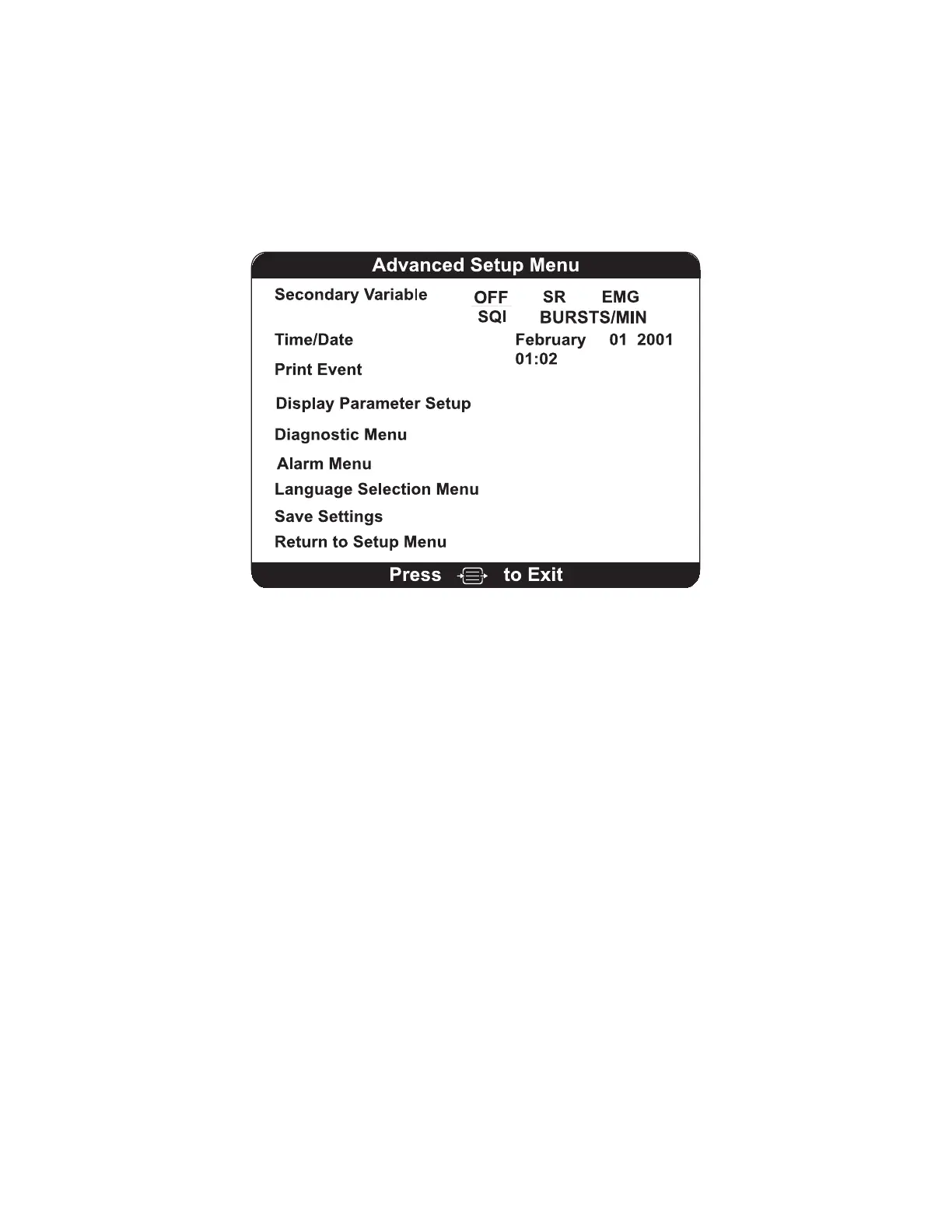
3.4.3 The Advanced Setup Menu
The Advanced Setup Menu is used to select infrequently changed parameters. You may
need to access the Advanced Setup Menu before using the system for the first time to
set the date and time and to save any settings that were changed in the Setup Menu so
they will not be lost when the monitor is powered off. You may exit the Advanced Menu
at any time by pressing [MENU/EXIT]. Menu options are discussed below:
Figure 16 The Advanced Setup Menu
Secondary Variable - Adds a secondary trend variable to the Trend Graph:
Selecting "SR" will plot the suppression ratio.
Selecting "EMG" will plot electromyograph or high frequency signal detection.
Selecting "SQI" will plot the signal quality index.
Selecting “BURSTS/MIN” will plot the burst count. Note that this is available only when
a BIS Extend sensor is attached to the PIC. If a BIS Extend sensor is not connected,
this menu option does not appear.
To specify a secondary variable:
1. Press [MENU/EXIT] to access the Setup Menu.
2. Highlight Advanced Setup using the up [↑] or down [↓] arrows.
3. Press [SELECT].
4. Highlight Secondary Variable using the up [↑] or down [↓] arrows.
5. Press [SELECT] until the desired variable appears in reverse video.
6. Press the up [↑] or down [↓] arrows to move to the next menu item, or
7. Press [MENU/EXIT] to exit.
To permanently save this change, use the “Save Settings” option in the Advanced Setup
Menu.



 To Next Page