SECTION 3 OPERATING THE A-2000
______________________________________________________________________
3-8
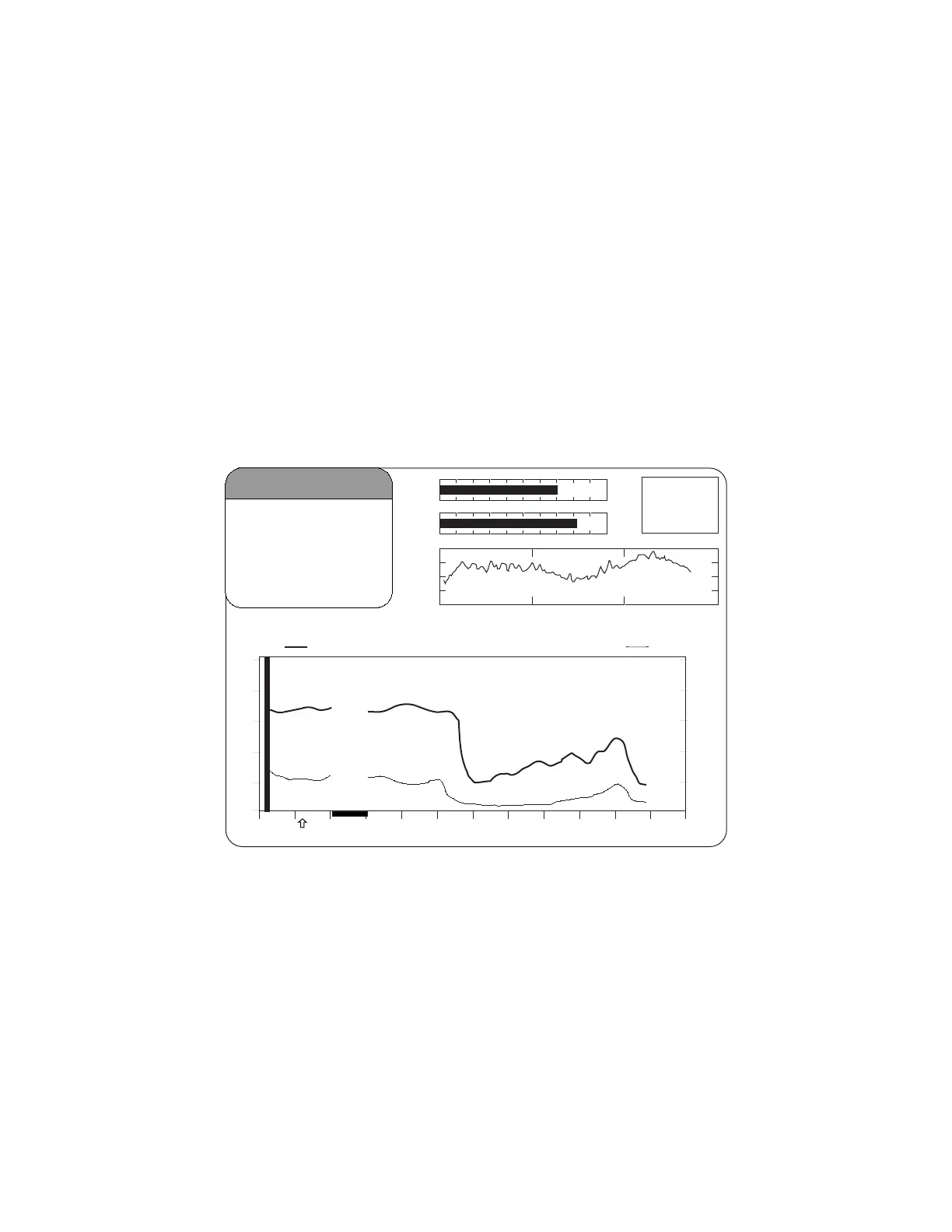
During periods of poor signal quality when SQI is below 50, an artifact bar appears
along the horizontal axis at the bottom of the graph area. It appears as a hatched line.
When signal quality is considered too low to calculate a BIS value, this bar will show
prominently as solid white and any trend variables that are adversely affected by artifact
will not be displayed.
Event markers may be added to the display by pressing [MENU/EXIT], then selecting
[EVENT] from the Setup Menu. Event markers are shown as arrows at the bottom of the
Trend Display.
If alarm limits for BIS have been set in the Alarm Menu, they will appear as horizontal
dotted lines across the graph. When these limits are reached, the BIS number in the
upper left corner of the screen will alternately display as a solid or outlined numeric
character and the limit line will blink, a message will appear in the Message Region of
the screen, and a warning tone will sound (unless the [SILENCE] key has been
pressed).
4242
BIS
100
80
60
40
20
0
80
70
60
50
40
30
12:10 12:20 12:30 12:40 12:50 13:0012:00
BIS EMG
29 Mar 2001 12:54:55 CASE:Ab9r
SQI
EMG
EEG
SR
50
25 mm/sec
25
μ
v/div
-
+
Figure 13 The BIS Trend Display



 To Next Page