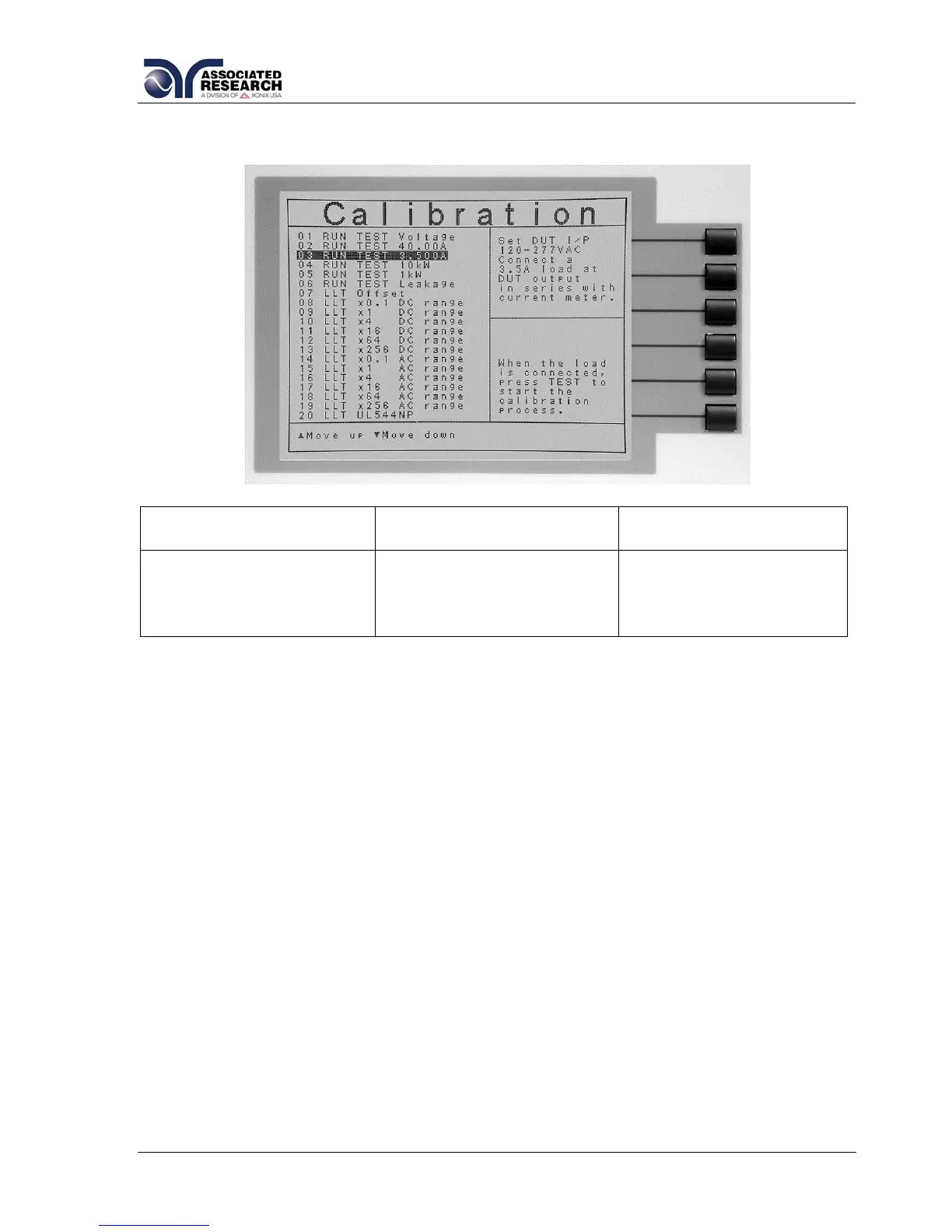
9.2.3. Calibration of Run Test Current
Upper Right Screen
Load/Meter
Lower Right Screen
Prompt
Lower Right Screen
Prompt (Cal. Active)
Set DUT I/P 120-277VAC.
Connect a 3.5 Amp load
at DUT output in series
with current meter.
When the load is
connected, press TEST to
start the calibration
process.
Enter Standard Current
Reading.
Press the TEST button to activate the calibration. After the calibration is activated, the
lower right screen will change to the text indicated in the table above (Cal. Active).
Read the measurement from your standard and enter it using the numeric keypad.
You may now store the new calibration number by pressing the ENTER key or escape
by pressing the EXIT key or the RESET button.


 To Next Page