4.2.7. Default System Parameters
4.3. Setup Tests Menu
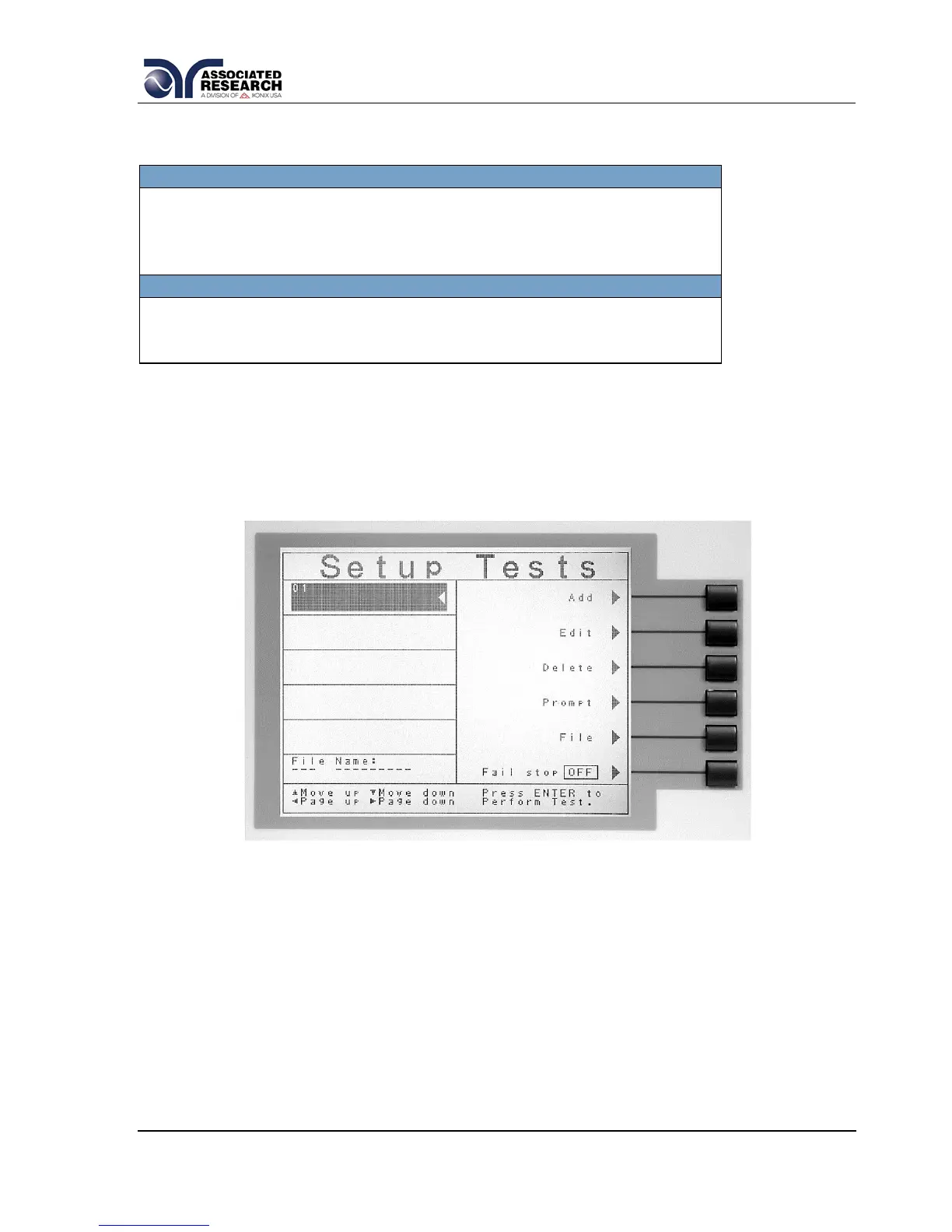
From the Main Menu screen press the “Setup Tests” soft key. The Setup Tests
screen will now be displayed. From the Setup Tests screen, six different software
controls may be accessed: Add, Edit, Delete, Prompt, File, and Fail Stop. The Setup
Tests screen will appear as follows:
The Setup Tests screen is the central starting point for programming tests into the
instrument. From this screen test parameters are entered and edited, and the order of
the test steps is arranged. The 620L is capable of performing a 30-step sequential
test from a single test file.
The Setup Tests screen is separated into two main sections. The left half of the
screen lists the steps and the parameters contained within each step. The right half of
the screen contains the Soft Key menu. When more than 5 steps are programmed in
a test file, the left and right arrow keys will page through the screens of steps.
Individual steps may be scrolled to using the up and down arrow keys.


 To Next Page