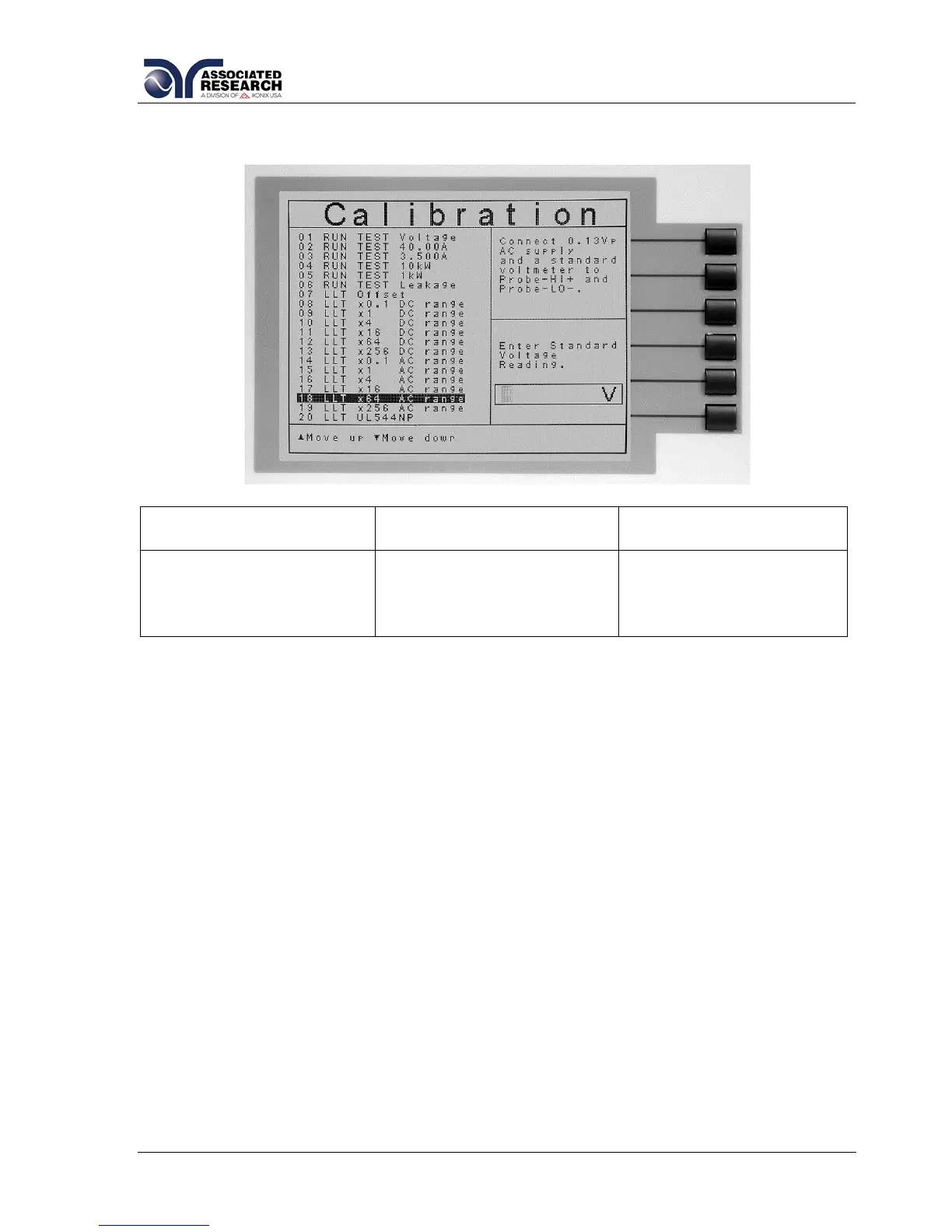
9.2.23. Calibration of LLT MD Volts AC Peak x 64
Upper Right Screen
Load/Meter
Lower Right Screen
Prompt
Lower Right Screen
Prompt (Cal. Active)
Connect 0.13Vp AC
supply and a voltmeter to
Probe-HI + and Probe-LO
-.
When the power supply
and meter are connected,
press TEST to start the
calibration.
Enter Standard Voltage
Reading.
After the RMS value has been input, the lower right screen will change to the text
indicated in the table above (Cal. Active). Read the measurement from your standard
and enter it using the numeric keypad. You may now store the new calibration
number by pressing the ENTER key or escape by pressing the EXIT key or the
RESET button.


 To Next Page