285285
EN
Warnings Installation
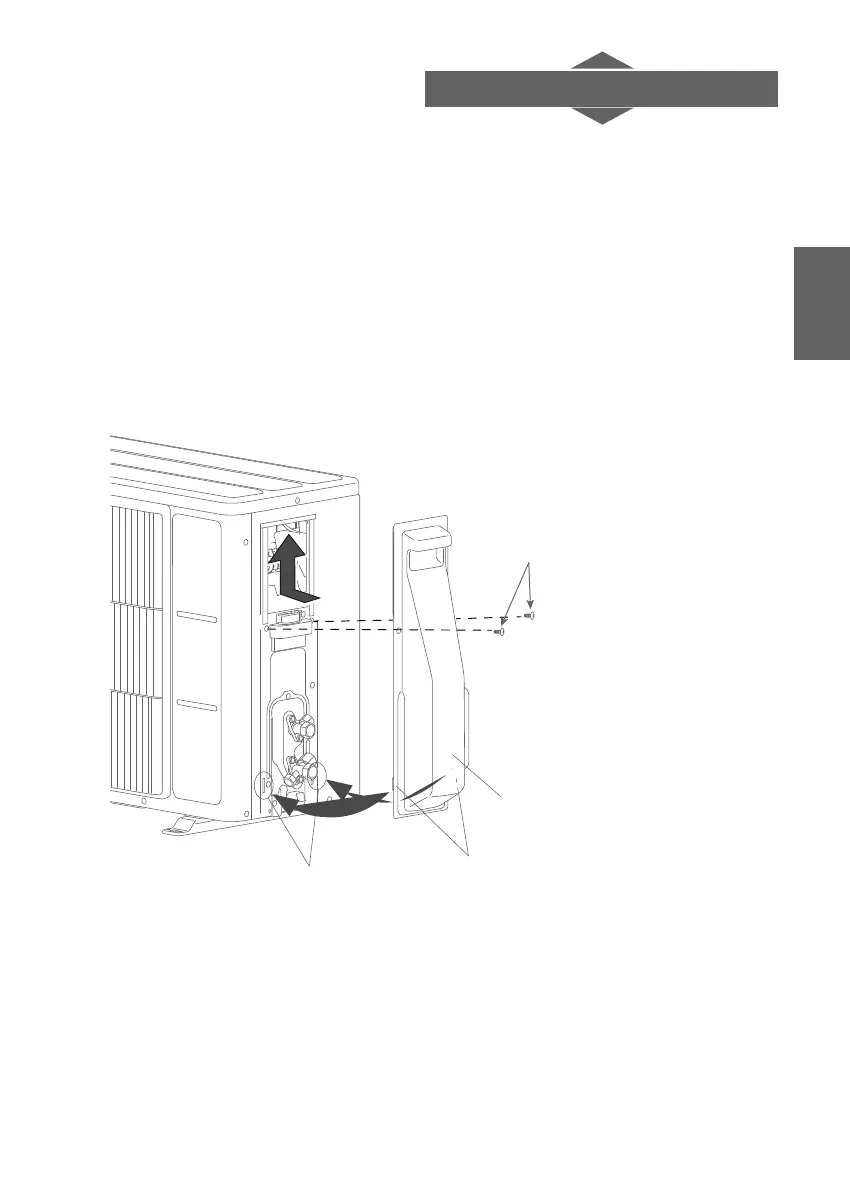
4. Removing and retting the valve cover
Removing the service cover
1. Remove the self-tapping screws (number of screws depends on the model).
2. Slide the valve cover downwards then pull it.
Fitting the service cover and the valve cover
1. After inserting the notches on the valve cover in the outside unit, slide the valve cover
upwards.
2. Tighten the self-tapping screws.
* the number of screws depends on
Attachments
Screw
Attachments
Valve cover




 To Next Page