User's Manual 112 Document #: LTRT-71405
MediaPack Series
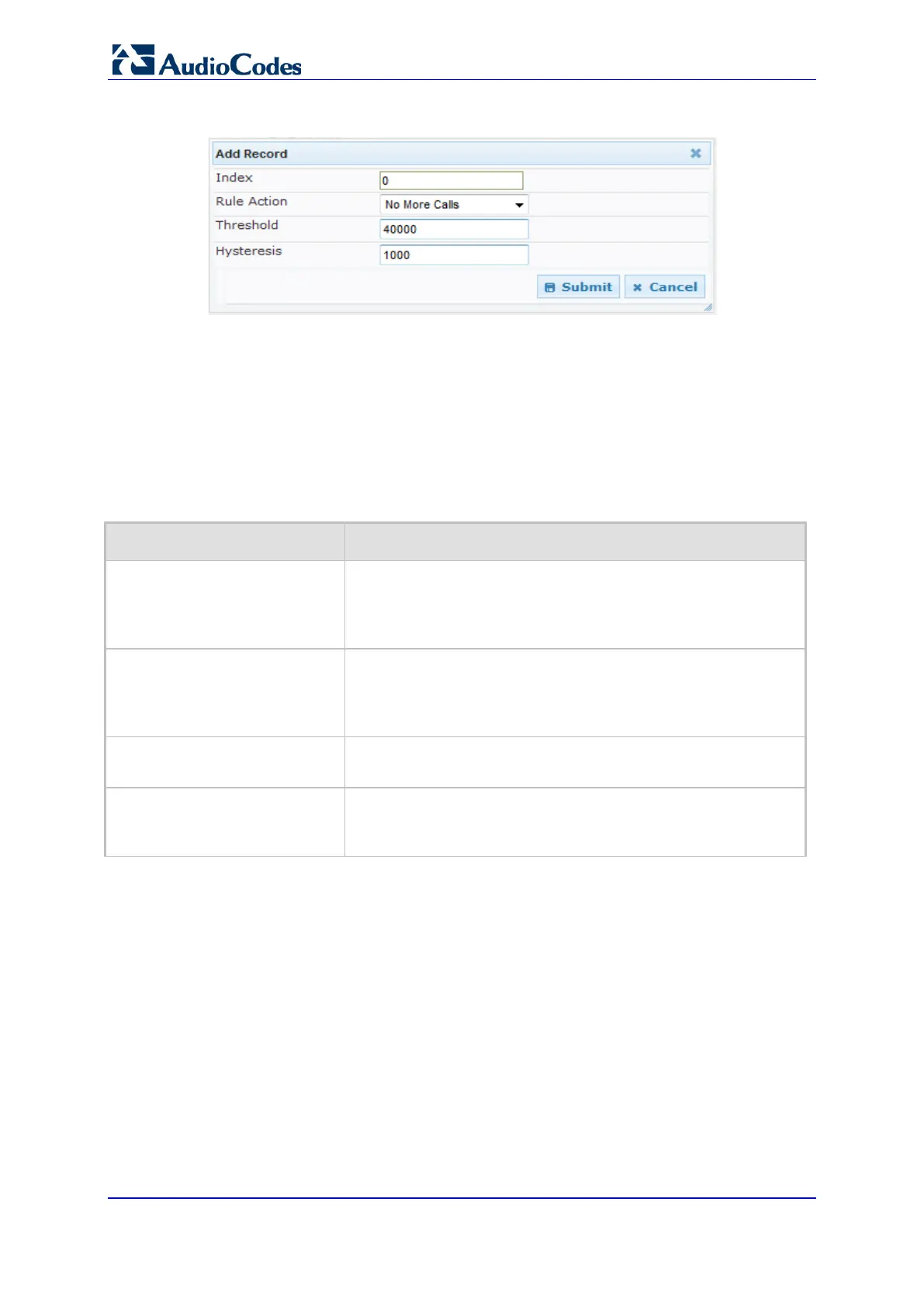
Figure 70: Bandwidth Management Page - Add record Dialog Box
The figure above shows an example where if the bandwidth for this Media Realm
reaches 41,000 Bps (i.e., 40,000 plus 1,000 hysteresis), the device blocks any
additional calls. If the bandwidth later decreases to 39,000 Bps (i.e., 40,000 minus
1,000 hysteresis), the device allows additional calls.
4. Configure the parameters as required. See the table below for a description of each
parameter.
5. Click Submit to apply your settings.
6. Reset the device for your settings to take effect.
Bandwidth Management Parameter Descriptions
Parameter Description
Index
[BWManagement_ThresholdInd
ex]
Defines the index of the table row entry. This index determines
the bandwidth threshold type for the rule:
[0] High Threshold Rule
[1] Critical Threshold Rule
Rule Action
[BWManagement_RuleAction]
Defines the action that the device performs when the configured
threshold is exceeded:
[0] Report Only (default)
[1] No more calls
Threshold
[BWManagement_Threshold]
Defines the bandwidth threshold in bytes per second (Bps).
The default is 0.
Hysteresis
[BWManagement_Hysteresis]
Defines the bandwidth fluctuation (change) from the threshold
value at which the device performs the configured action.
The default is 0.













 To Next Page