User's Manual 6. Configuration Using the Web Interface
Version 6.6 63 MediaPack Series
6.4.14 Viewing Ethernet Port Information
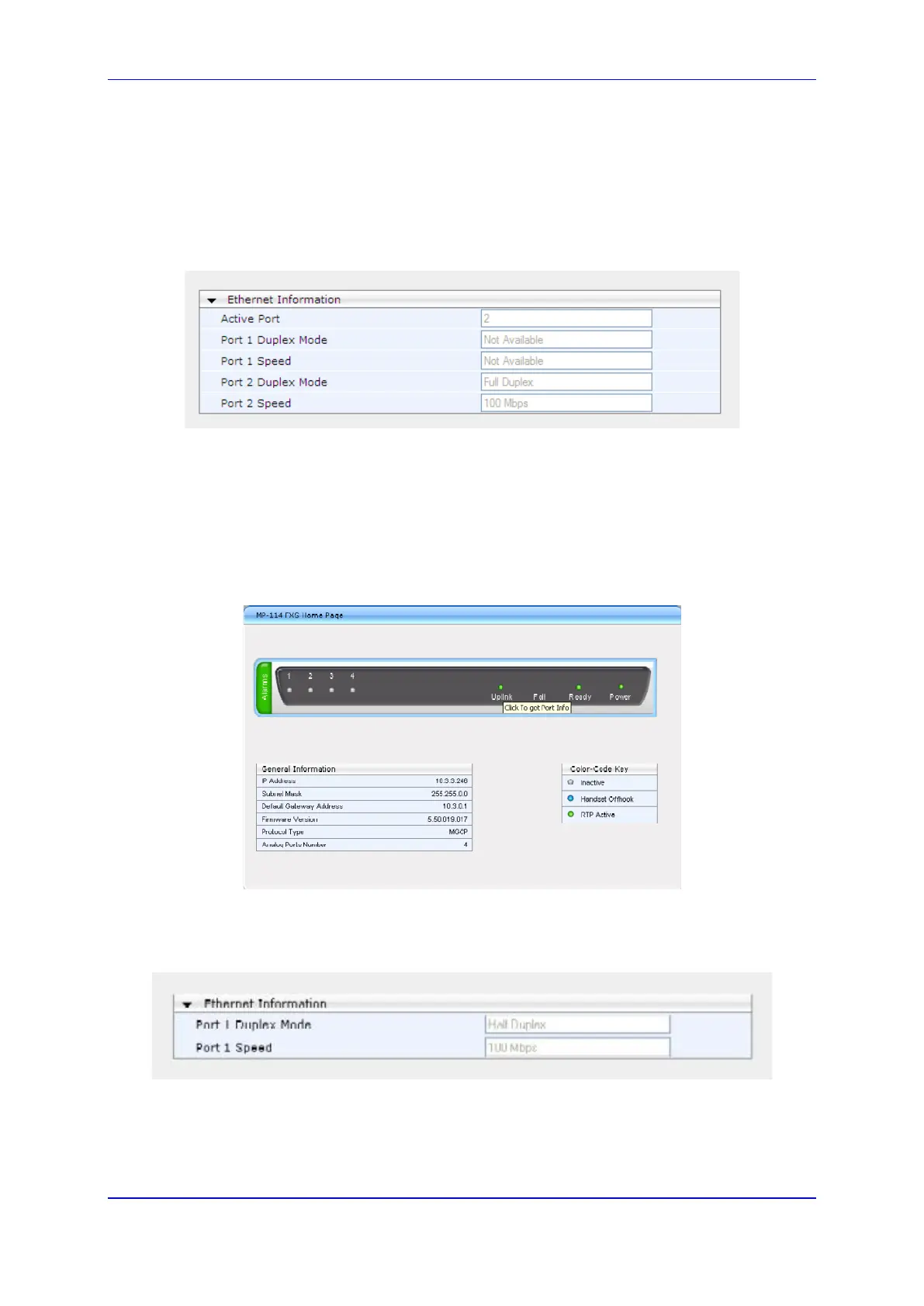
To view Ethernet port settings via the Home page:
1. Click on the 'Home' page icon.
2. Click the Ethernet port for which you want to view port settings; the 'Ethernet Port
Information' page opens:
Figure 26: Ethernet Port Information
6.4.15 Viewing Ethernet Port Information
To view Ethernet port information via the Home page:
1. Click on the 'Home' page icon.
2. Click on the 'Uplink' light to view the port information.
Figure 27: MediaPack Home Page
3. The Ethernet port information appears.
Figure 28: Ethernet Port Information













 To Next Page