User's Manual 88 Document #: LTRT-71405
MediaPack Series
6.5.2 VoIP
VoIP menu options are described below.
6.5.2.1 Network
This section describes the network-related configuration.
To configure the IP Settings:
1. Open the IP Settings page (Configuration tab > VoIP menu > Network >
IP Interface Table).
2. Follow the guidelines in the Product Reference Manual when configuring/modifying
the IP Settings, in the IP Settings page.
3. After configuring/modifying the parameter fields, click DONE. This will validate your
configuration.
4. For configuration guidelines, refer to the MGCP/MEGACO Product Reference Manual.
6.5.2.2 IP Interface Table
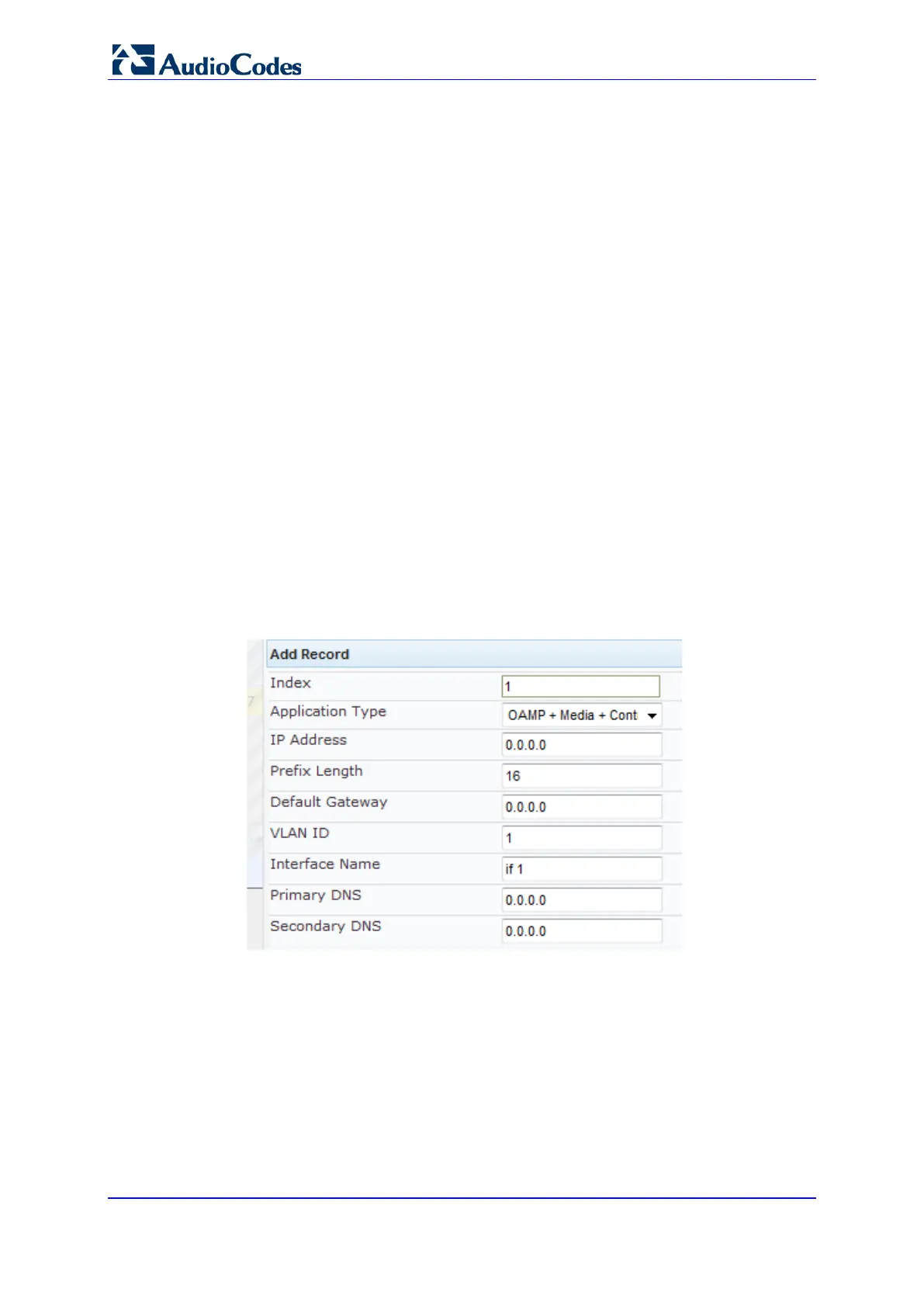
To configure the IP Interface table:
1. Open the SIP Interface Table page (Configuration tab > VoIP menu > Network >
IP Interface Table).
2. Click the Add button; the following dialog box appears:
Figure 53: IP Interface Table
3. Click Submit to apply your settings.













 To Next Page