User's Manual 6. Configuration Using the Web Interface
Version 6.6 141 MediaPack Series
6.7.1.3 Ethernet Port Information
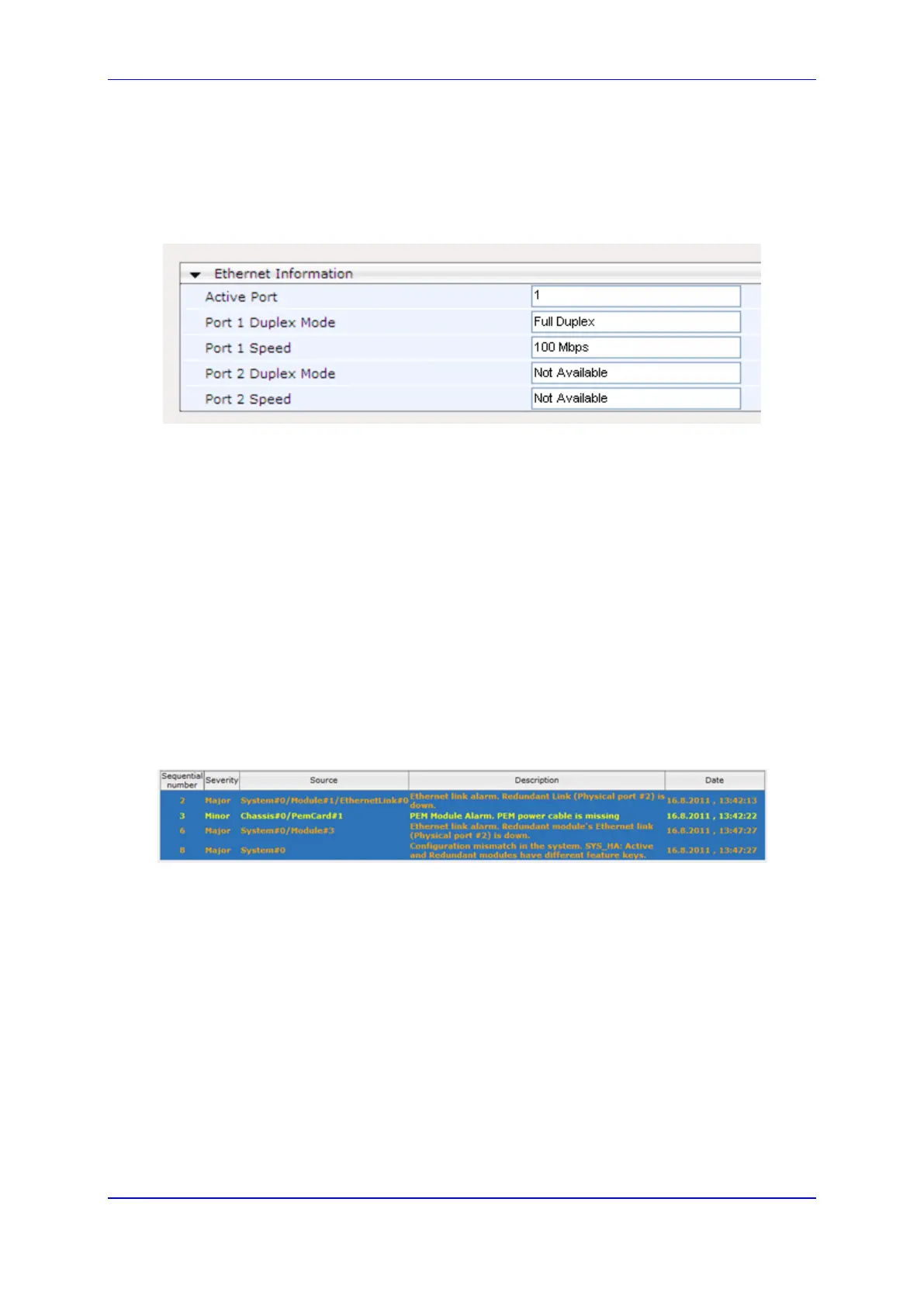
To display the Ethernet Port Information page:
Open the Ethernet Port Information page (Status & Diagnostics tab > System Status
menu > Ethernet Port Information).
Figure 101: Ethernet Port Information
6.7.1.4 Carrier-Grade Alarms
This section describes how to view the following types of alarms:
Active Alarms
Alarms History
6.7.1.4.1 Viewing Active Alarms
The Active Alarms page displays a list of currently active alarms. You can also access this
page from the Home page (see 'Viewing the Home Page' on page ).
To view the list of active alarms:
Open the Active Alarms page (Status & Diagnostics tab > System Status menu >
Carrier-Grade Alarms > Active Alarms).
Figure 102: Viewing Active Alarms
For each alarm, the following information is provided:
Severity: severity level of the alarm:
• Critical (red)
• Major (orange)
• Minor (yellow)
Source: unit from which the alarm was raised
Description: brief explanation of the alarm
Date: date and time that the alarm was generated
You can view the next 20 alarms (if exist), by clicking the Go to page button.













 To Next Page