User's Manual 6. Configuration Using the Web Interface
Version 6.6 143 MediaPack Series
6.7.2 VoIP Status
6.7.2.1 Active IP Interfaces
To display the IP Interface Status page:
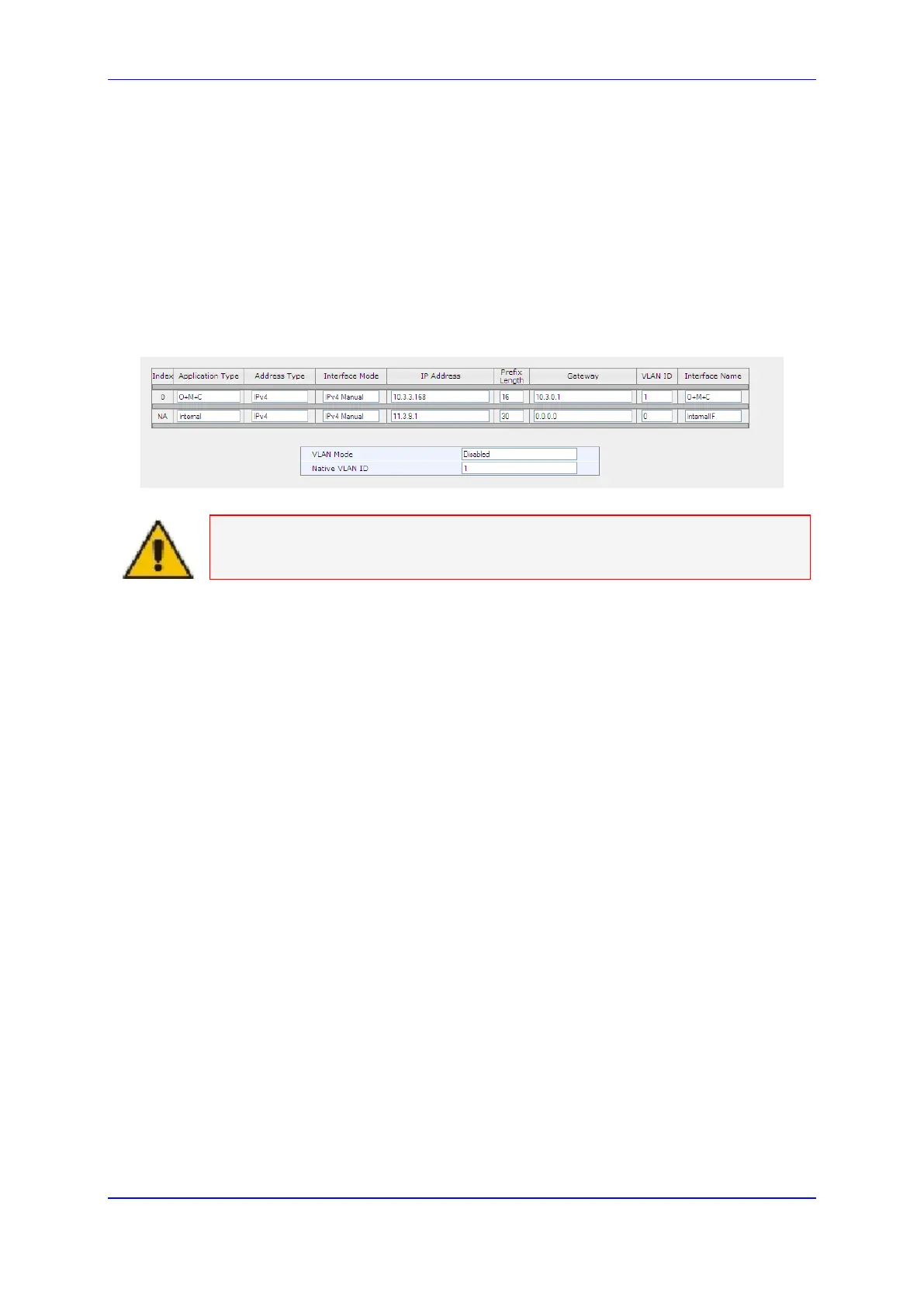
1. Open the IP Interface Status page (Status & Diagnostics tab > VoIP Status menu >
IP Interface Status).
2. This page details the currently Active network interfaces, when working in Multiple
Interface mode.
Figure 104: IP Interface Status
Note: For a full description of the table fields, refer to the Network Configuration
chapter in the Product Reference Manual.
Please note the following:
Every entry represents an interface index.
The IP Interface Status page is relevant only when the Multiple Interfaces Table is
configured.
On IPv6 interfaces, the link-local address is displayed below the global address. It is
prefixed by ‘*’ to indicate that it is a link-local address. Additionally, there is a textual
note at the bottom of the page explaining the meaning of the "*". The zone index is
appended to the link-local address using the ‘%’ as delimiter (e.g. fe80::1%2).













 To Next Page