User's Manual 74 Document #: LTRT-71405
MediaPack Series
6.5.1.4.4 TLS Server Certificate Expiry Check
The device can periodically check the validation date of the installed TLS server certificate.
This periodic check interval is user-defined. In addition, within a user-defined number of
days before the installed TLS server certificate expires, the device can be configured to
send the SNMP trap, acCertificateExpiryNotifiaction to notify of the impending certificate
expiration.
To configure TLS certificate expiry checks and notification:
1. Open the Certificates page.
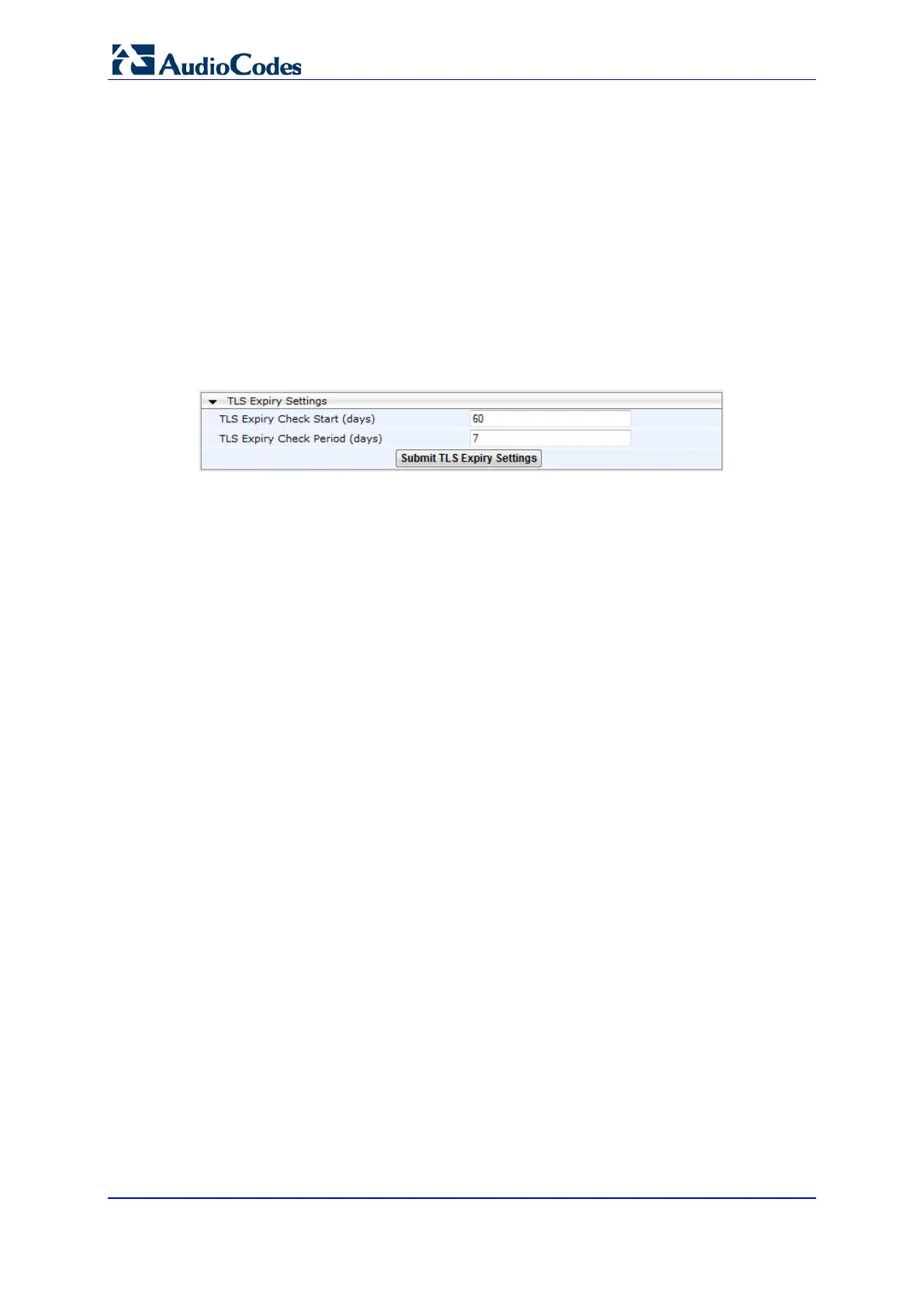
2. In the 'TLS Expiry Check Start' field, enter the number of days before the installed TLS
server certificate is to expire at which the device must send a trap to notify of this.
Figure 41: TLS Expiry Settings
3. In the 'TLS Expiry Check Period' field, enter the periodical interval (in days) for
checking the TLS server certificate expiry date. By default, the device checks the
certificate every 7 days.
4. Click the Submit TLS Expiry Settings button.













 To Next Page