USER’S MANUAL / bit Tune /
71
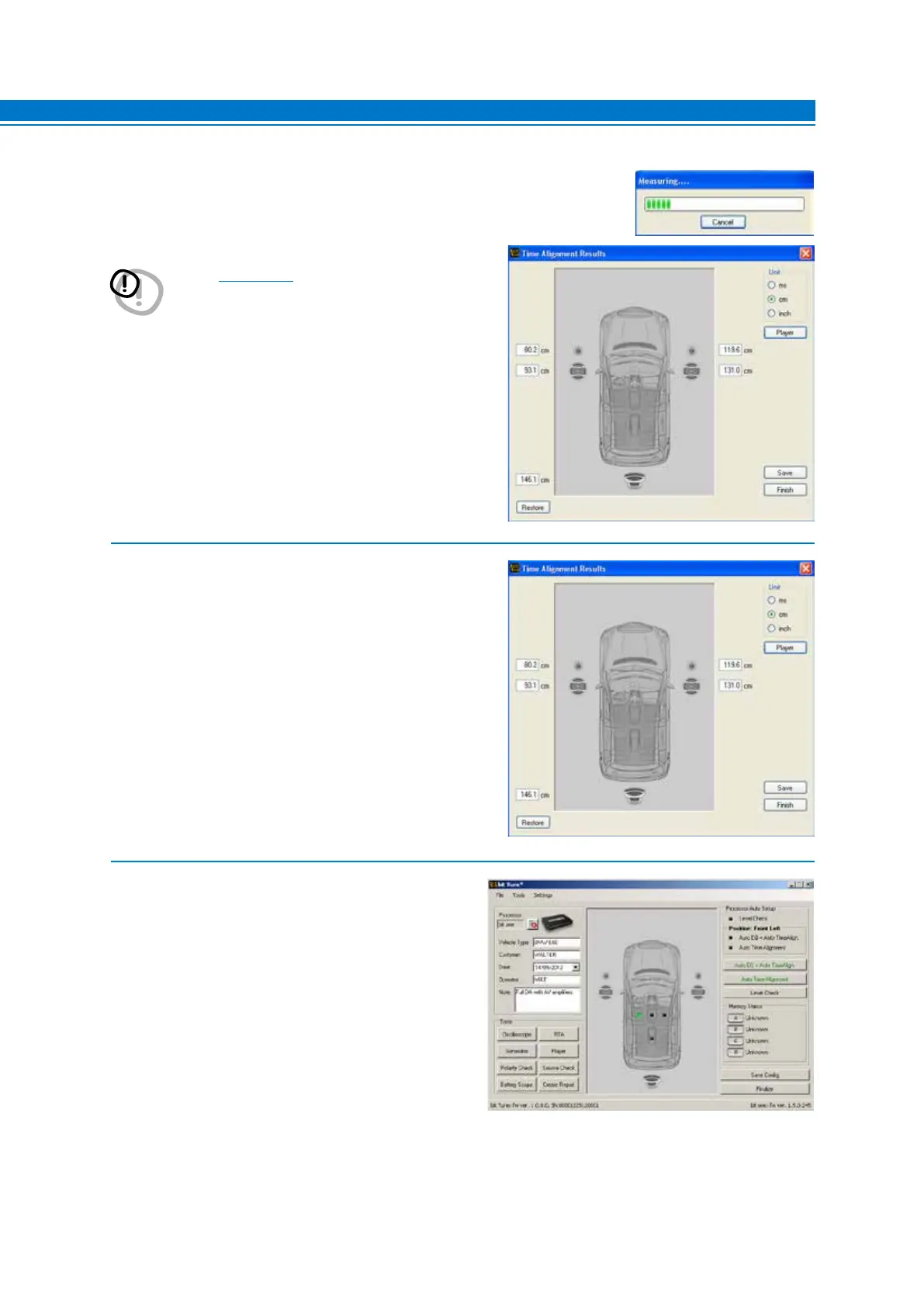
7. After that, you can choose:
- Save: saves measured distances storing them in a file
(e.g. “BittenConfig1.dip”).
- Restore: resets the value of measured distances.
- Finish: This function is used to exit the calibration
procedure of time delays with a reminder for saving
data.
8. Choose the FINALIZE function from the main menu
of the bit Tune PC software to transfer measured and
previously stored values to the processor’s memory.
7
6. At the end of the procedure for measuring the time delays of the system you
will see:
- A window with the system’s time delays measured by the bit Tune.
WARNING: If your system has a hidden subwoofer or
speaker (see sect. 7.6.7) enter the distance in cm (inch)
measuring it manually. Compare the measured
distance with the distance detected by the bit
Tune and correct it if necessary.
- Play a track loaded from the PC using the Player
function. Modify the time delays values (ms, cm,
inch) to verify and tweak acoustically the listening
environment.



 To Next Page