92 300-002547-00 rev7
User Administration
An Admin profile for the system will be created and provided to the site
administrator during system installation. The site administrator can create and
remove all user accounts and reset a user’s password if lost or forgotten. If a site
administrator loses the Admin password, contact Auris Customer Care for
password reset or recovery.
User Types
Specify a user’s access to create and perform a procedure, as well as
administration permission to manage other users.
Task Admin Physician
Create a procedure X
Perform a procedure X
Manage users X
Add New User
1. Log on as admin.
2. Select SETTINGS to view the Settings screen.
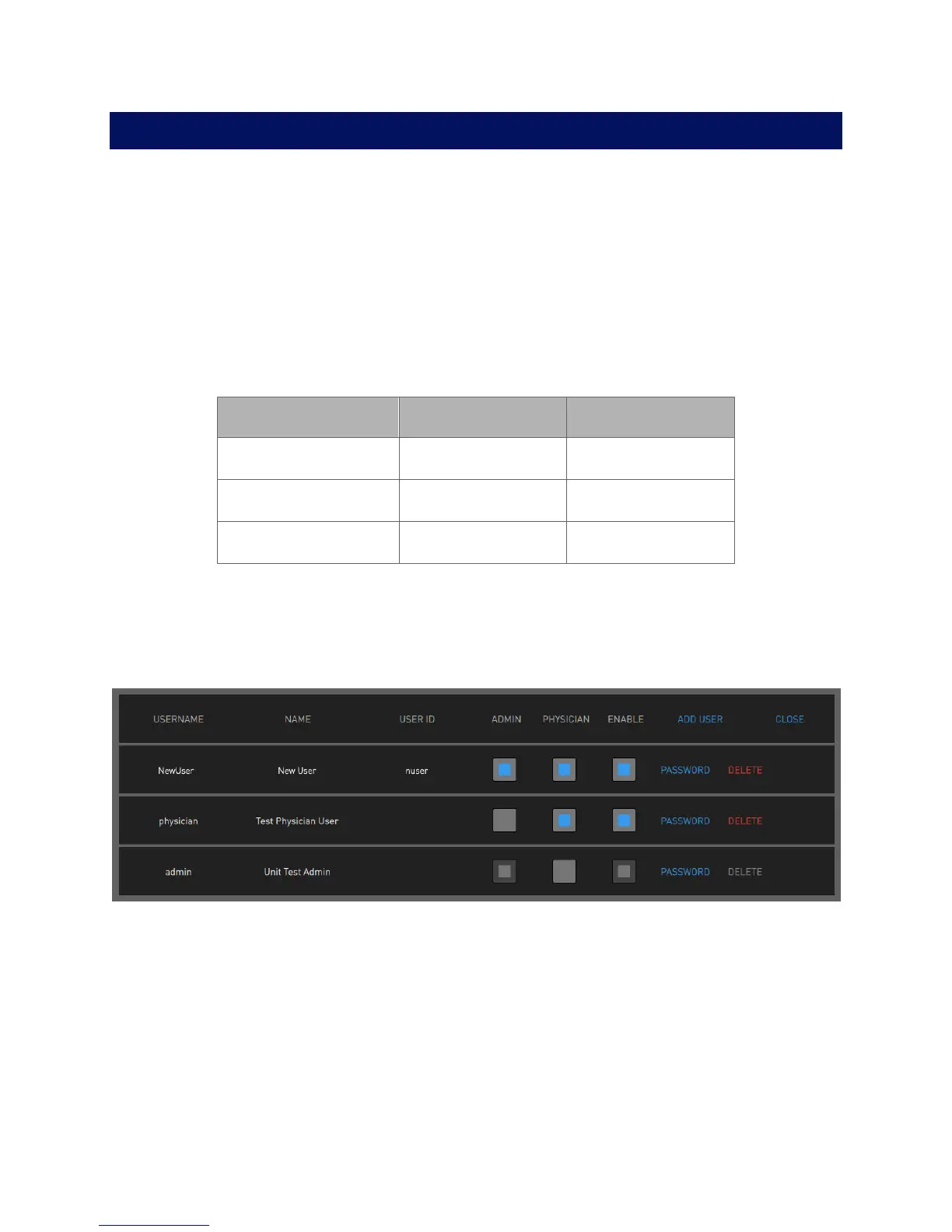
3. Select ADD USER. The following dialog box appears.



 To Next Page