44 300-002547-00 rev7
6. Remove the Monarch Bronchoscope Sheath from its packaging tube and
lubricate the shaft.
NOTE: Use only silicone-based lubricants such as Silkospray Universal Silicone
Spray.
7. Open the Bronchoscope Sheath Valve package.
8. Place the Bronchoscope Sheath Valve over the Luer fitting on the back of the
Monarch Bronchoscope Sheath.
9. Insert the Monarch Bronchoscope Sheath back into the packaging tube and
tray until the Cart is set up and the procedure begins.
During start up, if the system is not yet initialized, a pop-up notification
appears to inform you to wait.
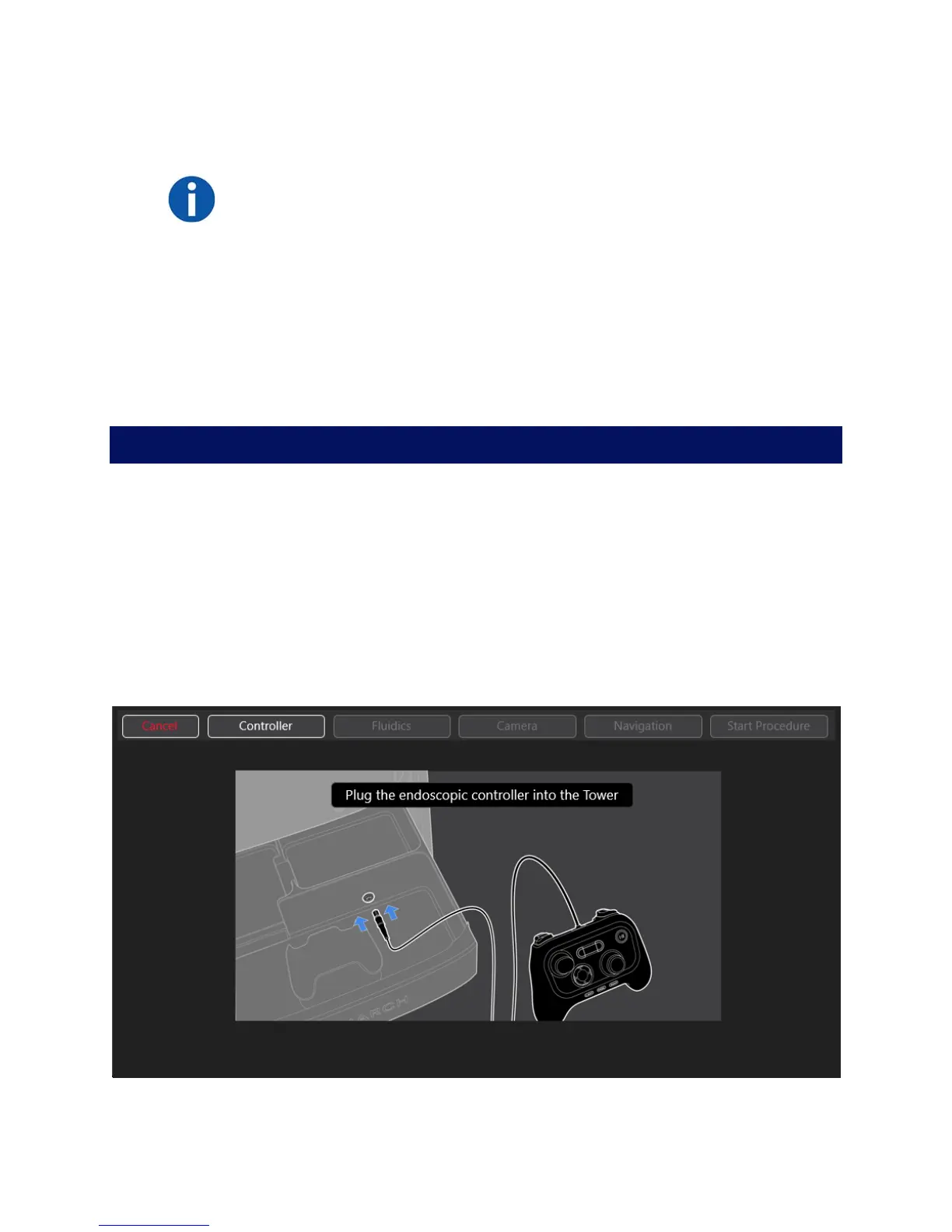
Monarch Tower System Setup Guidance
Use the Monarch Tower Software guidance prompts to confirm steps that you
have completed.
Monarch Controller
1. Plug in the Monarch Controller to the tower.
2. When Controller button turns green, press Fluidics to continue.
As each segment of the setup is complete, the corresponding button turns
green.



 To Next Page