64 300-002547-00 rev7
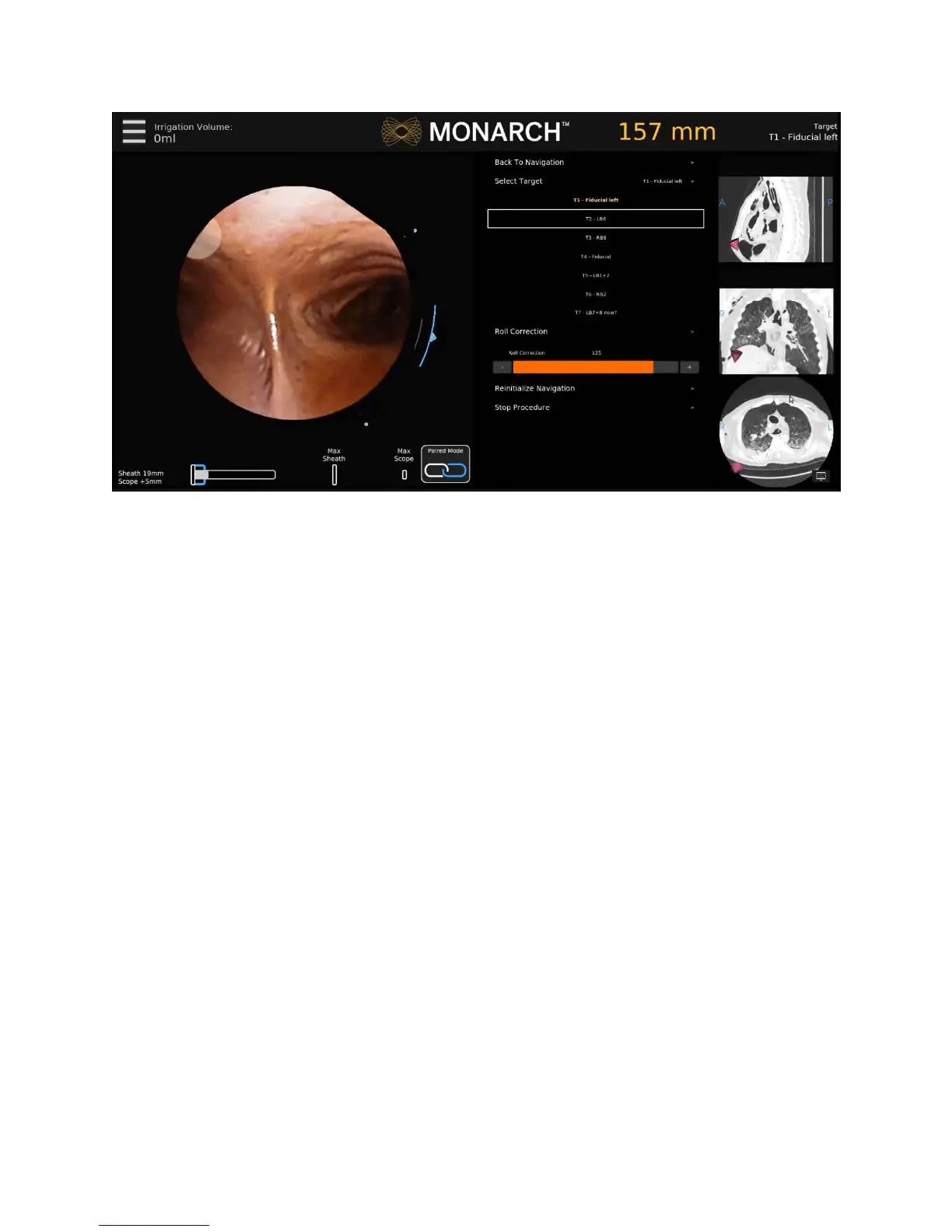
Select the menu item using the Monarch Controller or press the corresponding
item on the screen.
Back to Navigation
Press Back to Navigation to return to the Navigation tab.
Select Target
Press Select Target to select a target to navigate to.
Camera Parameters
Press Camera Parameters to adjust the camera roll.
Reinitialize Navigation
Press Reinitialize Navigation to reset the navigation procedure from the main
carina.
Stop Procedure
Press Stop Procedure and choose one of the following:
Export Media to USB.
The Monarch USB drive must be inserted for this feature to be available.
Return to System Set-up.
Load New Patient Case.
Logout.
Shutdown.



 To Next Page