70 300-002547-00 rev7
3D Map View
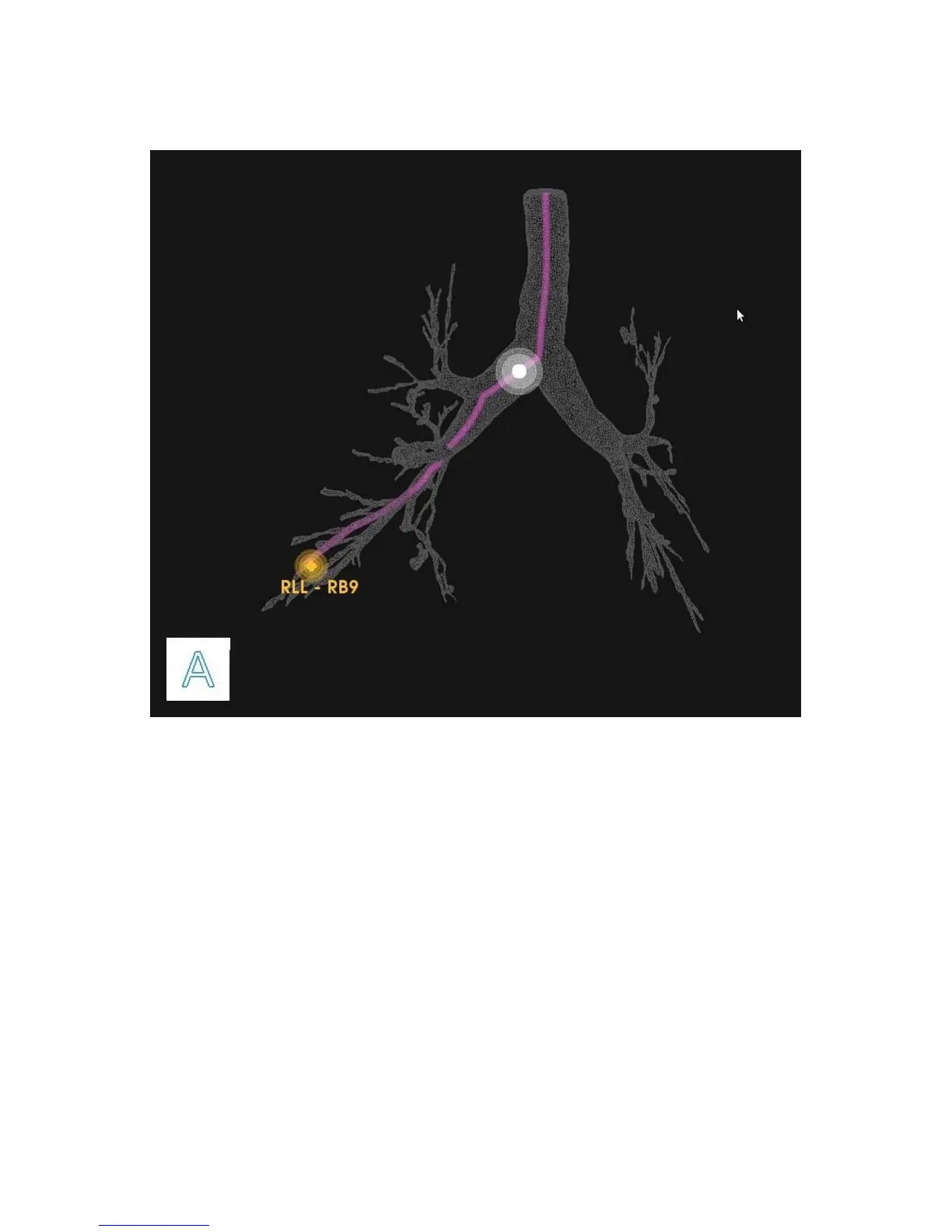
Example of a planned pathway relative to the airway tree: The white ball
represents the scope position and the yellow ball represents the target.
3D Map view is a virtual representation of the patient’s airway tree with the
location of the planned pathways and targets superimposed. As the scope moves
through the airways, its position is reflected on this map. Orientation is
represented by a cube representing the direction of anterior/posterior/inferior/
superior/left/right which rotates in three dimensions in response to scope
movement.
By default, this view is displayed in the scrolling column upon starting navigation.
The zoom and rotation of the airway tree can be performed on the Touchscreen
on the tower as well as on the Monarch Controller.
When you leave the segmented path of the airways, the Monarch Navigation
Application continues to trace the path that you have taken in the 3D Map. The
scope trail is represented in yellow as the following image shows.



 To Next Page