
 Need help?
Do you have a question about the Automation Direct C-more EA1-T4CL and is the answer not in the manual?
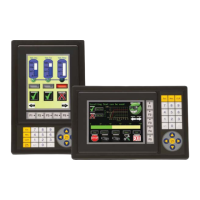
Details the features and specifications of the 4-inch C-more panel.
Details the features and specifications of the 6-inch C-more panel.
Provides a step-by-step guide for initial panel setup and installation.
Detailed technical specifications for the EA1-T4CL panel.
Detailed technical specifications for the EA1-T6CL panel.
Describes the panel's communication ports (USB, RS-232/422/485).
Details the programming software and USB cable.
Crucial safety precautions for installation and operation.
General guidelines for wiring the panel and power supply.
Allows adjustment of panel settings like brightness and beep.
Lists compatible PLCs and required cables.
Steps to diagnose and resolve panel power problems.
Resolving lost firmware or updating firmware.
Troubleshooting connection problems between panel and PC.
Diagnosing communication problems between panel and PLC.
Lists and describes panel runtime error codes.
Lists panel-specific error codes and their causes.
Lists Allen-Bradley DF1 protocol error codes.
Lists Allen-Bradley DH485 protocol error codes.
Lists GE SNPX protocol error codes.
Lists and describes panel runtime error codes.
 General
| Display Size | 4.3 inch |
|---|---|
| Display Type | TFT LCD |
| Resolution | 480 x 272 pixels |
| Touchscreen | Yes |
| Backlight | LED |
| Processor | 32-bit RISC |
| Communication Ports | RS-232, RS-485 |
| Ethernet | No |
| Power Supply | 24V DC |
| USB Port | USB Type A |
| Operating Temperature | 0°C to 50°C |
| Storage Temperature | -20 to 60 °C |
| Humidity | 10 to 90% (non-condensing) |
| Enclosure Rating | IP65 (front panel) |

 To Next Page