Maintenance
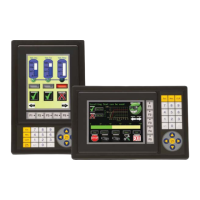
Although the C-more
®
Micro-Graphic panels require very little maintenance, setting up a
routine maintenance schedule will ensure the longevity of the product in your application.
The following are some suggestions of items to include in a preventive maintenance list or
schedule. Most of these items should be scheduled quarterly or bi-annually.
Project Backup
During a routine preventive maintenance schedule is a good time to make sure that there is an
up-to-date backup of the application project.
Check Operating Environment
Make sure the C-more Micro-Graphic
panel is operating in the proper
temperature range: (0 to 50 °C (32 to
122 °F)).
Make sure the C-more Micro-Graphic panel is
operating within the specified humidity range:
(5–95% RH, non-condensing).
Make sure the operating environment is free of corrosive vapors and gasses.
Check Operating Voltage
Check the input voltage that is powering the C-more Micro-Graphic panel to make sure it is
within the appropriate range.
24 VDC: The acceptable voltage range to the panel is 10.2-26.4 VDC (6.5W @ 10.2
VDC (630mA)).
NOTE: When the panel is powered through Port1 from a connected PC, the screen brightness is diminished
because the panel is running in Low-Power Mode. Connect an external 12-24 VDC power source when the
panel is installed in its application for full brightness.
7–2
Chapter 7: Maintenance

 To Next Page
 Loading...