Full or partial mesh on page 513
Full or partial mesh diagram on page 514
Full solution: hub and spoke with VPN on page 523
Full solution: hub-and-spoke with VPN for data and VoIP control backup on page 524
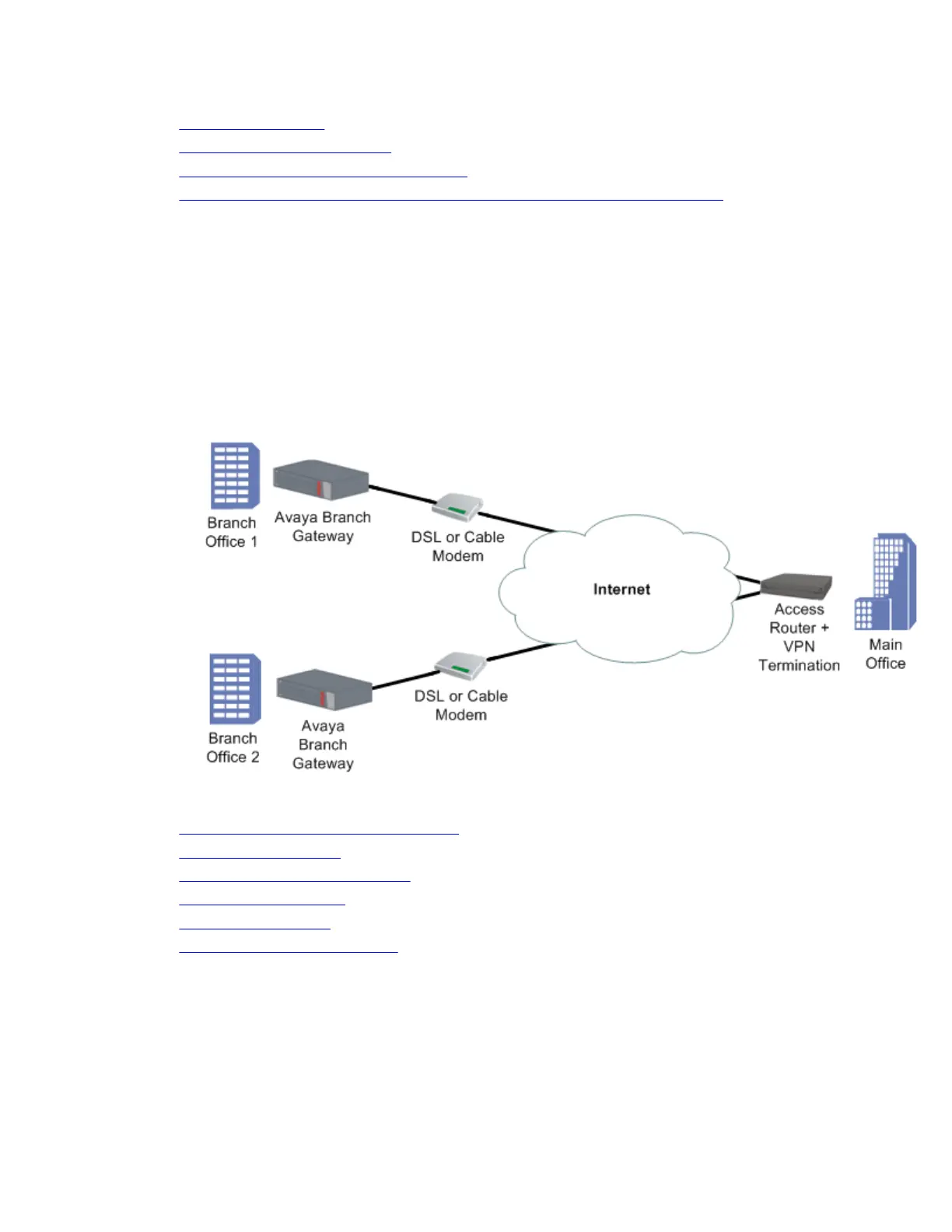
Simple VPN topology – VPN hub and spokes
The simple VPN topology consists of several VPN spokes (branch offices) connected via the
Internet to the VPN hub (Main Office).
In this topology:
• The Broadband Internet connection uses cable or DSL modem, with a static public IP
address
• There is a VPN tunnel from each spoke to the VPN hub over the Internet
• Only VPN traffic is allowed via the Internet connection
Related topics:
Configuring the simple VPN topology on page 505
Simple VPN topology on page 506
Simple VPN topology example on page 507
Dynamic local peer IP on page 509
Continuous channel on page 512
Enabling continuous channel on page 512
Configuring the simple VPN topology
Procedure
1. Configure each branch as follows:
IPSec VPN
Administering Avaya G430 Branch Gateway October 2013 505



 To Next Page