Pro-Stcher User Manual Overview | 4.1
4. Pro-Stcher® Overview
Pro-Stcher runs on a touch screen computer with the Microso® Windows operang system. Because
Pro-Stcher runs in a Windows environment, you may noce things such as the Windows desktop. If you’re
unfamiliar with the Windows operang system or computers in general, you’ll benet by taking a class or
nding other ways to learn more about the basics of Windows.
To maintain the integrity of the Pro-Stcher soware, it is best to avoid using the Pro-Stcher computer as
a typical desktop or tablet computer. Connecng to the Internet without the direcon or tools provided by
Baby Lock may result in Windows aempng to perform updates that could potenally be incompable
with the Pro-Stcher soware. It also may lead to unintenonal exposure to viruses and other malware that
may compromise the integrity of the Pro-Stcher system or lead to other problems that may not be covered
by the warranty.
To get the most of your Pro-Stcher system, Baby Lock recommends using the Pro-Stcher computer only
as directed to run the Pro-Stcher soware, the Art & Stch soware, and other soware provided by or
recommended by Baby Lock.
Enable or disable the carriage motors
Pro-Stcher communicates with the quilng machine and the carriage motors.
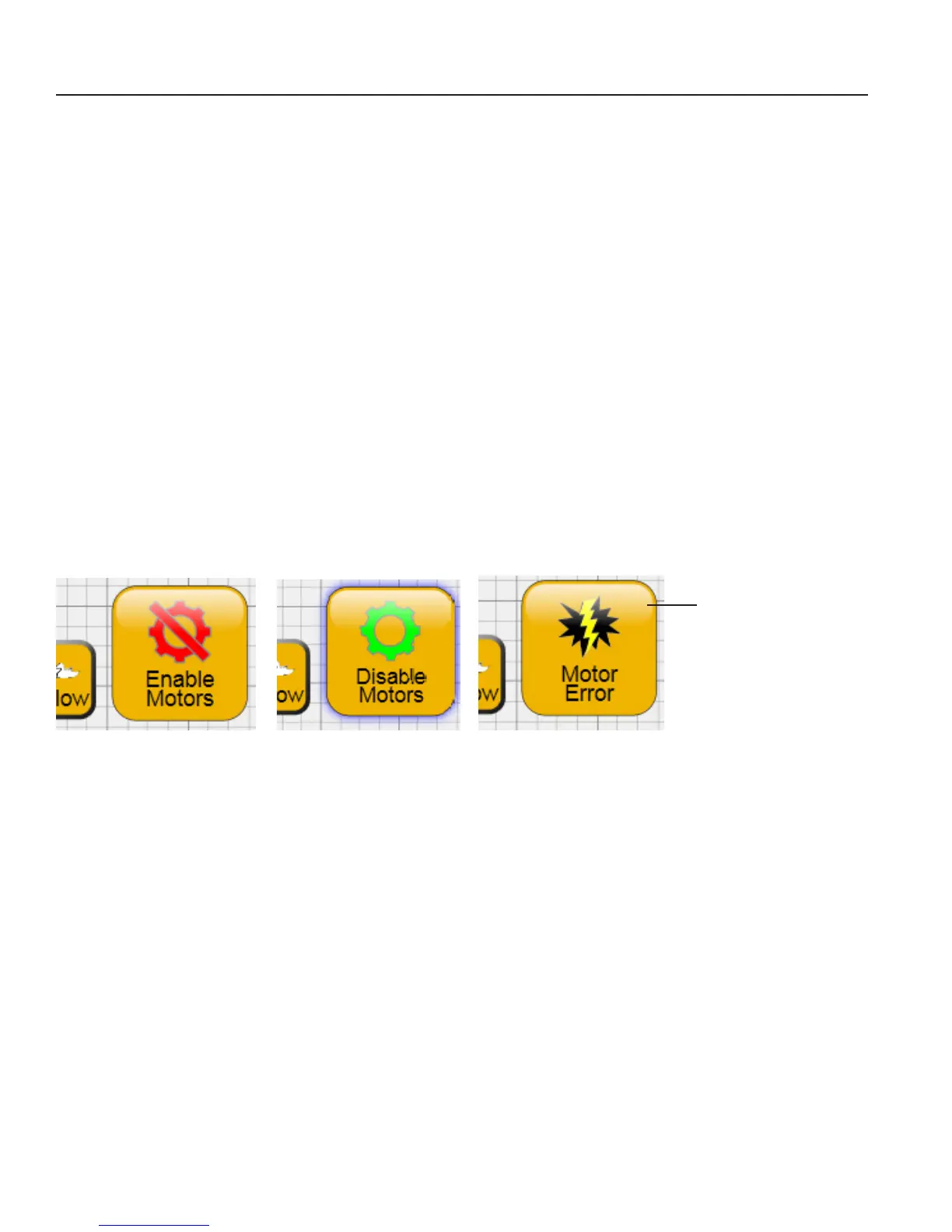
The Enable Motors buon (top-right corner of the screen) enables you to switch between locking the
motors in posion and enabling the machine to be moved around. If this buon becomes gray with a
lightning bolt, Pro-Stcher is not communicang with the carriage motors. Press the buon to reestablish
communicaons with the motors. Refer to the Troubleshoong secon of this manual for further help.
To enable or disable the carriage motors
• Press the Enable Motors buon to lock the motors in posion to keep the quilng machine from
moving (as long as the levers on the carriage are engaged in the lower posion at the same me).
• Press Disable Motors to disable the Pro-Stcher motors.
Press to reestablish
communicaons with
the motors.











 To Next Page