5.36 | Design Menu Pro-Stcher User Manual
To reposion a design up, down, le, or right
• To reposion the design a specic amount in any of the four direcons, enter a distance (in inches)
in the Nudge number box and then press the appropriate arrow to nudge the design up, down, le,
or right. This is especially useful if you want to nudge the design in minute increments.
Machine Quilting Tip: To nudge the design in tiny increments
By default the nudge distance is set to one tenth (.10) of an inch. To nudge the machine in
smaller, more minute increments, change this value to one hundredth (.01) of an inch.
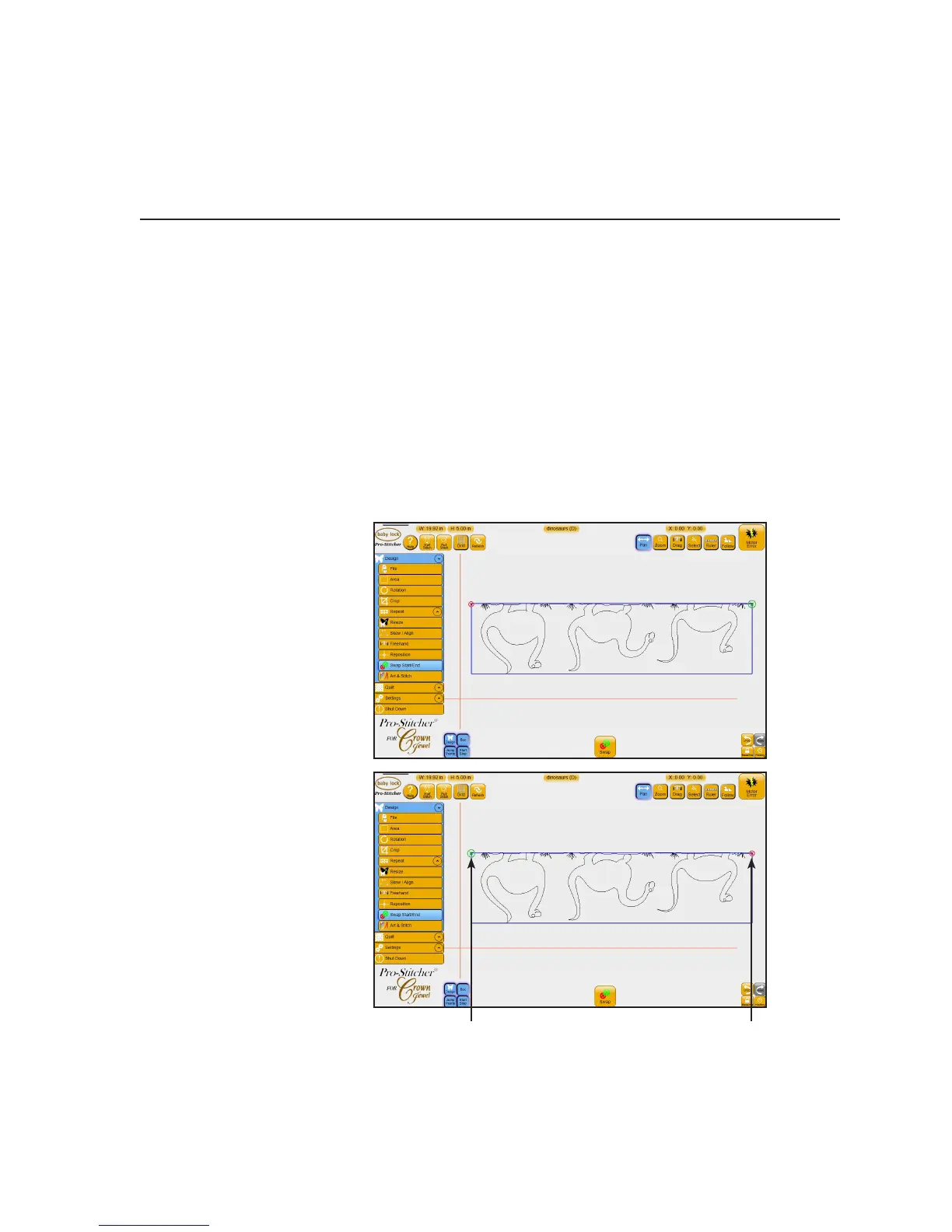
Swap Start/End
There may be mes when you want to switch the quilng start and end points, such as when you rotate or
ip a design and the start point is now at the right side of the design. Use the Swap Start/End opon to do
this.
To swap the quilng start and end points
1. Load a design.
2. Modify the design as desired.
For example, perhaps you want
this dinosaur design to quilt in
the top border upside down.
3. Choose Design, Swap Start/
End. Then select the Swap
buon. The start and end
points will swap places.
New Start
Point
New End
Point











 To Next Page