Pro-Stcher User Manual Design Menu | 5.27
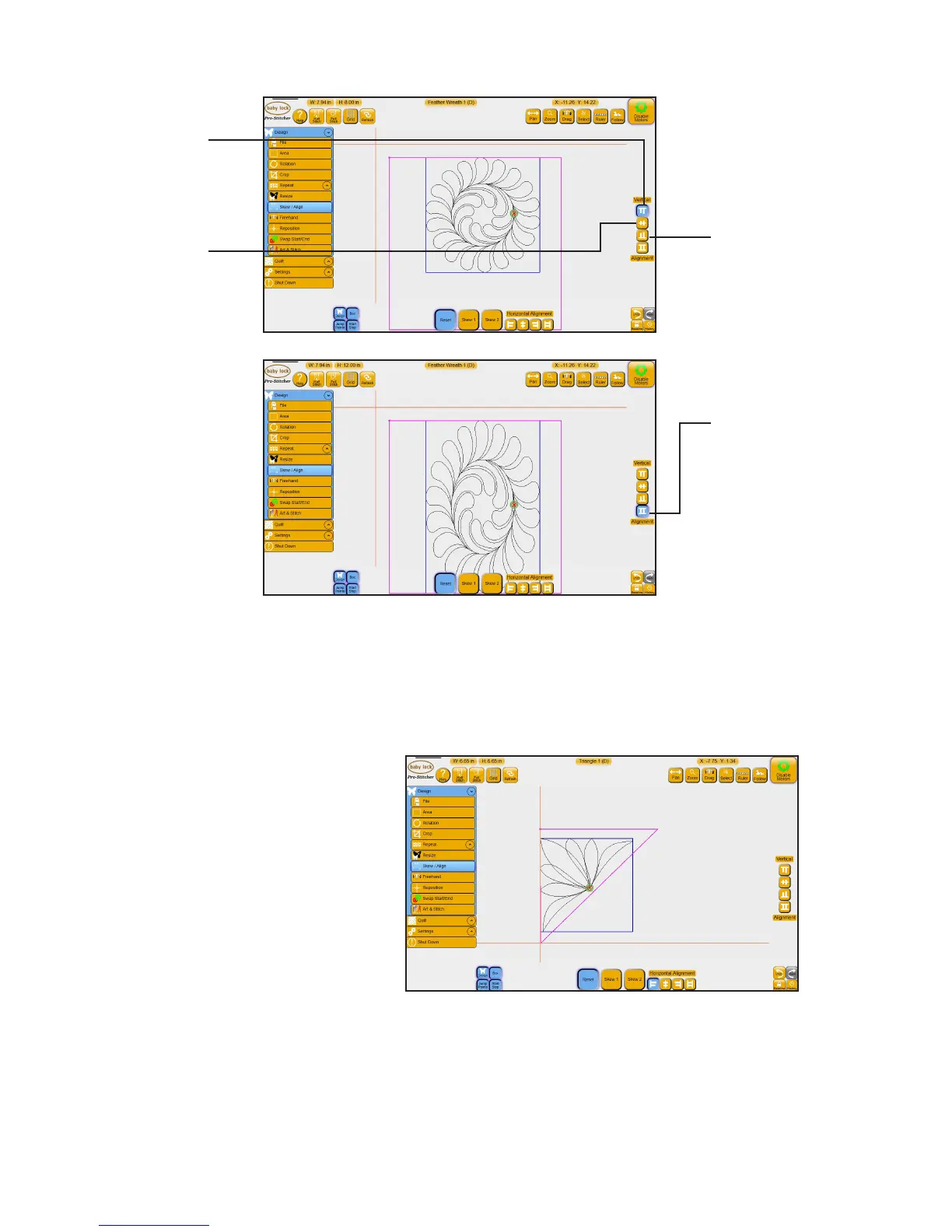
To vercally align blocks within an area
To align a triangle design
1. Load a design and rotate 45°.
2. Create a triangle-shaped area using Mul-point.
3. Select Design, then Skew/Align.
4. Select the Horiontal Alignment
Align Le buon.
Align Boom: Aligns
the boom of the
design’s bounding box
with the lowest point
of the area.
Vercal Stretch:
Stretches or shrinks
the design so the top
of the bounding box
aligns with the highest
point of the area and
the boom of the
bounding box aligns
with the lowest point
of the area.
Align Top: Aligns the
top of the design’s
bounding box with
the top of the area
(pictured).
Align Center: Aligns
the vercal center of
the design’s bounding
box with the vercal
center of the area.











 To Next Page