Pro-Stcher User Manual Installaon | 3.13
9. With the power cable unplugged and the motors in the engaged posion (use the manual
engagement/disengagement tool if necessary), ensure that as the quilng machine is moved in both
the X and the Y direcons, the corresponding gears are rotang as well.
To aach the tablet computer
1. Disconnect the front handlebar cable from the side of the machine’s head. Then remove the
handlebars from the front of the quilng machine by removing the three hex-head bolts with a 5mm
Allen wrench.
If you’re having diculty reaching the front handlebar cable, rst remove two of the hex-head
bolts and loosen the third bolt. Then, rotate the handlebar slightly to provide easier access to the
handlebar cable.
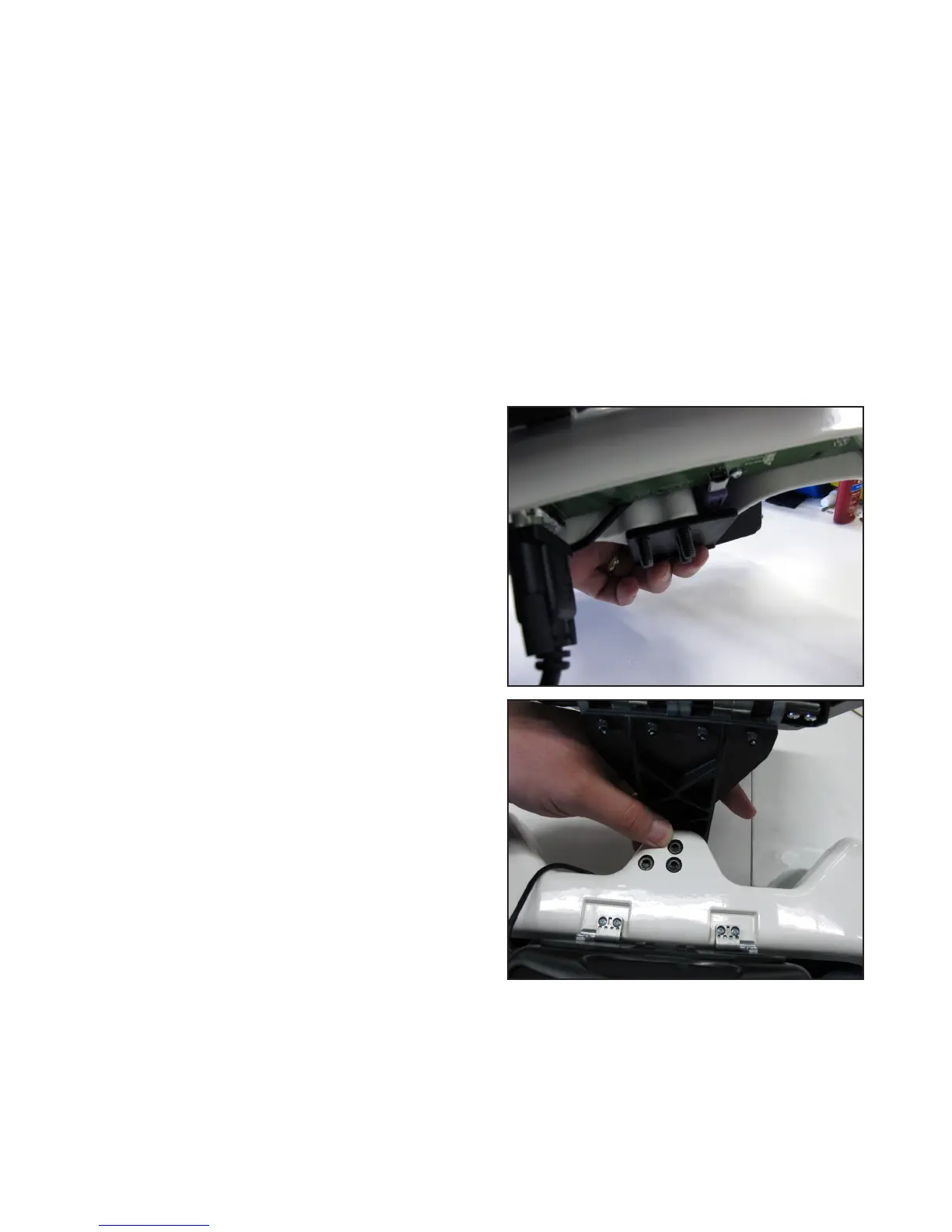
2. Make sure the three handlebar bolts are in the front
handlebar and protruding out the boom of the
handlebar.
3. Posion the handlebar over the computer bracket
such that the screws go through the three holes in
the bracket.
4. Secure the handlebar and bracket in place on the machine head using the three handlebar bolts.











 To Next Page