Pro-Stcher User Manual Quilt Menu | 7.9
• Move the machine and crosshairs to the desired locaon and press the Current Point buon under
Reposion. If the Start Point has been altered during a Pause, pressing Resume will cause the Pro-
Stcher to resume from the adjusted Start Point rather than the Current Point.
To see how far into a design the machine has stched
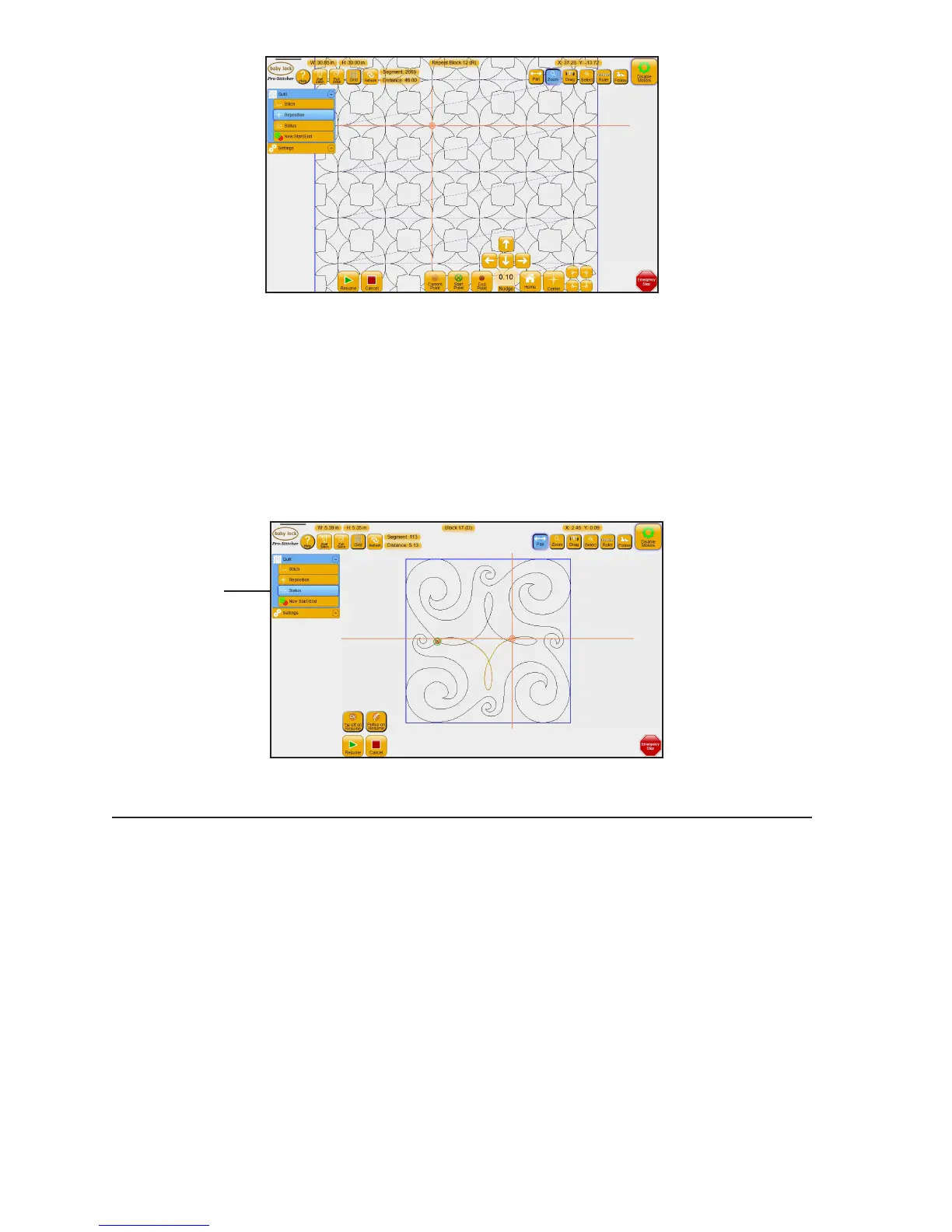
• Aer pausing the quilng, select Quilt and then select Status. Pro-Stcher displays the line segment
being stched and the distance traveled (in inches).
Machine Quilting Tip: Using the line segment and distance information
The line segment informaon is useful if you want to resume quilng from that exact point,
such as when you are quilng over-sized blocks and need to roll the quilt aer quilng part
of the block. Make a note of the line segment and distance values so that you can begin
quilng again at that precise locaon.
The distance informaon may be useful in determining how much thread has been used.
Change the start or end point of a design
Aer the thread breaks or the bobbin runs out of thread, you may need to start quilng from a point other
than the design’s start point. Similarly, you may want to change the end point to a point other than the
design’s original end point and quilt only a part of the design.
Select Status to display
the line segment being
stched and the
distance traveled
(in inches).











 To Next Page