Pro-Stcher User Manual Design Menu | 5.5
Loading the thumbnails may take a few moments, depending on how many designs are stored in
the selected folder and how intricate those designs are. While the thumbnails load, a colored block
with the name of the le type will be visible in place of the actual design thumbnail.
3. Double-tap the name of the desired le or single tap and then press Open to load the design. A
prompt to Clear Area appears on-screen. Choose Yes to clear any area you have dened or No to
leave the area as designated.
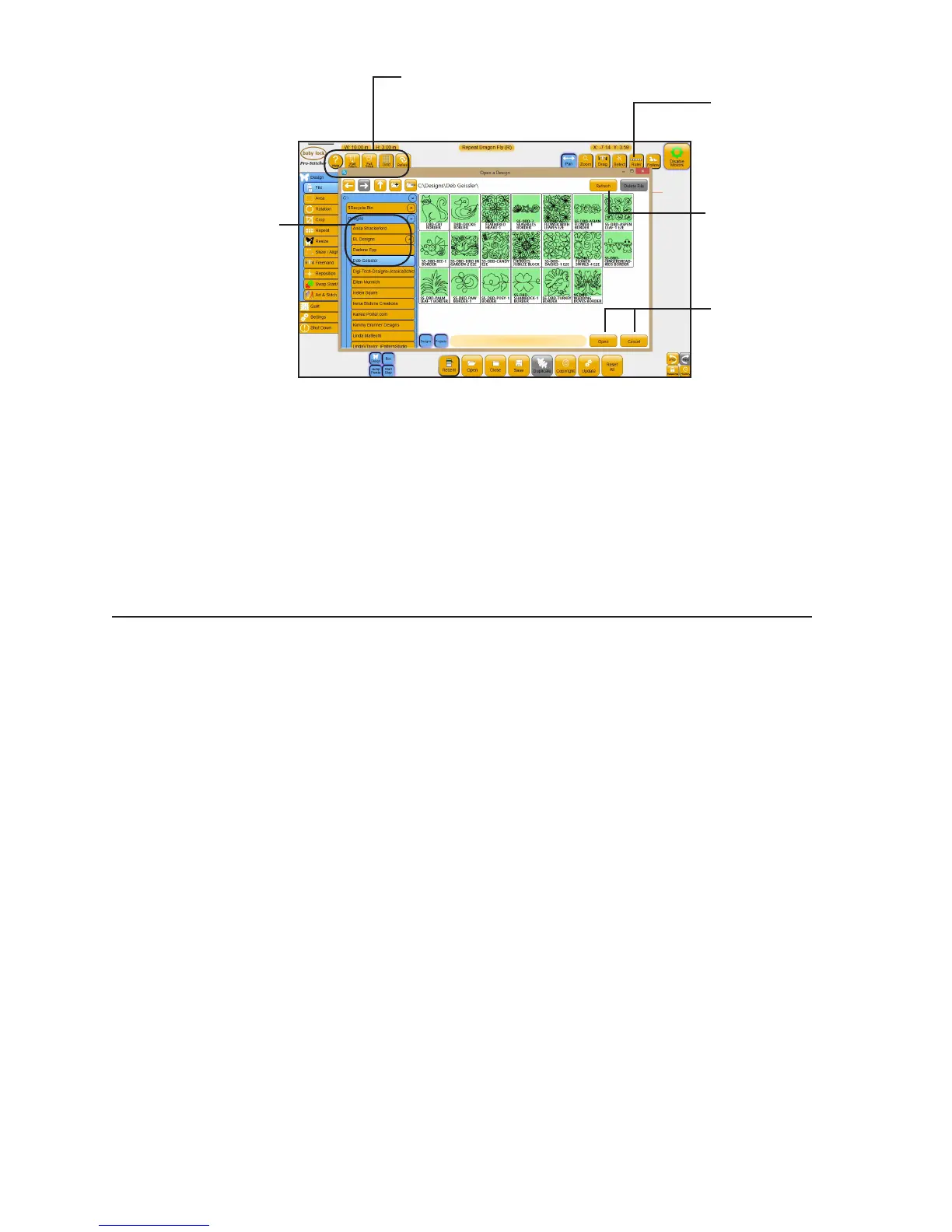
Designers Showcase
Pro-Stcher comes with a large library of quilng mofs from digital quilt mof designers.
Select the designer’s name to see the mofs. Then choose the design you want to use and
select Open. These designs are in a vector le format, .hqv. If you save the design, either to
a new name or overwrite the exisng .hqv le, Pro-Stcher changes it to an .hqf le format.
To save a design
Pro-Stcher prompts you to save your work when closing the soware or closing a design. However, it is a
good idea to save your work regularly.
• Press Save to save the design in its current state. The design library appears with the name of the
current design loaded.
• To overwrite the exisng design with that name, press Save.
• To save a copy of the design to a new name, enter a new name using the pop-up keyboard and
then press Save.
• To cancel without saving the design, press Cancel.
To save a group as a design or a project
You can save a group of designs as a design or as a project. If you save a group as a design, Pro-Stcher
creates a single design. When you load it again in the future, you will not be able to work with the designs
independently.
Designs are organized into
folders: BL Designs (with
block designs, connuous line
designs, corner designs, and
triangle designs), as well as by
the name of generous designers
who have shared some of their
designs.
Select a design and
then choose Delete
File to remove it from
your computer.
Choose Refresh to
reload the thumbnails
in the selected folder.
Select a design and
press Open to load it
or press Cancel to exit.
Use these buons to navigate among
folders on the current drive or to open
folders on a USB drive.











 To Next Page