INSTALLATION
OPERATOR INTERFACE DEVICES
I-E96-192-5A 3 - 27
Touch Screen
A touch screen accessory provides a means of selecting display
options by touching the desired area on the monitor screen.
This accessory can be used on all the models except the
IIOIC423 environmental model and is ordered by nomencla-
ture (Table 3-7). The touch screen controller board mounts
onto the component side of the IIMKM02A module. The touch
screen board interprets signals from the touch screen monitor
overlay and sends them to the CPU. This accessory requires
the addition of a touch screen and a touch screen controller
board. Table 3-8 lists the parts included with the touch screen.
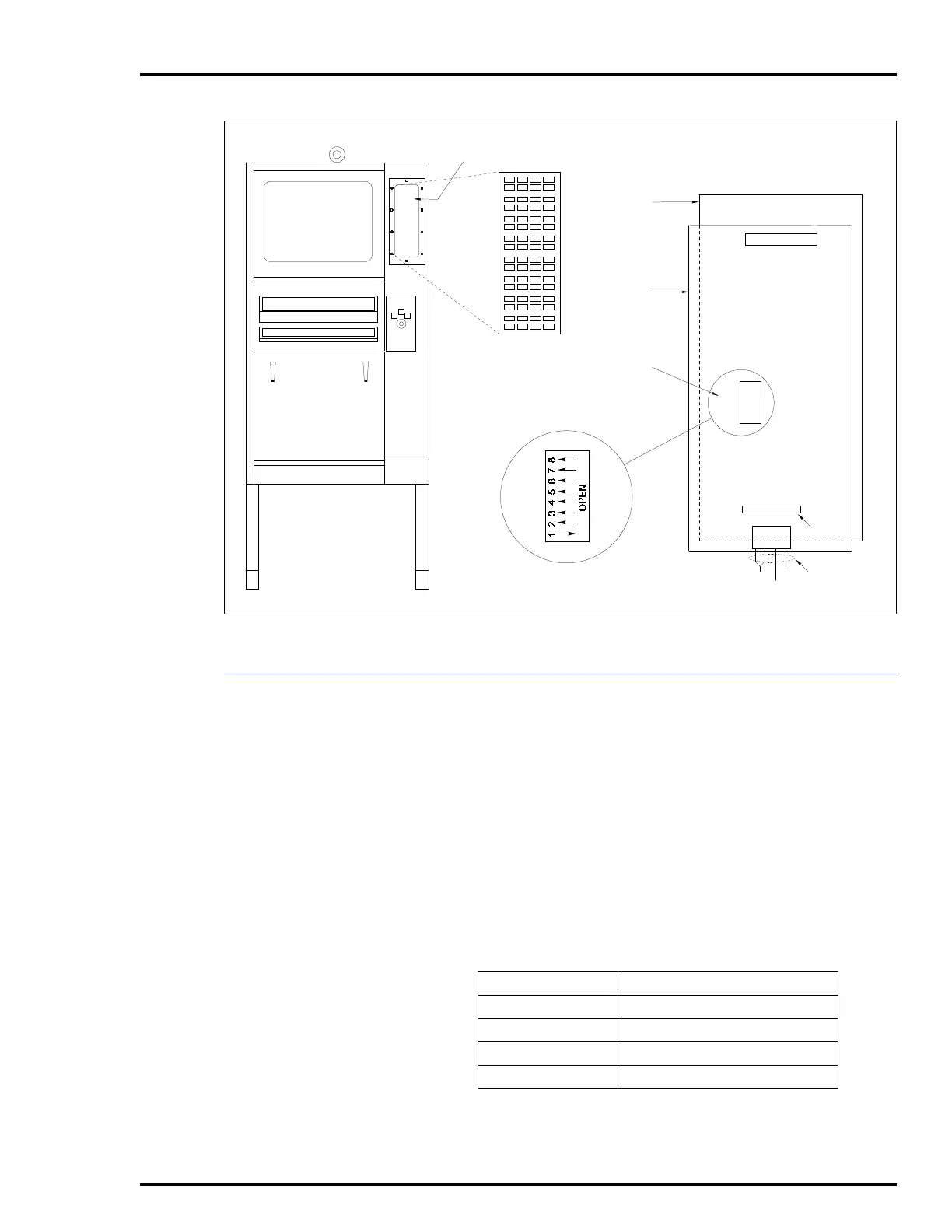
Figure 3-21. NADS03 Annunciator Display Panel SW1 Settings
ANNUNCIATOR
DISPLAY PANEL (ADP)
ADDRESS SWITCH
SETTINGS
TO MKM BOARD
(26 PIN)
P2
P1
COM
TP35524C .
N/C +5
PIN 1
POWER IN
CABLE
6638713A4
ADP
1
SW1
BACK OF
ADP PANEL
ADDRESS
SWITCH
SW1
PC BOARD
P3
Table 3-7. Touch Screen Nomenclature
Nomenclature Description
AOHOIC42TS1 IIOIC4221 single lower console
AOHOIC42TS2 IIOIC4222 upper CRT
AOHOIC42TS4 IIOIC424 panel mount console
AOHOIC42TS5 IIOIC421 table top console



 To Next Page