COMPONENT DESCRIPTION AND REPLACEMENT
POWER SUPPLY REMOVAL
I-E96-192-5A 6 - 7
IIOIC421 Tabletop
To remove the power supply from an IIOIC421 tabletop model,
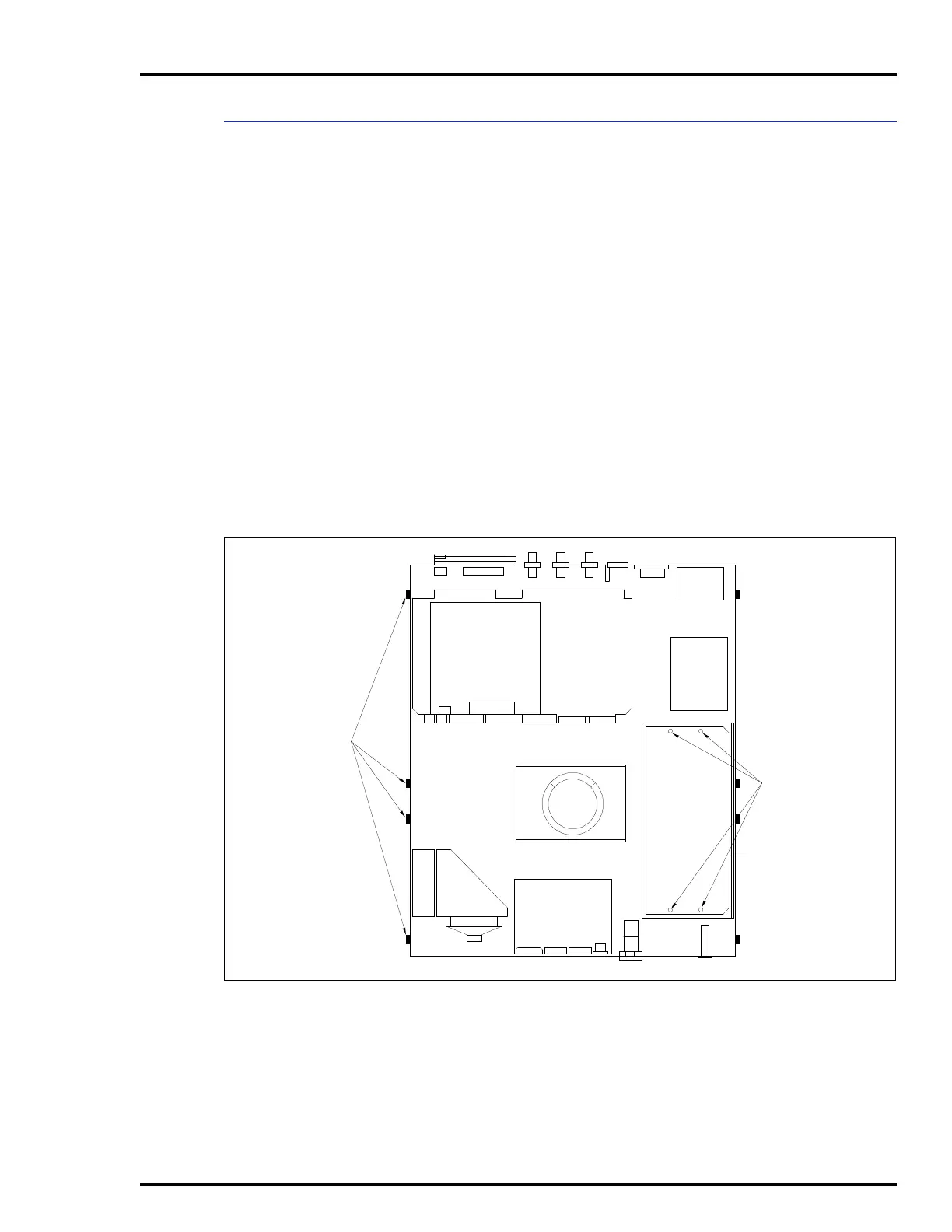
see Figure 6-5 and follow these steps:
1. Remove power.
2. To remove the cover from the top of the monitor, remove
the eight screws and remove the split cover. Do not remove the
monitor.
3. Mark and disconnect the wires on the power supply.
4. Carefully tip the monitor and chassis on one side or tip it
to the left and support it.
5. Remove the four screws from the outside bottom of the
chassis fastening the power supply to the chassis.
6. Set the monitor and chassis back upright and replace the
cover.
Figure 6-5. Power Supply Removal for
IIOIC421 Tabletop Console
COVER MOUNTING
SCREWS (8)
POWER SUPPLY
MOUNTING SCREWS
ON BOTTOM OF
CHASSIS
TP35533B



 To Next Page