COMPONENT DESCRIPTION AND REPLACEMENT
POWER SUPPLY REMOVAL
I-E96-192-5A 6 - 9
IIOIC423 Environmental Cabinet
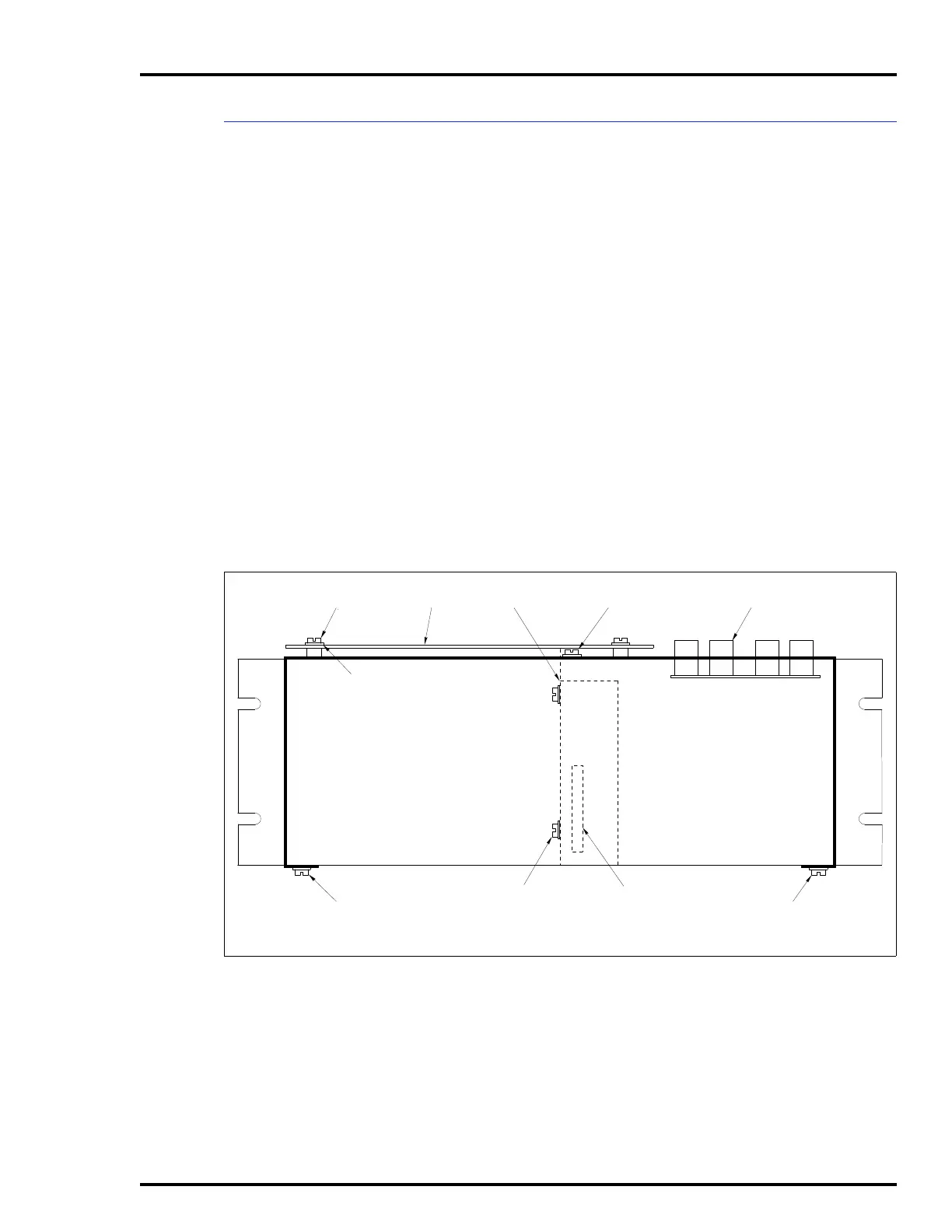
To remove the power supply from an IIOIC423 environmental
cabinet see Figure 6-7 and follow these steps:
1. Follow the procedure for removing the IIOIC423 power
entry panel in this section.
2. Remove the IIMKM02A circuit board. Do not lose the two
nonconductive washers for each standoff.
3. To remove the cover from the top of the power entry panel,
remove the nine screws shown in the figure and disconnect the
DC distribution board connector.
4. Mark and disconnect the wires between the power supply
and incoming AC.
5. Remove the four screws holding the power supply to the
center support wall of the power entry panel.
NOTE:
Check that the DC distribution board connector to the power
supply is aligned correctly when replacing the cover.
Figure 6-7. Power Supply Removal for IIOIC423 Environmental Console
3SCREWS
ON COVER
4 SCREWS ON CENTER
SUPPORT WALL
POWER SUPPLY
3 SCREWS
ON COVER
ON COVERMKM BOARD
4 SCREWS
BOARD
DC DISTRIBUTION
BOARD CONNECTOR
NOTE: DO NOT LOSE NON-CONDUCTIVE
WASHERS ON MKM BOARD STANDOFFS
FRONT VIEW



 To Next Page