EasyManua.ls Logo

Banner Q4X - User Manual

Banner Q4X
46 pages
Print Icon
To Next Page IconTo Next Page
Loading...
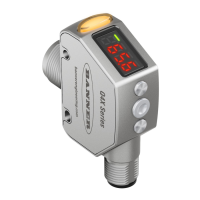
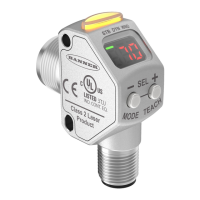
Q4X Stainless Steel Laser Sensor with
D
ual Discrete Outputs and IO-Link
Instruction Manual
Original Instructions
190074 Rev. D
17 January 2017
©
Banner Engineering Corp. All rights reserved
190074

Table of Contents

Other manuals for Banner Q4X

Questions and Answers

  • M
    Matthew WilliamsAug 1, 2025
    What to do if the distance being taught is outside of the valid sensing range for Banner Accessories?
    • B
      brian44Aug 1, 2025
      If the distance being taught to your Banner Accessories is outside of the valid sensing range, present a target within the sensor's specified range and then re-TEACH the device.
  • C
    Christopher PerezAug 5, 2025
    What to do if Banner Q4X output is short-circuited?
    • J
      Jorge BraunAug 5, 2025
      If the Banner Accessories output is short-circuited, you should check the wiring for an electrical short circuit and ensure that the wiring is correct.
  • N
    nicholasdelgadoAug 8, 2025
    What to do if the signal is saturated (too much light) in Banner Q4X Accessories?
    • B
      Brian CharlesAug 9, 2025
      If the signal of your Banner Accessories is saturated due to too much light, reposition the sensor or the target to increase the detection distance, or increase the angle of incidence between the sensor and the target.
  • A
    allenlarryAug 13, 2025
    What to do if Banner Q4X Accessories signal is saturated?
    • J
      Jeff JohnsonAug 13, 2025
      If the signal of your Banner Accessories is saturated due to too much light, try repositioning either the sensor or the target. Another approach is to increase the angle of incidence between the sensor and the target to reduce the amount of light received.
  • A
    Ashley KramerAug 17, 2025
    What to do if Banner Accessories shows no valid signal in range?
    • C
      Cindy DuncanAug 18, 2025
      If your Banner Accessories unit is showing 'no valid signal in range', attempt to reposition the sensor or the target.
  • D
    Dawn JohnsonAug 21, 2025
    What to do if the adjusted endpoint is between the other endpoint and the end of range in Banner Accessories?
    • D
      daviddudleyAug 22, 2025
      If the adjusted or taught end point in your Banner Accessories is between the other end point and the end of range, resulting in insufficient space to create the minimum window size, you should TEACH or adjust the end points to maintain the minimum window size within the sensing range.
  • B
    Brittany MaxwellAug 27, 2025
    How to fix no valid signal in range for Banner Accessories?
    • S
      Samuel BryantAug 27, 2025
      If there is no valid signal in range for your Banner Accessories, try to reposition the sensor or the target.

Summary

Instruction Manual

Product Description

Laser Safety Information

Information about the Class 1 laser classification and associated safety precautions.

Installation Guide

Sensor Programming

Setup Mode and Basic Configuration

Navigating setup mode, selecting channels, and configuring output/timing.

Advanced Configuration and TEACH Modes

Setting response speed, gain, reference location, and performing various TEACH modes.

Remote Control and Button Management

Using remote input for programming and managing sensor button lock states.

IO-Link Interface

IO-Link Communication

Information on using IO-Link for sensor parametrization and data transmission.

Specifications

Banner Q4X Specifications

General IconGeneral
Sensing ModeDiffuse
Input Voltage10 V DC to 30 V DC
OutputNPN or PNP
Housing MaterialStainless steel
IP RatingIP67
Connection TypeM12

Related product manuals