8. Communicator Touch Panel
8.3 Repositioning the Touch Panel interface
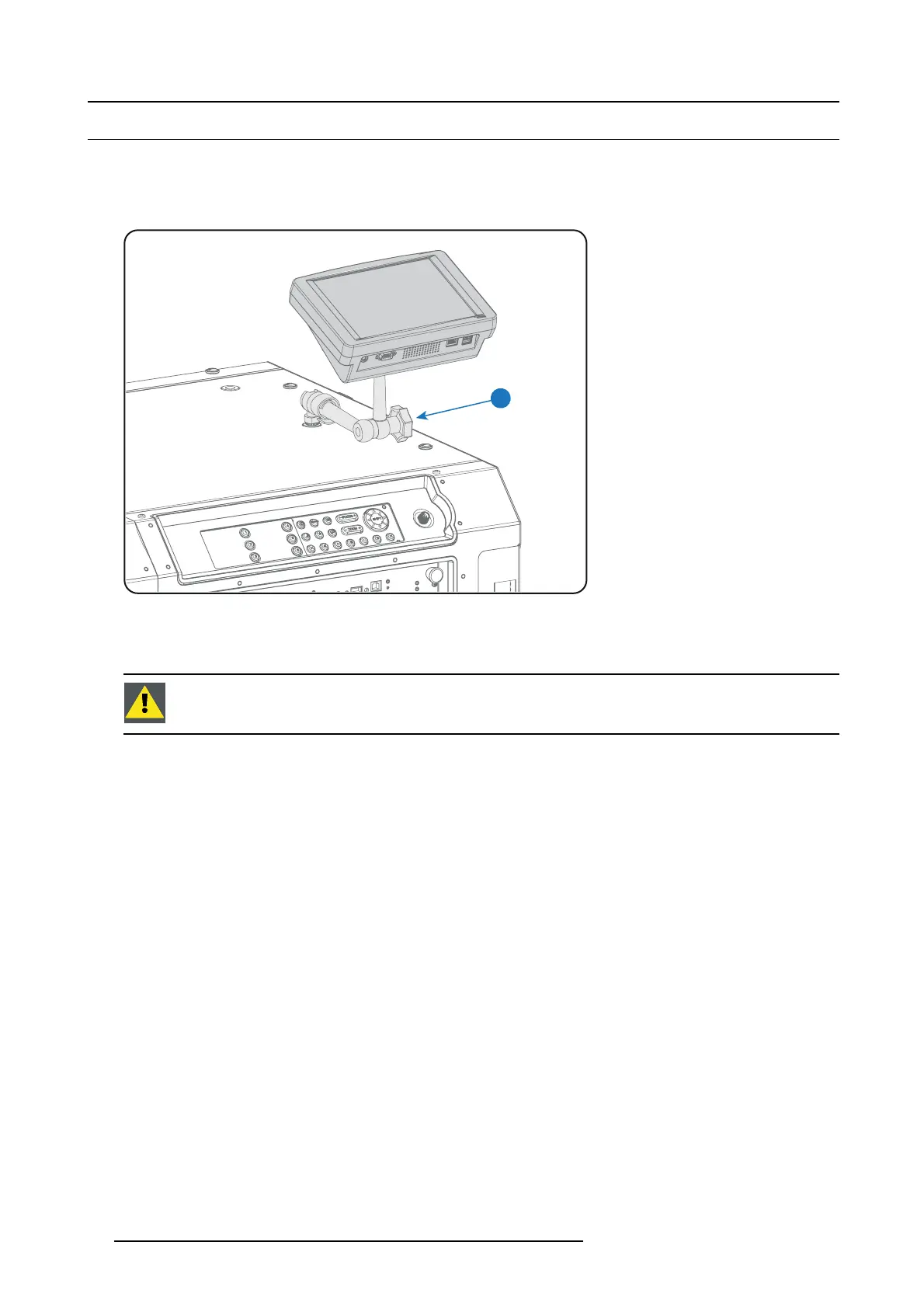
How to rep osition the Touch Panel interface?
1. Hold the Touch Panel interface with one hand .
2. Release the central swivel clamp by turning the knob (reference 7 image 8-9) counterclockwise.
7
Image 8-9
3. Move the Touch Panel interface to the desired position.
4. Fasten the central swivel clam p by turning the knob clockwise.
CAUTION: Never release the central sw ivel lock without sup porting t he Touch Panel interface.
88 R5906847 DP2K SLP SERIES 02/06/2017



 To Next Page
 Loading...