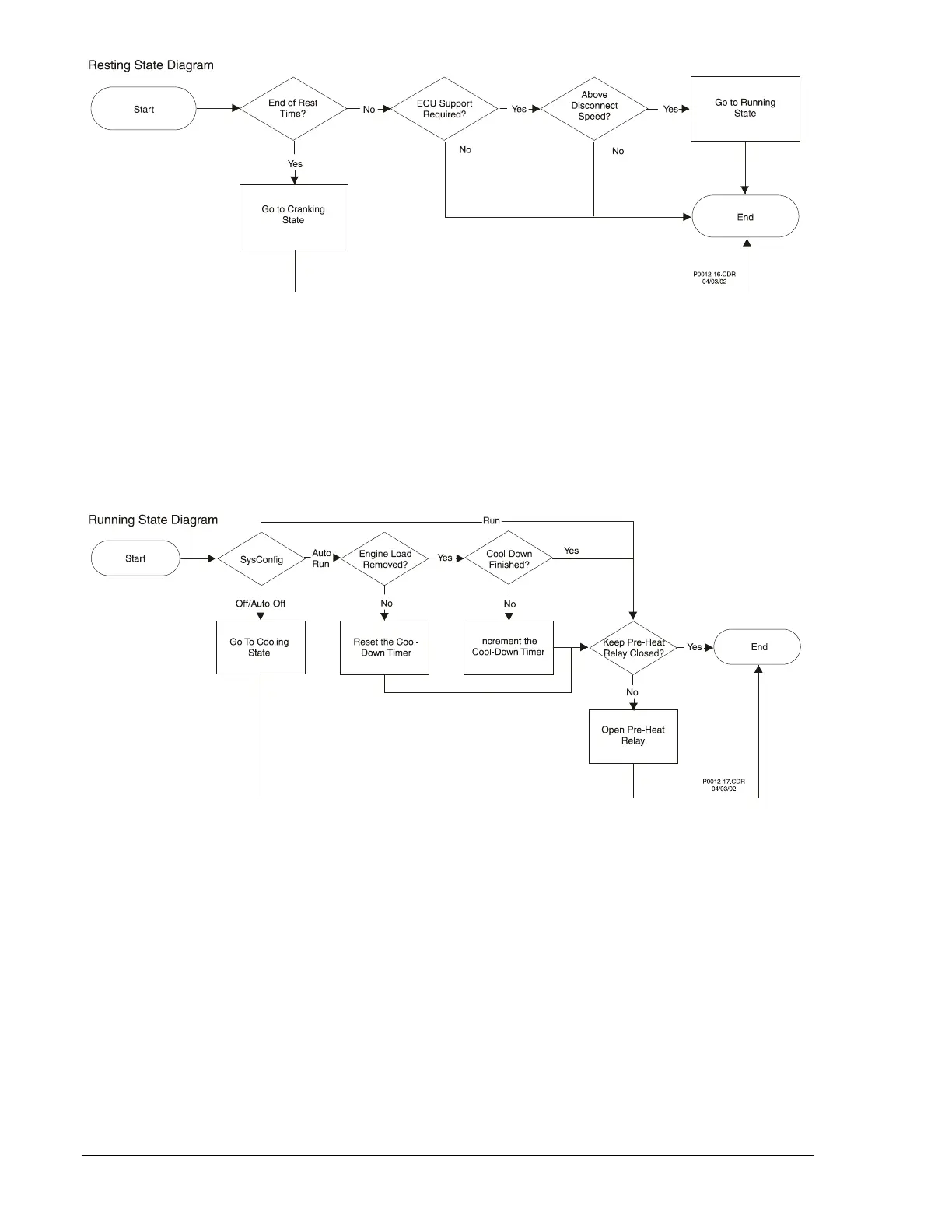
Figure 3-24. Resting State Diagram
Running State
If the System configuration changes to Off/Auto-Off, then the unit transitions to the Cooling state. If
System configuration is set to Auto-Run, then the Cool-Down Timer is reset or incremented here if a load
is applied and removed from the engine. If Pre-Start Contact After Disconnect was enabled in
BESTCOMS, then during the course of this state, the Pre-Start relay will remain closed, otherwise it will
be opened. Figure 3-25 illustrates the Running State flowchart.
Figure 3-25. Running State Diagram
Cooling State
This state is available only if the unit is in Auto/Off with an unexpired Cool-Down time or if the unit was in
the Cranking state when the unit went to Off. If system configuration changes back to Auto-Run, this state
will transition straight into the Running state since the engine should already be running while it is in the
Cooling state. If System configuration is Off, then the unit was either in the Cranking or Running state and
the unit will verify if it should go to the Ready or Shutting Down state. If there is a load applied to the
engine or one was applied and then removed, but the engine was not running long enough after it was
removed to expire the Cool-Down Time, the unit will stay in this state until the Cool-Down timer expires.
After the Cool-Down timer expires, if the unit is following the ECU Power Support diagram, the state will
transition to the Shutting Down state. Otherwise, it will go to the Ready state. Figure 3-26 illustrates the
Cooling state flowchart.
3-34 DGC-500 Functional Description 9355400990 Rev H



 To Next Page