BayStack 350 10/100/1000 Series Switches
304376-B Rev 00
1-59
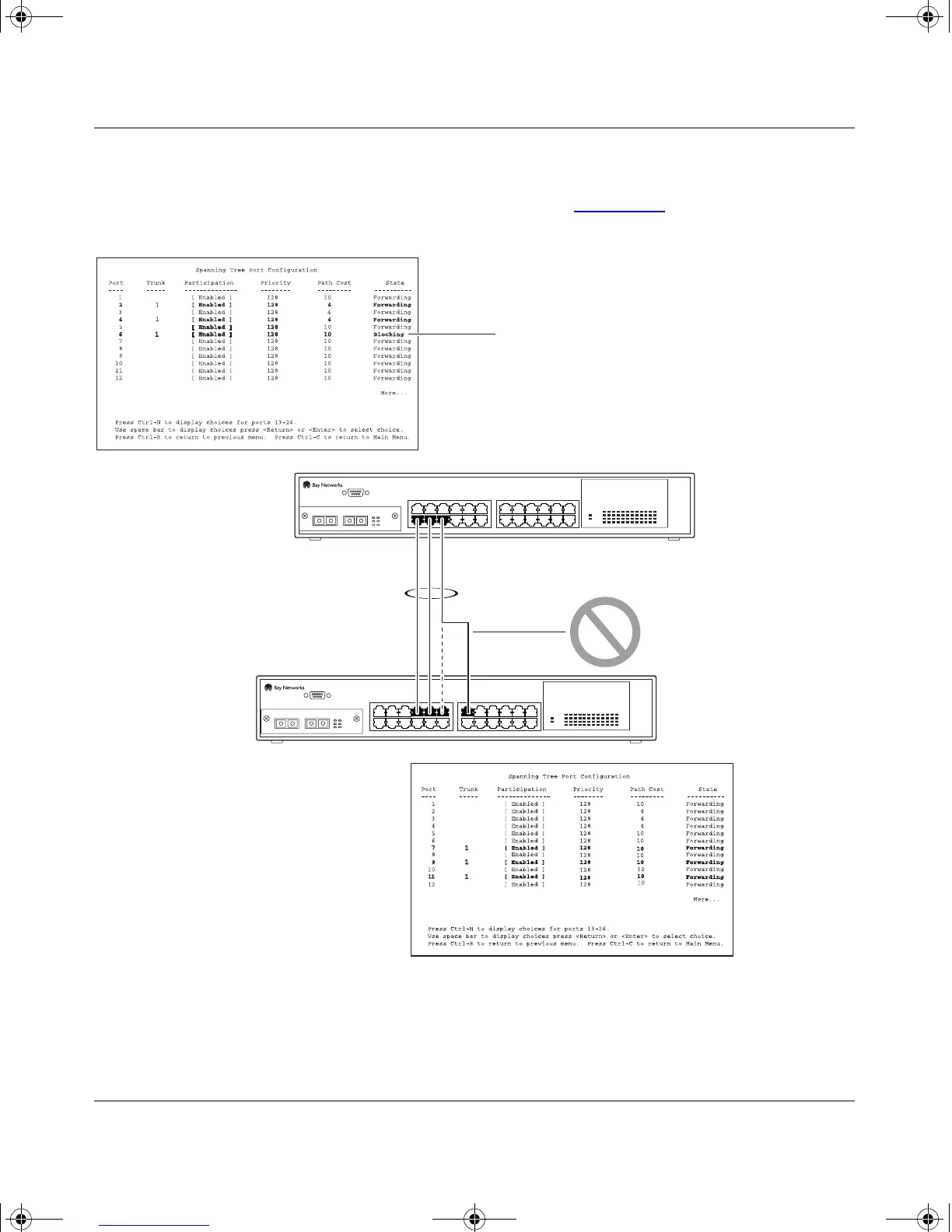
If switch S2’s trunk member port 11 is physically disconnected and then
reconnected to port 13, the Spanning Tree Port Configuration screen for switch S1
changes to show port 6 in the Blocking state (Figure 1-41
).
Figure 1-41. Example 2: Detecting a Misconfigured Port
S1
S2
T1
S1 Port Configuration screen
BS35031A
S2 Port Configuration screen
[Blocking]
kombk.book Page 59 Thursday, February 18, 1999 10:59 AM



 To Next Page