40
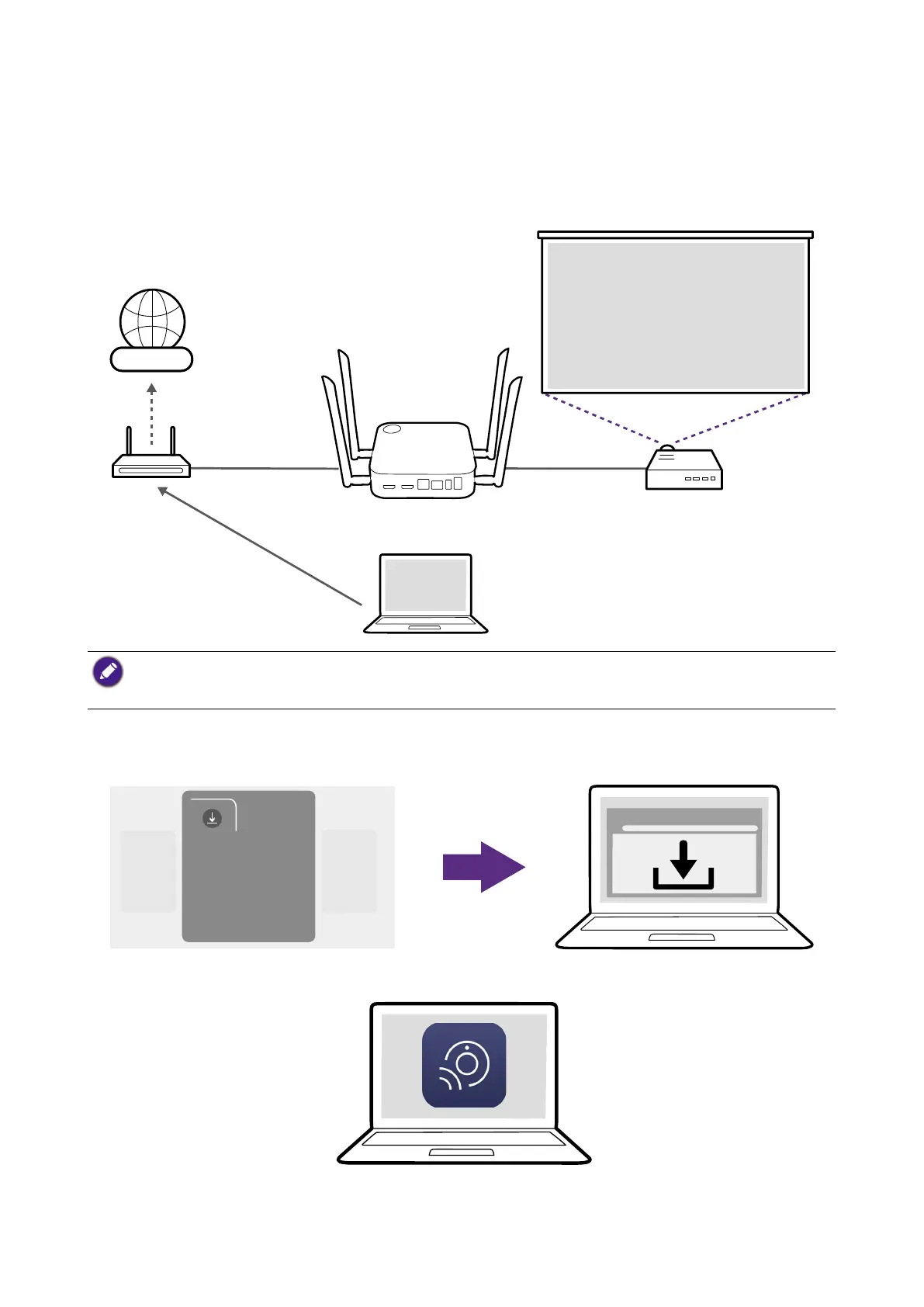
2. Connect the laptop that will be running the videoconferencing application to the same
network as the Host using one of the following methods:
• Connect the laptop's Wi-Fi to the SSID of the Host listed on the top-left corner of the
InstaShow Guide screen.
• Connect the laptop's Wi-Fi to the SSID of the network router.
Internet
• It is recommended to connect to the Host's SSID for faster transmission speed.
• If you are unsure of your Host's SSID you can check the SSID shown on the top-left corner of the
Guide screen.
3. Download and install the InstaShow VS Assist app on the laptop from the URL shown on
the InstaShow Guide screen.
Wireless
Conferencing
1.IP: XXX.XXXX.XX.X
4. Launch the InstaShow VS Assist app.



 To Next Page