10
bernette
SEWING MACHINE WORK
BOOK
Security Program-Needle
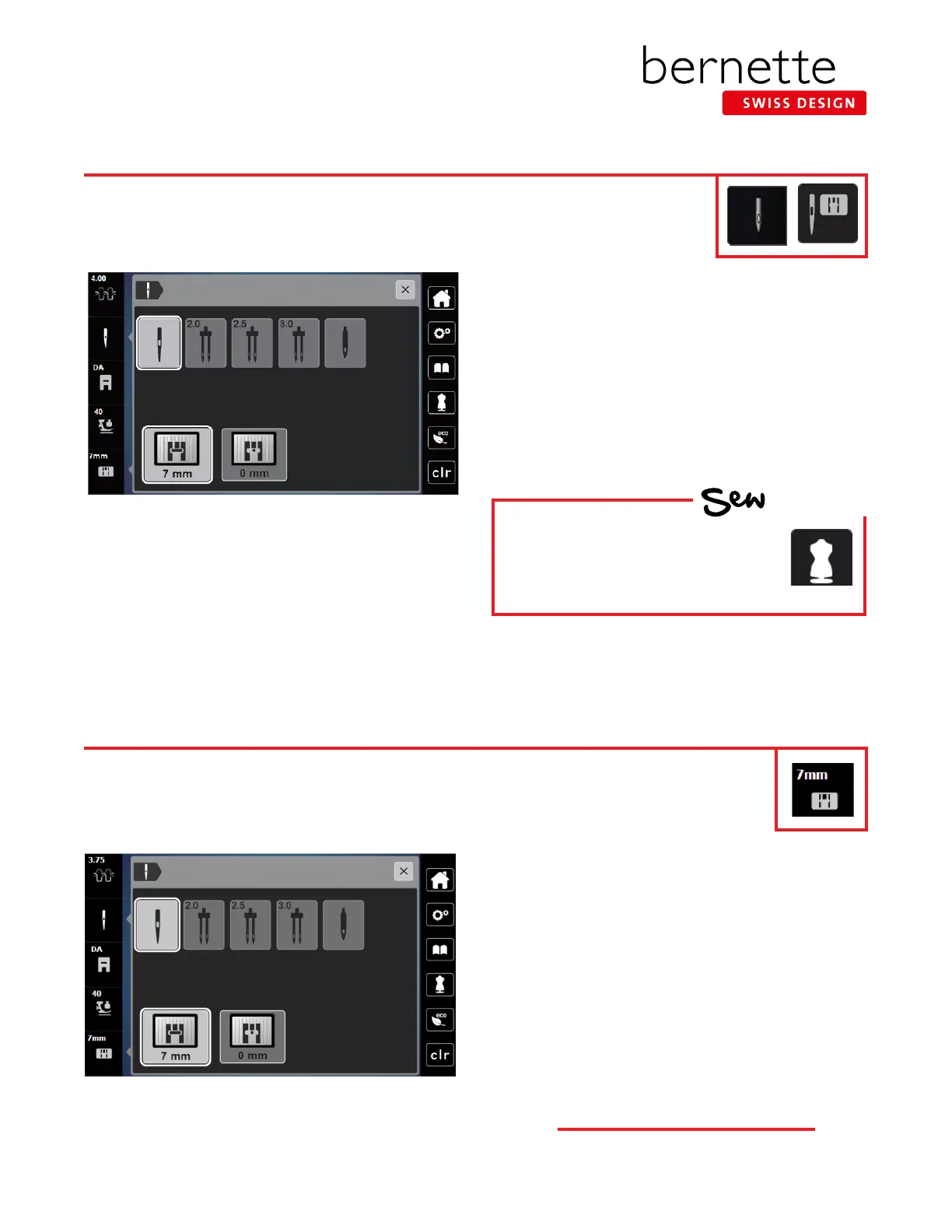
Security Program-Stitch Plate Selection
1. Touch the Needle Selection icon. A display will appear.
2. Select the Standard Needle.
Specialty Needles: When selecting a specialty needle (such
as a twin needle), it can be checked whether or not it can
be used in combination with the attached stitch plate. If the
needle is suitable with the attached stitch plate, sewing can
be started. If the selected needle does not match the stitch
plate, a red exclamation will appear on the display.
For more information on needles, refer to Reference-Sewing
Machine Needles on Pages 37 and 38.
1. Touch the Stitch Plate Selection icon.
2. The machine automatically detects which stitch plate is
attached.
0 mm: This plate is used for embroidery. Many quilters
prefer to use this stitch plate when piecing. This is also
the plate to use when using the CutWork Tool. (The 0
mm Stitch Plate is an optional accessory for the b77.
Setting the Needle Security Program can be very helpful in sewing. It can prevent needle breakage
and damage to your machine or presser foot. The function remains active even when the machine
is turned off and on.
The b79 and b77 have a built-in sensor that detects which stitch plate is attached. If an inappro-
priate needle or stitch is selected, the machine will limit the width of any stitch to prevent needle
breakage. The function remains active even when the machine is turned off and on.
HOW
Do you know:
• On the b79 and b77, the bernette
Creative Consultant recommends
the needle according to the
fabric and technique.



 To Next Page